Tor Browser? Basics
Tor Browser promises real anonymity online — routing your traffic through three volunteer relays so no single party knows both who you are and where you are going. It is the tool journalists and activists rely on, and it is free. But it is slow, some sites block it, and using it wrong destroys the anonymity. Here is the honest basics.
TL;DR / Quick Fix
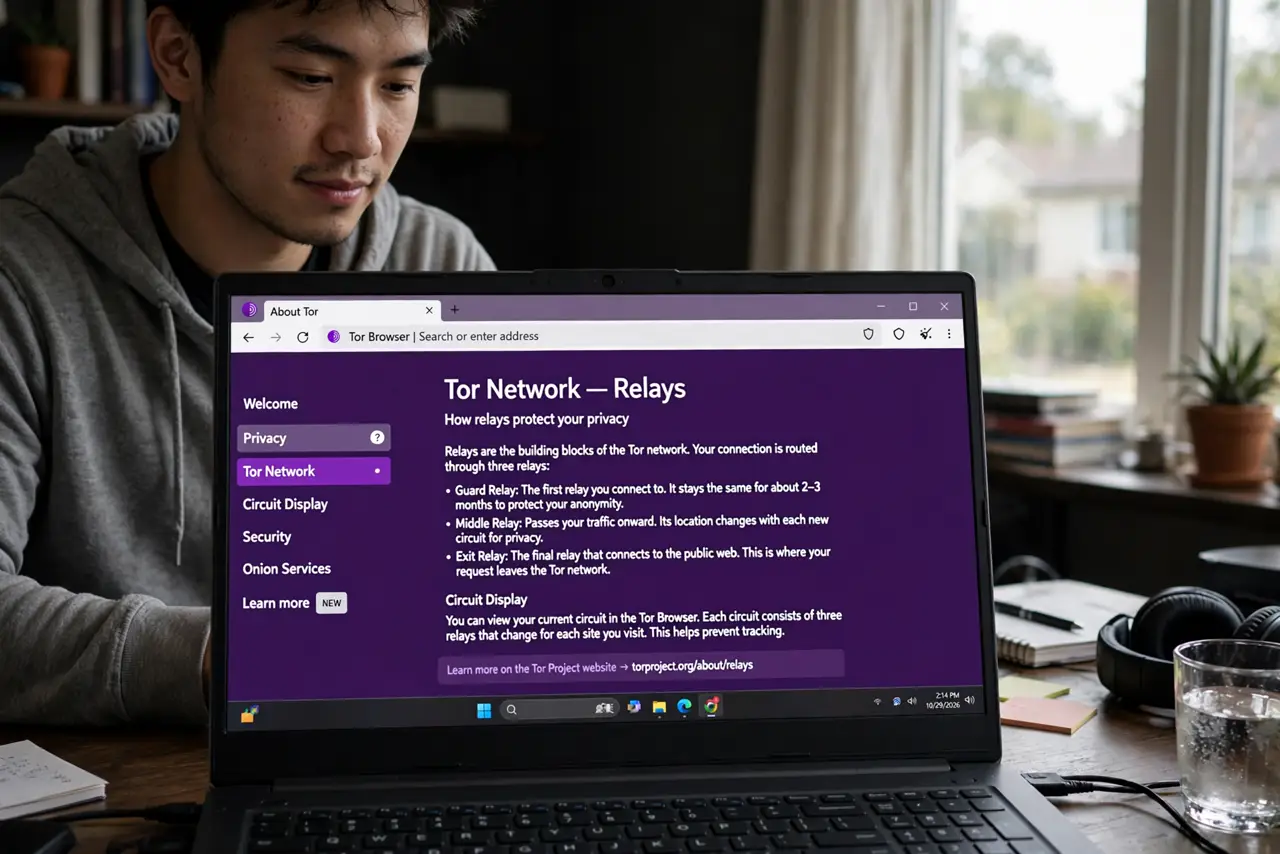
Quick fix: Tor Browser routes your traffic through three encrypted relays for strong anonymity — no single relay knows both your identity and destination. It is free and legitimate, but slow, and some sites block it. Never log into personal accounts over Tor if you want to stay anonymous.
Follow these steps
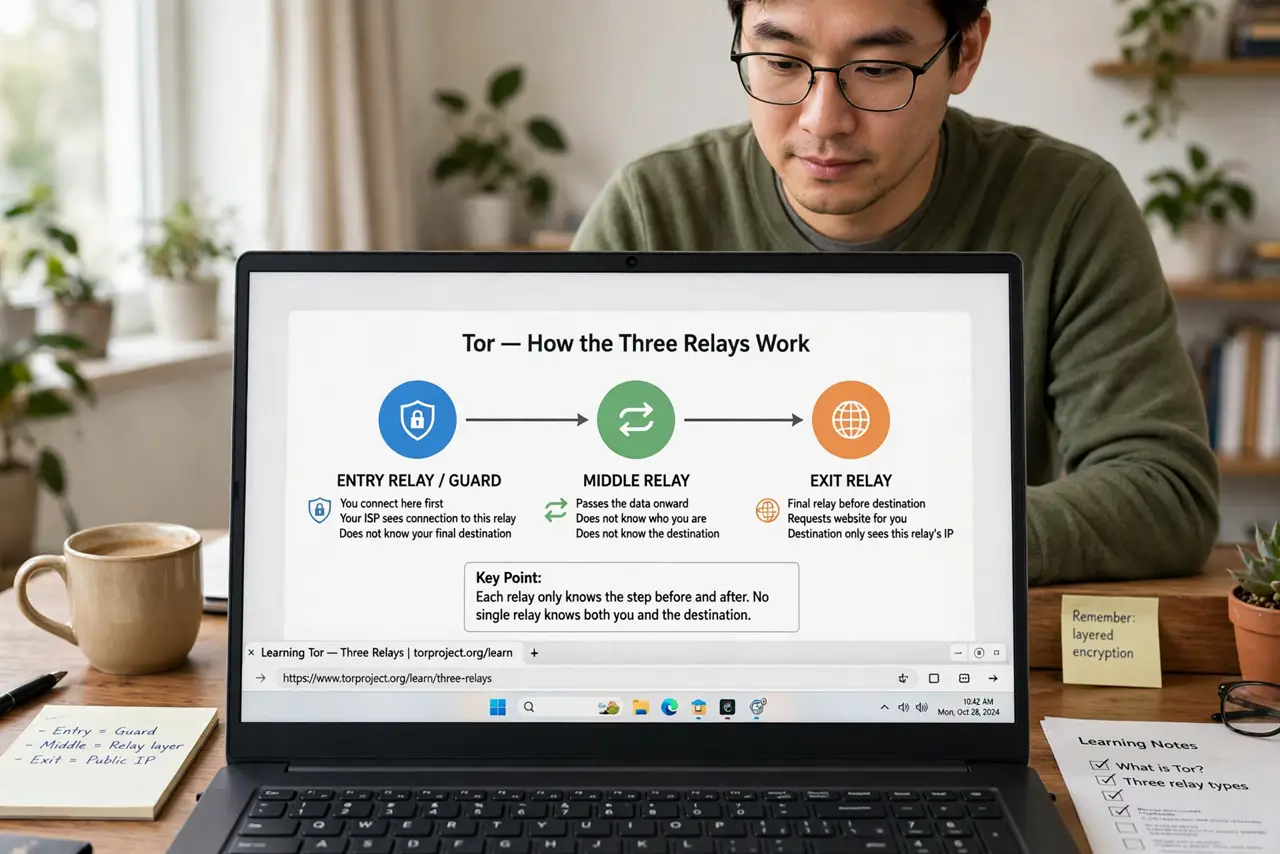
- Understand the three relays. Your traffic bounces through entry, middle, and exit relays, each peeling one encryption layer. No single relay sees the whole picture — that layered design is literally what 'onion routing' means.
- Download only from the real site. Get Tor Browser only from torproject.org — fake versions with malware circulate on download sites. Verify the download signature if you can; at minimum, check the address bar carefully.
- Accept the speed tradeoff. Three hops across volunteer servers is slow — expect noticeably sluggish browsing. Tor is for when anonymity matters more than speed; for everyday private browsing, see private browsing mode instead.
- Do not log into personal accounts. Logging into your email over Tor links your anonymous session to your identity — defeating the purpose. Tor anonymity and personal accounts do not mix; use separate tools for separate jobs.
- Leave the settings alone. Tor Browser's defaults are carefully chosen for anonymity — screen size, fonts, and features are standardized so you blend in. Changing settings makes your browser fingerprint unique, which is the opposite of anonymous.
- Know the exit relay risk. The exit relay sees your traffic unencrypted (sites still see HTTPS content as encrypted, but the relay sees destinations). Never send sensitive unencrypted data over Tor — the Tor vs VPN comparison explains the trust model.
What NOT to do
- Do not download Tor from random sites. Fake Tor browsers bundled with malware are a known trap — torproject.org only.
- Do not torrent over Tor. It is slow, it hogs volunteer bandwidth, and it can leak your real IP — the network begs you not to.
- Do not log into personal accounts over Tor. One login ties the anonymous session to you permanently.
- Do not assume Tor makes illegal activity safe. Anonymity tools do not legalize anything, and mistakes de-anonymize people regularly.
Frequently asked questions
Tor vs VPN — which do I need?
VPN: fast, hides traffic from your provider, good for daily privacy. Tor: slower, stronger anonymity, for sensitive situations. The full comparison lays out the tradeoff.
Is Tor illegal?
No — Tor itself is legal in most countries and used by journalists, activists, and privacy-conscious people. What you do with it follows normal laws.
Why do sites block Tor?
Exit relays are shared and sometimes abused, so some sites block their IPs. It is collateral damage of shared infrastructure, not a judgment on you.