Lock Down Snapchat Safety
Snapchat's disappearing messages feel private, but screenshots, saved chats, and location sharing quietly undo that. For younger users especially, the default settings share more than most families realize. Four settings changes close most of the gaps — here they are, in order of impact.
TL;DR / Quick Fix
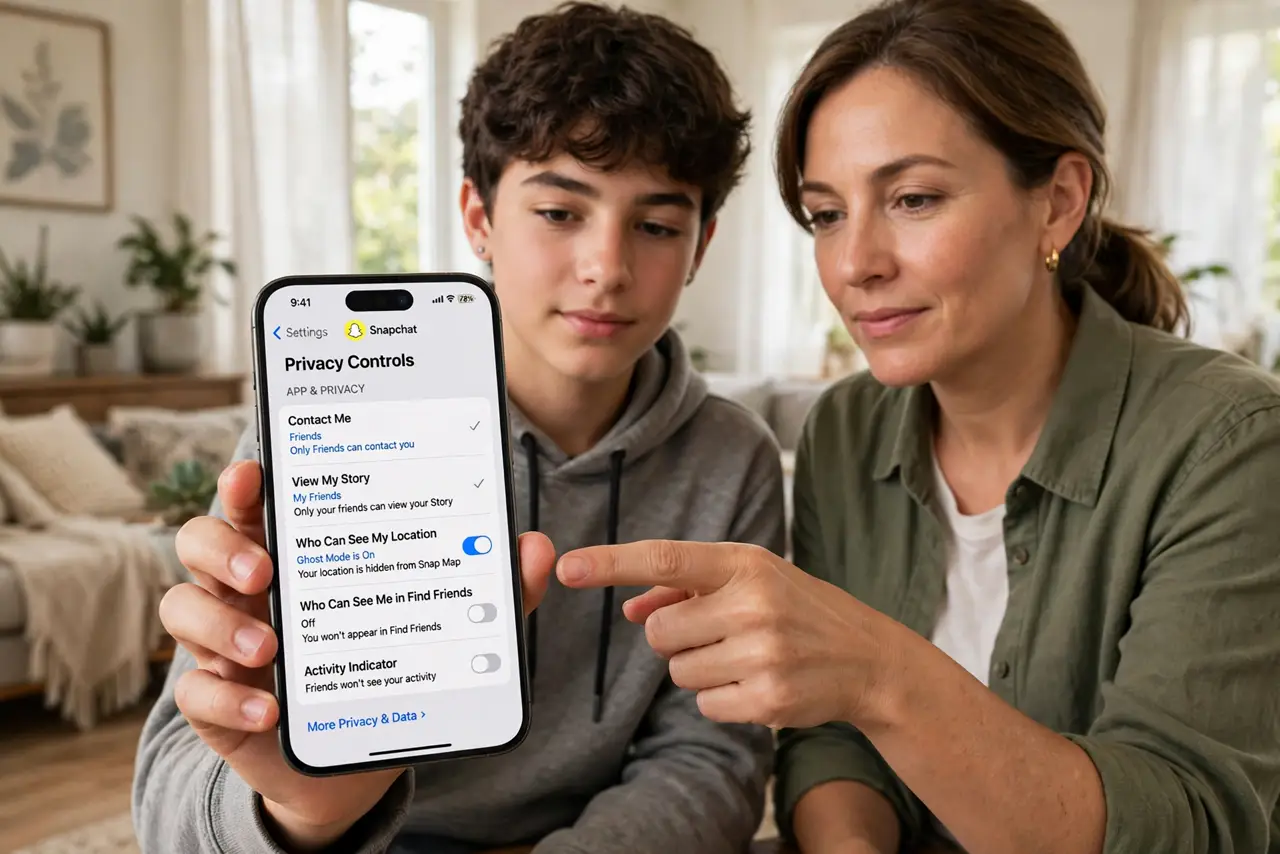
Quick fix: set Who Can Contact Me to My Friends, turn on Ghost Mode in the Snap Map, limit story viewing to friends, and enable two-factor authentication. Review your friends list and remove strangers. These four settings remove most of the risk for younger users.
Follow these steps
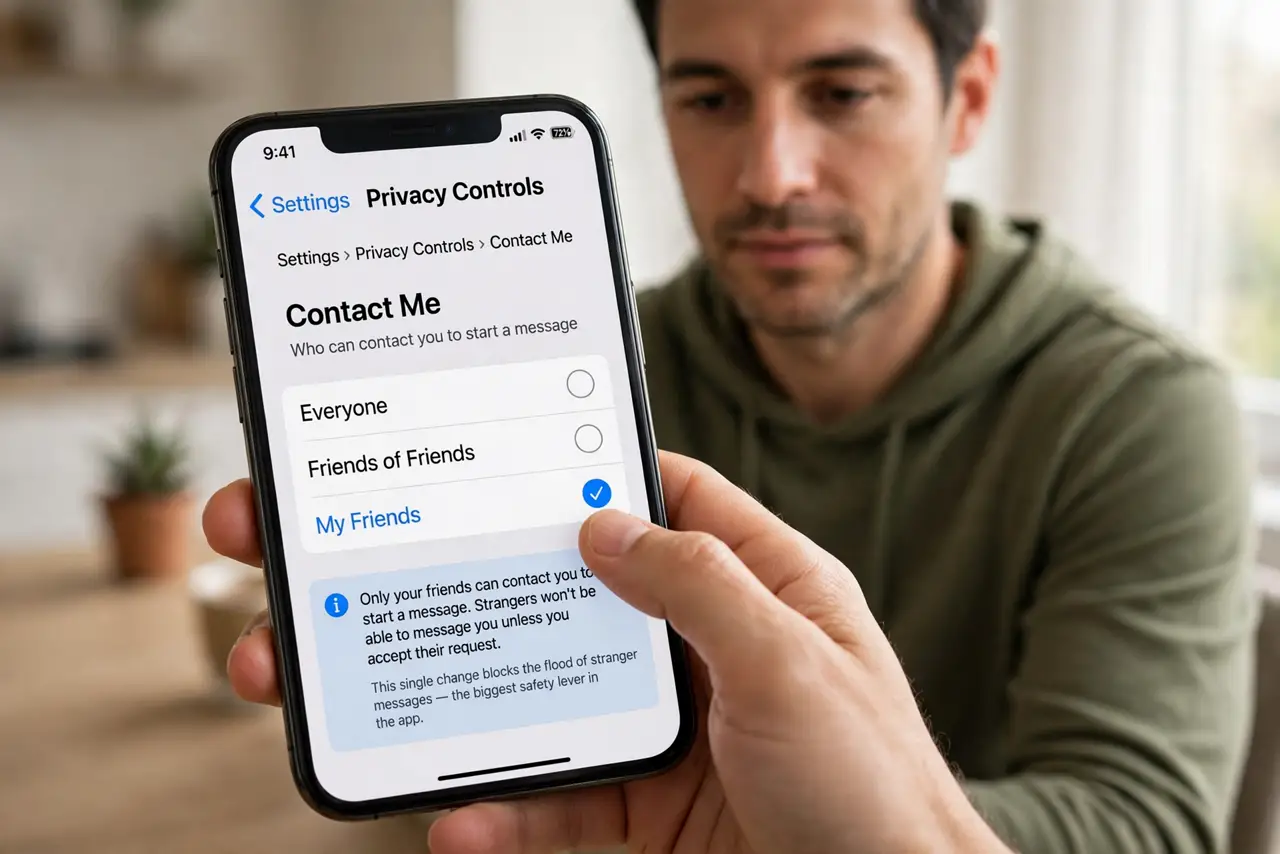
- Set 'Who Can Contact Me' to My Friends. Open Settings > Privacy Controls and change Contact Me to My Friends. This single change blocks the flood of stranger messages — the biggest safety lever in the app.
- Turn on Ghost Mode in Snap Map. In the Snap Map settings, enable Ghost Mode so your live location is invisible to everyone. Location sharing should be an explicit choice, never a default.
- Limit story and location visibility. Set Who Can View My Story to My Friends, and never post location-tagged public stories. Assume anything posted can be screenshotted regardless of timers.
- Enable two-factor authentication. In Settings > Two-Factor Authentication, turn on the authenticator-app or SMS option. Hijacked accounts are a common way strangers reach a teen's friend list.
- Review the friends list together. Go through the friends list and remove anyone you do not actually know. A smaller, real friends list beats a big number every time.
- Check settings after app updates. Major updates sometimes reset or reshuffle privacy options. A quick settings review every few months keeps the protections in place.
What NOT to do
- Do not accept friend requests from strangers. 'Friends of friends' can still be strangers — a big friends list is not a safety feature.
- Do not assume disappearing messages are gone. Screenshots, screen recordings, and saved chats defeat the timer; never send anything you could not stand being shared.
- Do not share your live location with everyone. Snap Map defaults have changed over time — verify Ghost Mode is on rather than assuming.
- Do not reuse your Snapchat password elsewhere. A breach on another site becomes a Snapchat hijack if the password matches — use a unique one.
Frequently asked questions
Can parents see what their teen sends?
Not the message contents — Snapchat does not offer parent message monitoring. The Family Center shows friends lists and who they chat with, not what is said.
Someone is harassing me — what do I do?
Block and report them in the app, save screenshots as evidence, and tell a trusted adult. You can also report to the platform and, for serious threats, to local authorities.
Is Snapchat safe for kids under 13?
No — the minimum age is 13, and the app is designed around that. Younger kids should not have accounts; the settings here assume a teen user.