Set Up a Surface Pen
A Surface Pen fresh from the box is just a stick until it is paired — and a pen that stops writing mid-note is usually a dead battery or worn tip, not a broken pen. Pairing takes a minute; the troubleshooting below covers the rest. Apple users want Apple Pencil pairing instead.
TL;DR / Quick Fix
Quick fix: on a Surface, go to Settings > Bluetooth and hold the pen’s top button until the light blinks — then pair it. Test writing in OneNote; if strokes lag, replace the battery or tip. Keep a spare tip handy; worn tips cause most ‘pen not writing’ complaints.
Follow these steps
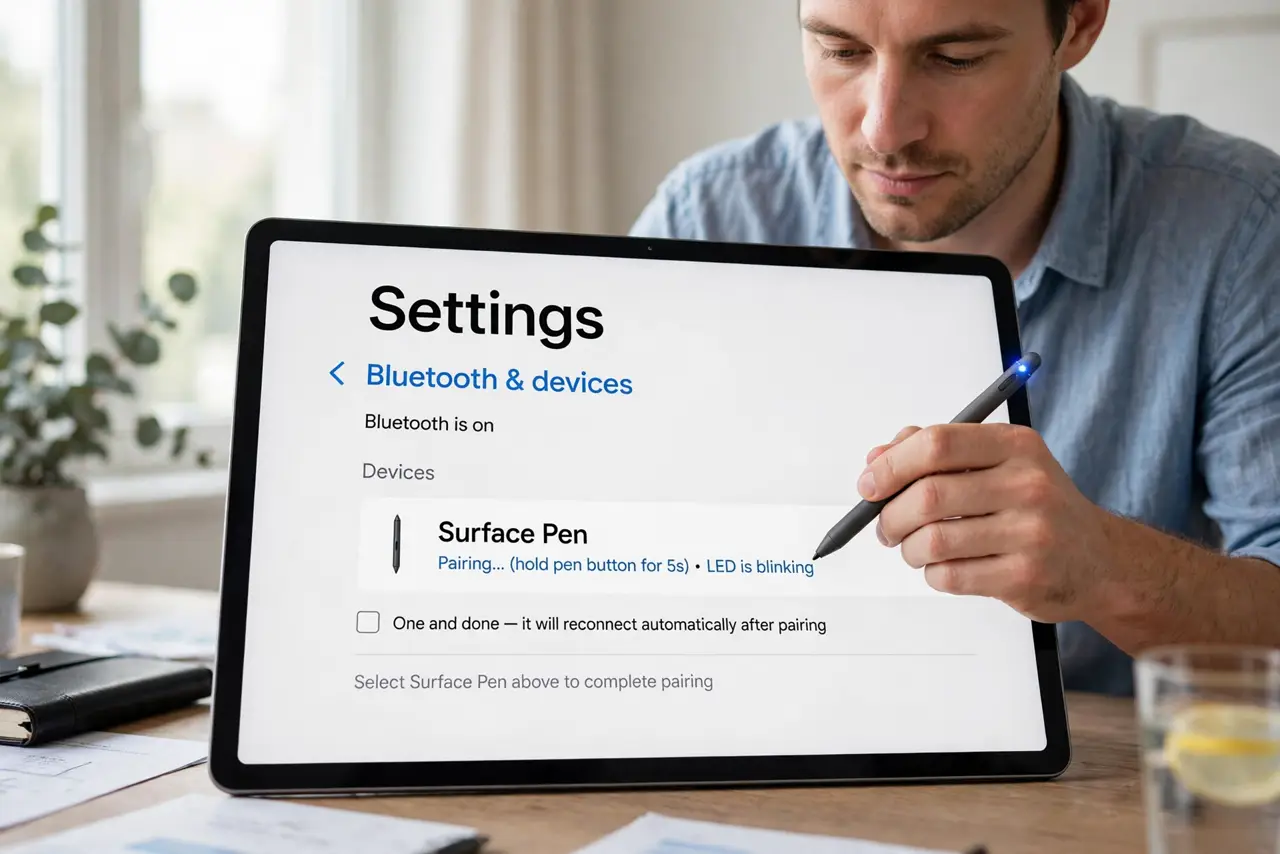
- Pair the pen. Open Settings > Bluetooth & devices, hold the pen’s top button for about five seconds until the LED blinks, then select it to pair. One and done — it reconnects automatically after.
- Test in a real app. Open OneNote or Whiteboard and write a few lines. System-level pairing can succeed while app-level inking lags — test where you will actually use it.
- Check the battery. Most Surface Pens use a AAAA battery in the barrel — yes, four A’s. A pen that pairs but will not write is usually just dead; swap the battery before assuming worse.
- Inspect the tip. Worn or loose tips cause skipping, lag, and phantom strokes. Pull the old tip straight out and press a fresh one in — tips are consumables, not lifetime parts.
- Tune the pressure. In the Surface app, adjust pressure sensitivity to your hand. Too firm feels unresponsive; too light makes accidental marks — five minutes of tuning pays off daily.
- Know the lag fixes. If strokes trail the tip, see stylus lag notes — and if the pen is not detected at all, the not-detected checklist walks through it.
What NOT to do
- Do not assume a non-writing pen is broken. Battery, tip, Bluetooth — check all three before shopping for a replacement.
- Do not use a damaged tip. A chipped tip can scratch the screen — replace it at the first sign of wear, not the tenth.
- Do not pair through old Bluetooth menus. Use the modern Settings path; the legacy control panel route causes half-pairings.
- Do not store it tip-down in a bag. Pressure on the tip wears it and can damage the sensor — magnetic attach or a pen loop, tip protected.
Frequently asked questions
Which battery does it take?
Most models use one AAAA battery in the barrel; some newer ones charge differently. Check your exact model — ‘Surface Pen’ covers several generations.
Why does it write but the buttons do nothing?
The top button needs its own Bluetooth pairing and app assignment. Re-pair and check the button shortcuts in Settings.
Can I use it on a non-Surface PC?
Sometimes — it uses standard pen protocols, so many Windows tablets accept it. Features like tilt may not carry over.