USB Versions Explained
USB 3.2 Gen 2x2, USB4, USB 3.0 renamed to USB 3.1 Gen 1 renamed again — the naming is such a mess that even engineers roll their eyes. Behind the chaos is a simple ladder of speeds, and you only need to know which rung your devices stand on. Here is the translation guide.
TL;DR / Quick Fix
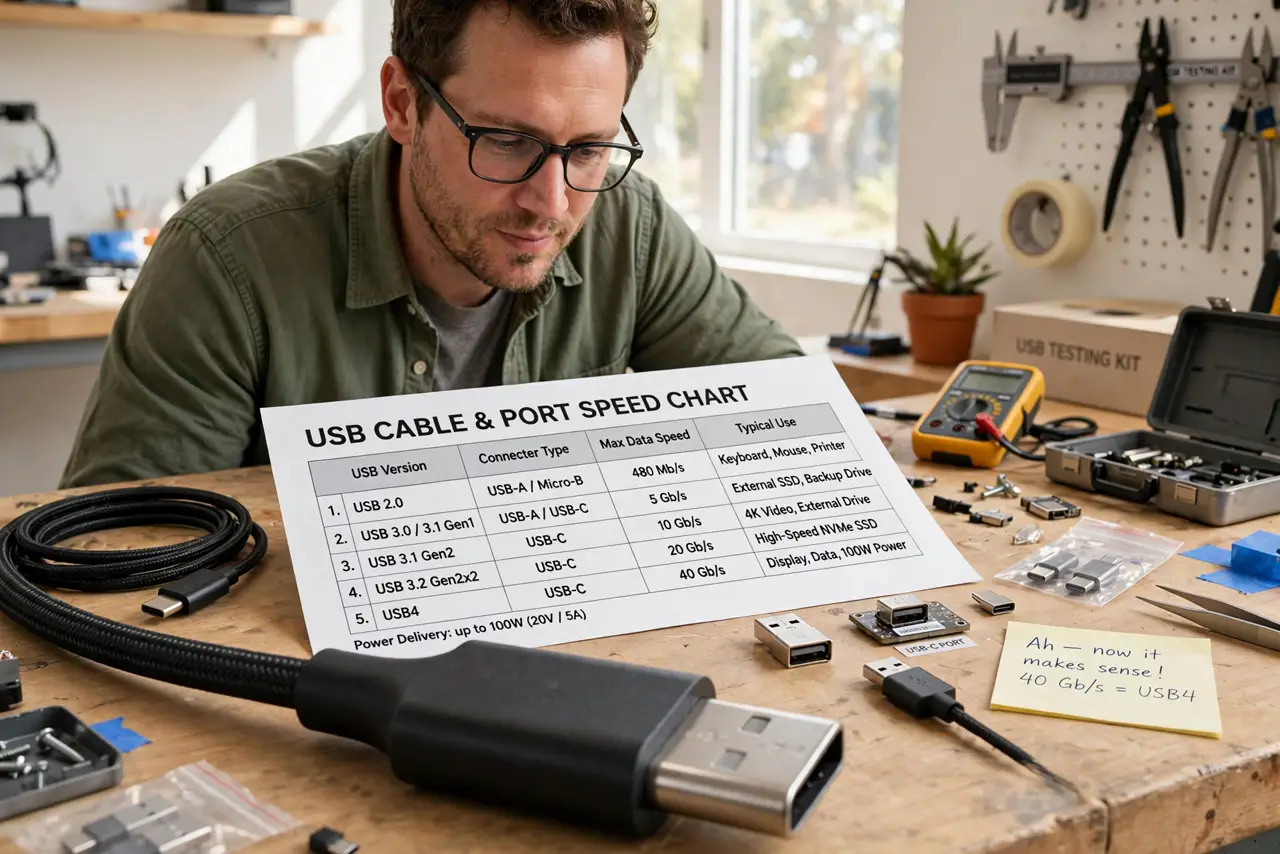
Quick fix: ignore the names and learn the speeds — USB 2.0 is 480 Mbps, USB 3.x is 5-20 Gbps, and USB4 is 40 Gbps. The slowest link sets the pace: a USB 2.0 cable caps everything. Buy by the Gbps number, not the name.
Follow these steps
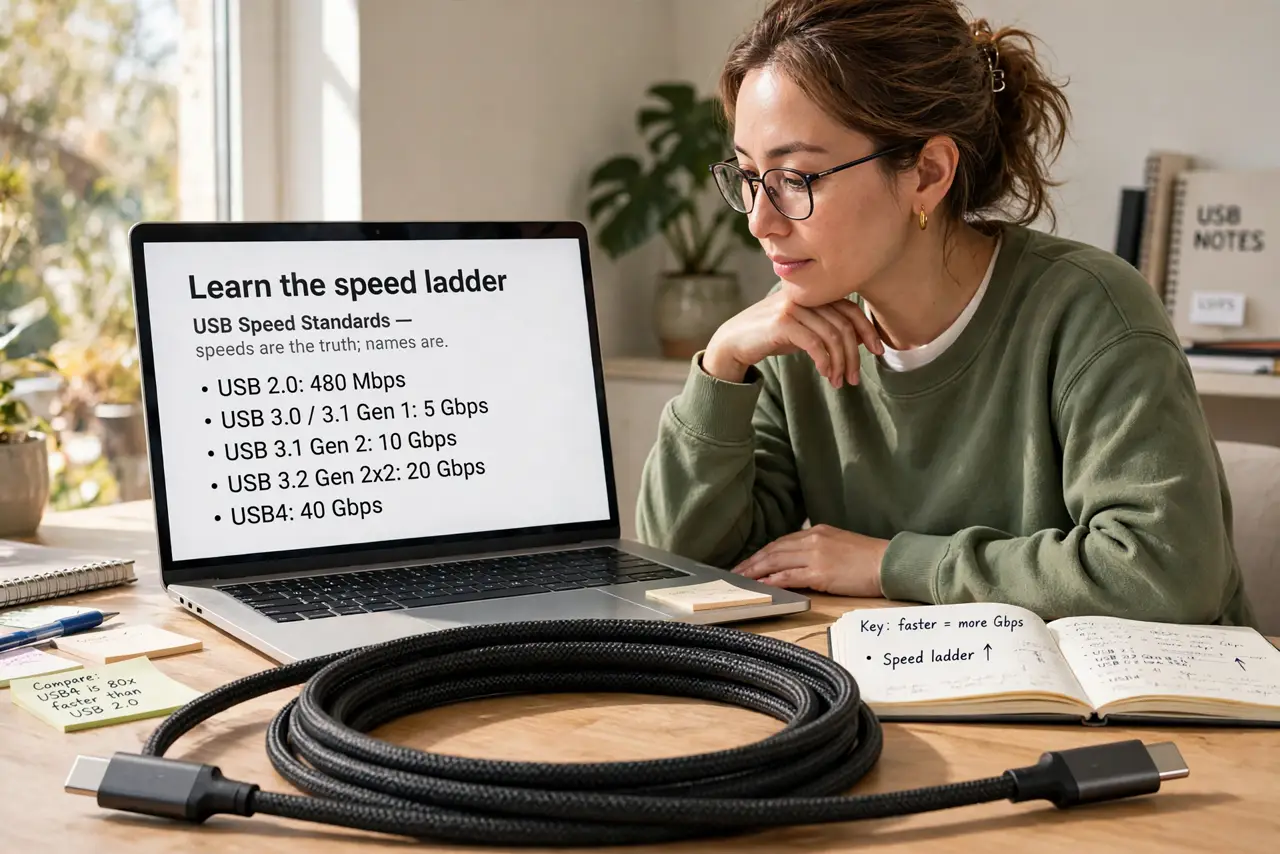
- Learn the speed ladder. USB 2.0: 480 Mbps. USB 3.0/3.1 Gen 1: 5 Gbps. USB 3.1 Gen 2: 10 Gbps. USB 3.2 Gen 2x2: 20 Gbps. USB4: 40 Gbps. Speeds are the truth; names are the fog — the version overview maps them fully.
- Understand the renaming mess. USB 3.0 was renamed USB 3.1 Gen 1, then USB 3.2 Gen 1 — same 5 Gbps speed, three names. When a spec sheet confuses you, find the Gbps figure and ignore the label.
- Know the chain rule. A USB 3 drive plus a USB 3 port plus a USB 2 cable equals USB 2 speeds. The slowest link — port, cable, or device — sets the pace for everything.
- Identify ports visually. Blue inserts usually mean USB 3; black or white often mean USB 2. It is a convention, not a law — the identification guide shows the reliable tells.
- Match cable to job. Charging a phone: any cable. Moving gigabytes to an SSD: a proper USB 3 cable matters enormously. Cable quality is invisible until the transfer timer tells the truth.
- Do not overbuy for slow devices. A keyboard or mouse cannot use USB 3 speeds — any cable works. Save the good cables for storage, docks, and displays.
What to avoid
- Do not trust version names alone. 'USB 3.2' without a Gen qualifier could be 5, 10, or 20 Gbps — demand the speed number.
- Do not assume all blue ports are equal. Blue means USB 3 family, but which generation varies — check the specs for the Gbps.
- Do not use a charge-only cable for data and blame the drive. Many bundled cables omit data wires entirely — test with a known-good cable first.
- Do not pay extra for USB4 on slow peripherals. A USB4 cable for a mouse is jewelry — match the cable to the device's actual needs.
Frequently asked questions
What is the fastest USB version?
USB4 at 40 Gbps, with USB4 v2 reaching 80 Gbps on the newest hardware. For most people, 10 Gbps USB 3 covers every real need.
Is USB4 the same as Thunderbolt?
Closely related and often compatible, but distinct specs — see what USB4 is for where they overlap and differ.
Why is my USB 3 drive slow?
Usually the cable or the port — a USB 2 cable or hub in the chain caps everything. Check both before blaming the drive.