Use a Laptop Stand
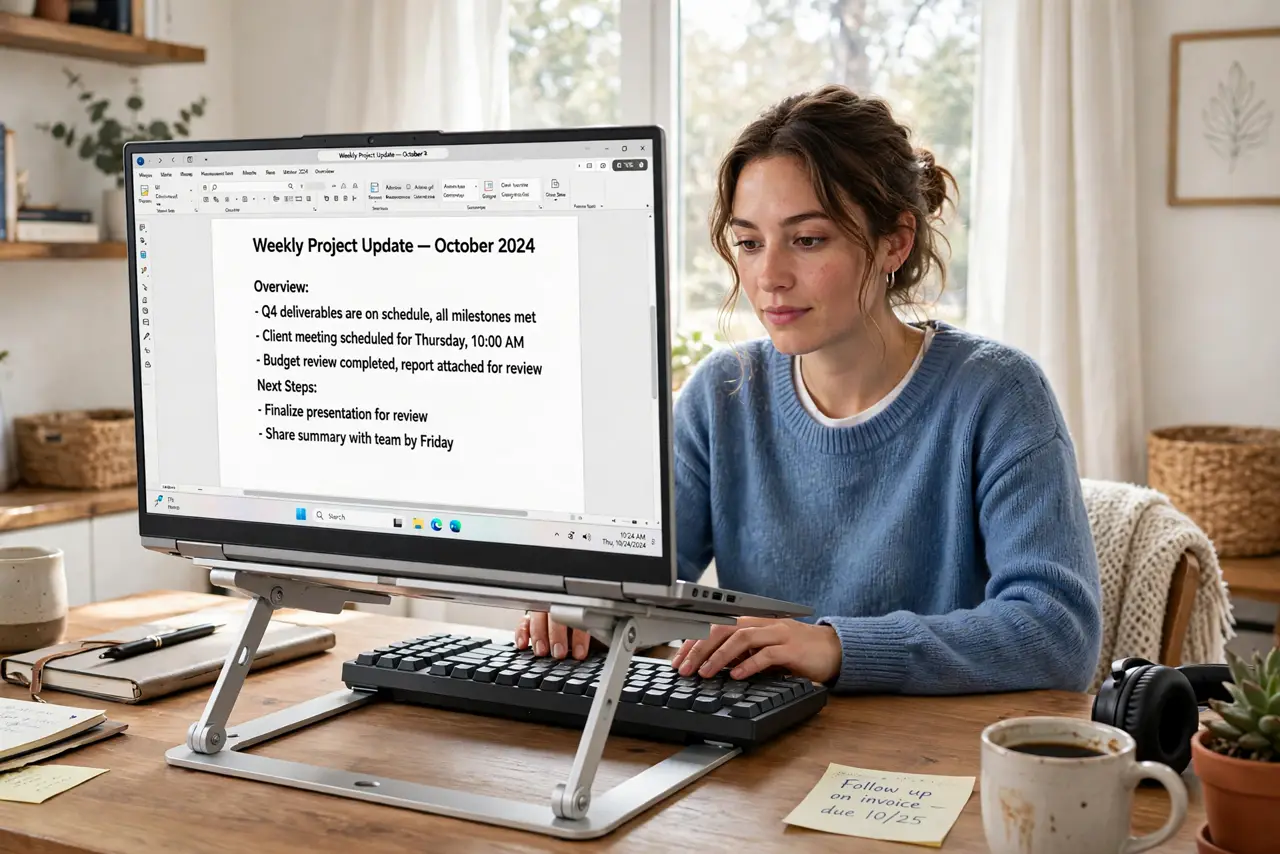
Your neck aches by 3 p.m. and your laptop's fans sound like a hair dryer. A laptop on a flat desk forces you to hunch down to a low screen and traps heat underneath. A simple stand raises the screen toward eye level and lets air flow — one of the cheapest ergonomic upgrades there is, and laptop stands come in every size.
TL;DR / Quick Fix
Quick fix: a laptop stand lifts the screen toward eye level so you stop hunching, and the airflow underneath keeps the laptop cooler and quieter. Pair it with an external keyboard and mouse. It is the cheapest real fix for neck pain at a laptop.
Follow these steps
- Raise the screen to eye level. The top of the screen should sit at or just below eye level. Most stands adjust — set it so your neck stays neutral, not bent.
- Add an external keyboard and mouse. A raised laptop puts its keyboard out of reach. A separate keyboard and mouse complete the setup — without them, a stand just trades neck pain for shoulder pain.
- Let air flow underneath. The gap under a raised laptop is free cooling. Vents breathe, fans spin less, and the machine runs quieter — see cooling benefits.
- Pick a sturdy stand. Wobble ruins the experience. Metal stands with a solid base beat flimsy plastic — test stability in reviews before buying.
- Keep the setup portable if you move. Foldable stands weigh almost nothing and fit in a laptop bag. If you work in cafes, a portable stand travels with you.
- Adjust your chair too. A stand fixes the screen height, but feet flat and elbows at ninety degrees finish the job. Ergonomics is a system, not one gadget.
What NOT to do
- Do not use a stand without an external keyboard. Typing on a raised laptop keyboard wrecks your wrists and shoulders.
- Do not buy the cheapest wobbling stand. Instability while typing will make you abandon it in a week.
- Do not set the screen too high. Eye level is the target — craning upward is just a new ache.
- Do not expect a stand to fix a bad chair. It helps the neck; the rest of your posture still matters.
Frequently asked questions
Are laptop stands worth it?
Yes for daily laptop users — the neck relief is immediate, and the cooling bonus is real. See the stand options.
Can I just use books instead?
For a day, sure. Books block airflow and slip — a real stand is steadier and cooler.
Do stands fit all laptop sizes?
Most fit 13 to 16 inches. Check the weight rating for heavier gaming laptops.