How Much Bandwidth Does One Video Call Need
Two people on video calls while a third streams can turn every call choppy — but how much does one call actually need? The honest method is checking your app's published numbers and counting heads, not guessing.

TL;DR / Quick Fix
Quick fix: look up your video app's published bandwidth needs and multiply by the number of simultaneous callers, then leave headroom. Test your real speed during a busy hour, prioritize calls with QoS, and stagger heavy use if the math does not fit your plan.
Follow these steps
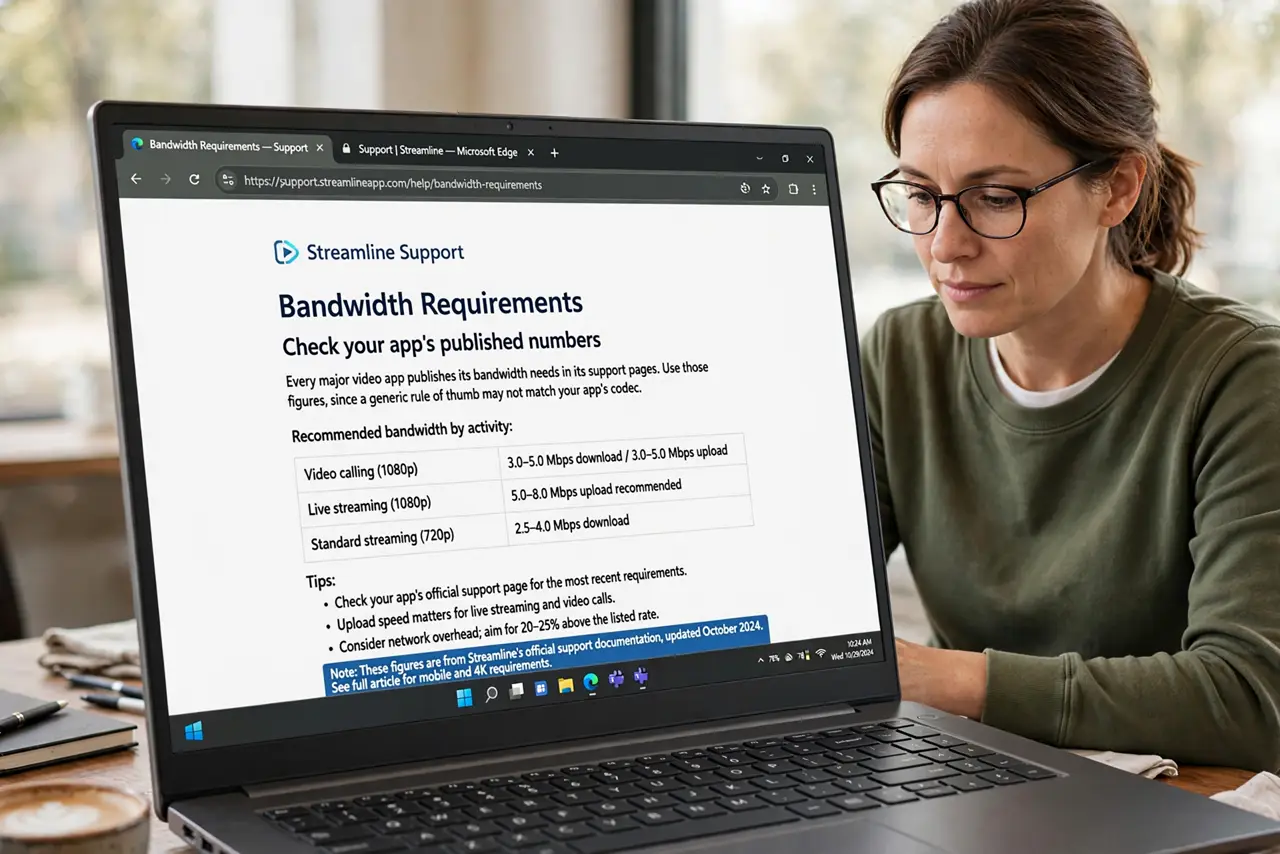
- Check your app's published numbers. Every major video app publishes its bandwidth needs in its support pages. Use those figures, since a generic rule of thumb may not match your app's codec.
- Count simultaneous callers, not people. Two calls at once need roughly twice one call. Count the calls happening at the same time, including the ones in other rooms you forget about.
- Measure your real speed at busy hour. Run a speed test when the house is busiest. Plan speed is a ceiling, and the evening reality decides what actually fits.
- Leave headroom above the total. Do not budget every last megabit to calls. Browsing, updates, and background sync need room too, or the calls still stutter.
- Prioritize calls with QoS. When the math is tight, router QoS keeps calls smooth by letting them jump the queue ahead of streaming and backups.
- Stagger what you can. If two calls plus streaming exceeds the plan, move the stream or one call. Scheduling beats suffering when the numbers genuinely do not fit.
What NOT to do
- Do not trust a single speed test at noon. Evening speeds run lower on many connections, so test when the house is actually busy.
- Do not count only download speed. Video calls need upload too, and many plans offer far less upload than download.
- Do not assume HD is mandatory. Dropping to standard definition halves a call's appetite with barely visible difference on a laptop.
- Do not upgrade the plan before checking usage. Measure first, since the bottleneck is often one stream or backup, not the plan itself.
Frequently asked questions
How much does one video call use?
Check your app's support page for its published figure. Multiply by simultaneous callers and add headroom for everything else.
Why do calls stutter when speed tests look fine?
Speed tests measure download at idle. Calls need steady upload during busy moments, which is a different and stricter test.
Is upload or download more important?
Both matter, but upload is the usual bottleneck, since plans offer less of it and calls need it continuously.