Test Your RAM for Errors
Random blue screens, corrupted files, and crashes that strike no matter which program you run often point to one suspect: failing memory. Windows includes a built-in memory test that checks your RAM thoroughly and reports back — no downloads, no opening the PC. Run it before you blame software or buy new parts.
TL;DR / Quick Fix
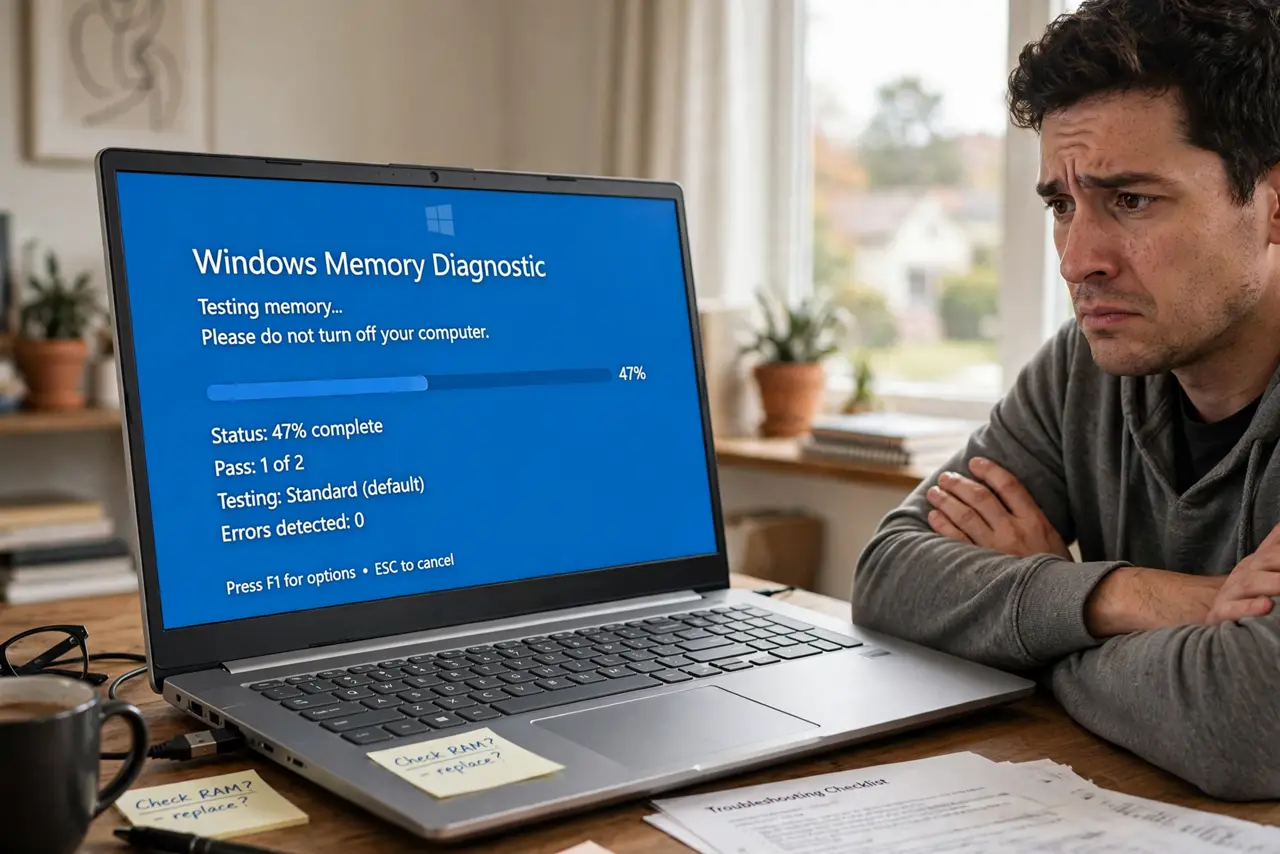
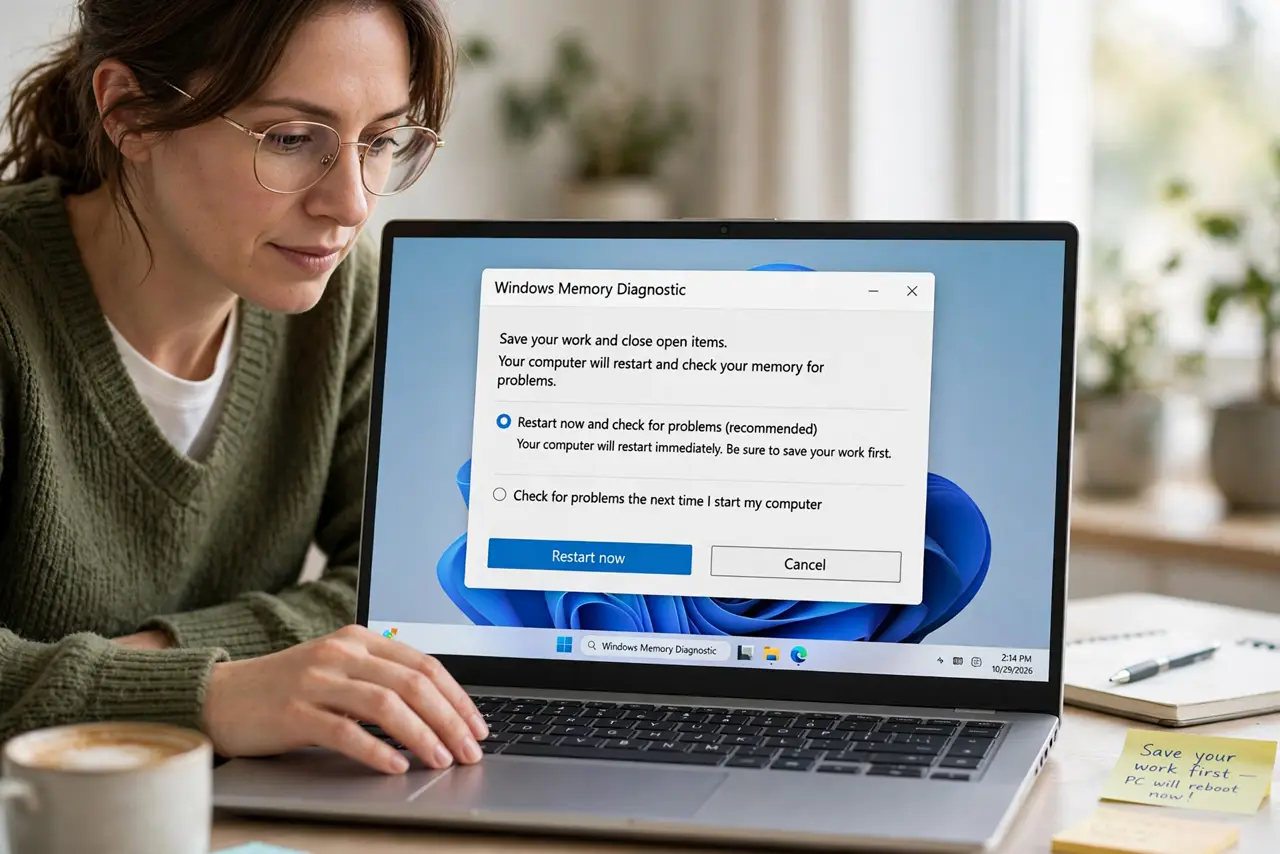
Quick fix: press the Windows key, type Windows Memory Diagnostic, and choose Restart now and check for problems. The test runs before Windows loads and takes 15-30 minutes. Errors mean failing RAM; a pass means your crashes come from elsewhere — often a bad driver.
Follow these steps
- Open Windows Memory Diagnostic. Press the Windows key, type Windows Memory Diagnostic, and open it. Choose Restart now and check for problems — save your work first, because the PC reboots immediately.
- Let the standard test finish. The PC boots into a blue test screen and runs automatically. The standard pass takes 15-30 minutes — let it complete without interrupting, since partial results prove nothing.
- Read the result after reboot. Windows returns to the login screen and should show a notification with the result. No notification? Check Event Viewer under Windows Logs, System, for the MemoryDiagnostics entry.
- If errors are found, identify the bad stick. With multiple RAM sticks, test them one at a time by removing the others (PC off and unplugged). The stick that errors alone is the faulty one — replace just that stick.
- Reseat the RAM before buying replacements. Power off, unplug, and firmly re-seat each stick in its slot. Loose RAM from shipping or bumps causes errors that look exactly like dead memory.
- Check how much RAM you actually need. If you are replacing anyway, confirm the right amount and type for your board — the RAM buying guide covers sizing so you do not overbuy.
What NOT to do
- Do not run the test while overclocked. Overclocked RAM fails tests it would pass at stock speeds — reset to defaults first for an honest result.
- Do not interrupt the test halfway. A partial pass means nothing; only a completed run with zero errors counts as a pass.
- Do not replace RAM on a laptop under warranty yourself. Opening it can void coverage — let the maker handle confirmed failures.
- Do not assume one error means all sticks are bad. Test individually — replacing a full kit when one stick failed wastes money.
Frequently asked questions
How long does the memory test take?
The standard test runs 15-30 minutes depending on RAM size. The extended test can take hours — standard is enough for a first check.
Can bad RAM damage my files?
Yes. Faulty RAM corrupts data in memory, which can then be saved to disk corrupted. Back up important files before extended troubleshooting.
My RAM passed but crashes continue. Now what?
Look at drivers and disk health next — driver updates are the next most common cause of random blue screens.