Touchpad Too Sensitive? Calm It Down
Every brush of your palm sends the cursor flying, and tap-to-click fires when you merely rest a finger. An overeager touchpad turns typing into an extreme sport. Three settings — sensitivity, cursor speed, and palm rejection — tame nearly every jumpy pad.
TL;DR / Quick Fix
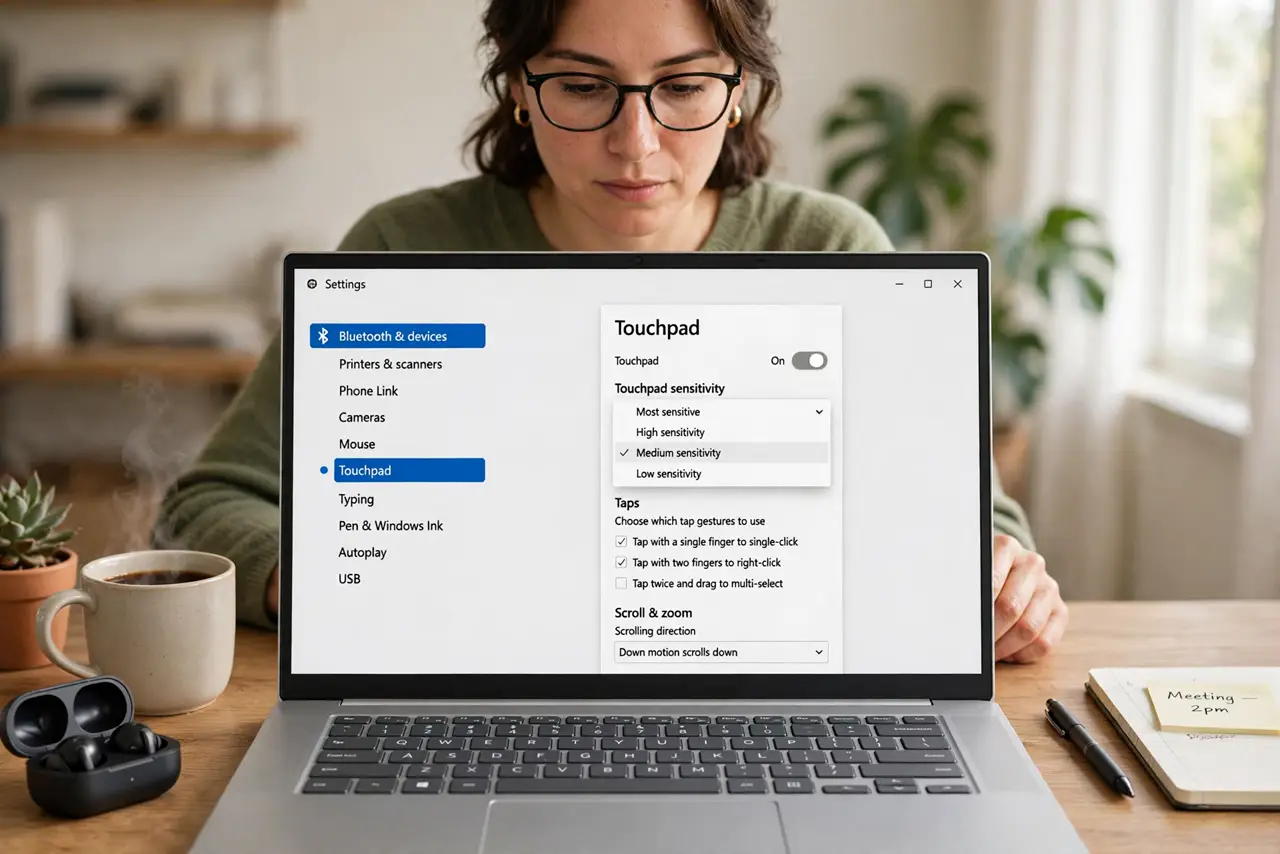
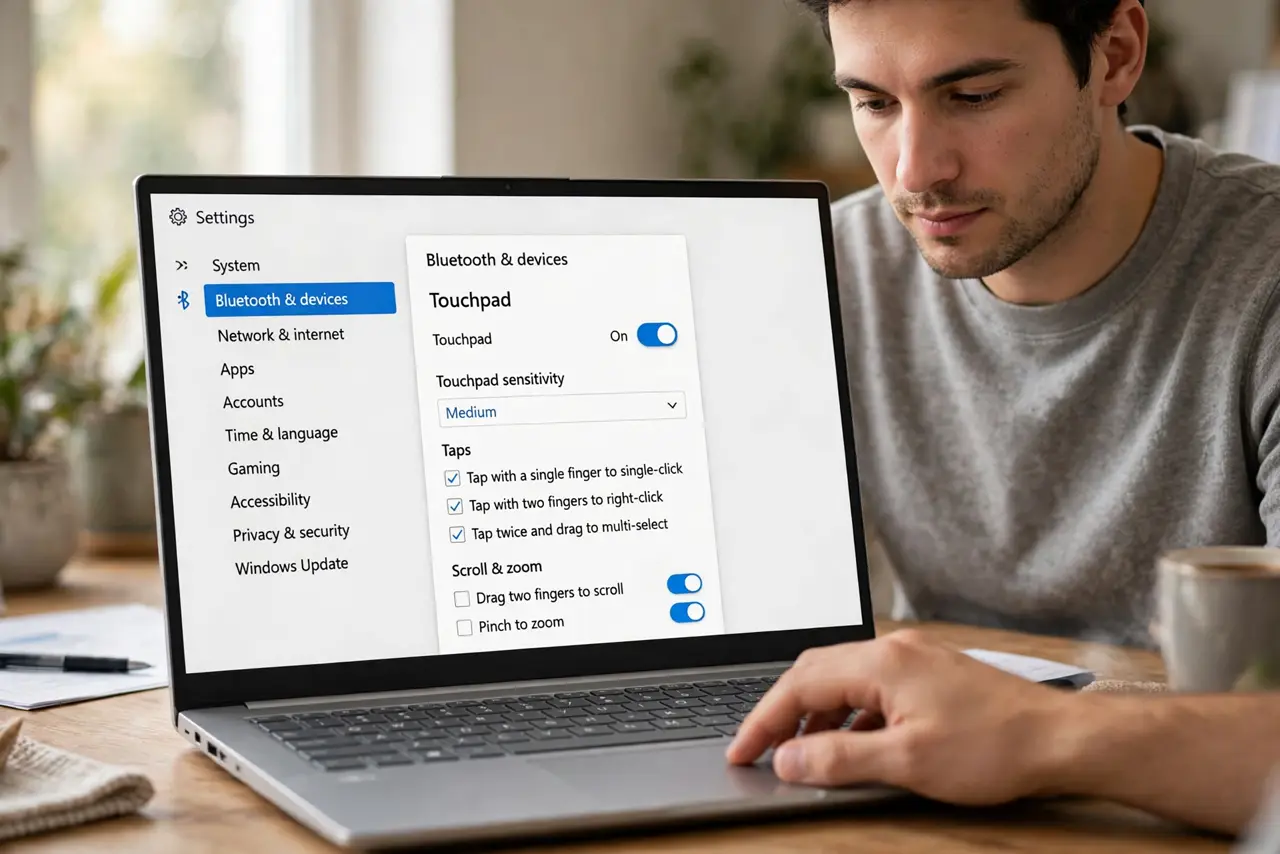
Quick fix: open Settings > Bluetooth & devices > Touchpad and lower the Touchpad sensitivity to Medium or Low. Raise palm rejection if your palms brush while typing. Also lower the cursor speed slightly — a fast cursor amplifies every accidental brush. Test by typing a paragraph.
Follow these steps
- Lower the touchpad sensitivity. Open Settings > Bluetooth & devices > Touchpad and set Touchpad sensitivity to Medium, or Low if your palms are heavy. This single dropdown fixes most jumpiness.
- Slow the cursor slightly. On the same page, reduce the cursor speed a notch. High speed multiplies tiny accidental movements into big cursor leaps.
- Raise palm rejection. Look for palm rejection or touchpad delay settings — some vendors bury them in an advanced tab. Stronger rejection ignores the heel of your hand while typing. See the palm rejection guide if typing still jumps.
- Calm tap-to-click. If taps fire accidentally, raise the tap sensitivity threshold or turn tap-to-click off entirely. Physical clicks remain, and they never misfire.
- Update the touchpad driver. In Device Manager, update the touchpad driver. Vendors quietly fix oversensitivity in driver updates more often than people expect.
- Consider auto-disable with a mouse. The Touchpad page can disable the pad when a mouse connects. At a desk, this ends the war completely — the pad simply sleeps until you unplug.
What NOT to do
- Do not set sensitivity to Most sensitive hoping for precision. That setting exists for accessibility, not for everyday typing.
- Do not disable the touchpad permanently over sensitivity. Calm it first — you will miss it on the couch.
- Do not confuse cursor speed with sensitivity. Speed is how far it moves; sensitivity is how easily it triggers — adjust both, separately.
- Do not forget external factors. A swollen battery pressing from below or a damp pad surface can mimic oversensitivity.
Frequently asked questions
Why does my cursor jump while I type?
Your palms brush the pad. Lower sensitivity and raise palm rejection — that combination solves the classic typing-jump.
Should I just turn off tap-to-click?
If accidental taps are your main pain, yes. Physical clicks are deliberate, and many fast typists prefer them anyway.
The pad was fine and suddenly went wild — why?
A driver update may have reset your settings, or the pad surface is dirty or damp. Clean it, re-check sensitivity, then suspect the driver.