Are Clipboard Managers Safe? Plain Answers
Clipboard managers remember everything you copy — wonderfully convenient and slightly alarming, since that includes passwords and credit card numbers. They are safe if you configure them with that risk in mind. This guide gives plain answers.
TL;DR / Quick Fix
Clipboard managers are safe for everyday use if you exclude passwords and sensitive data from history. Use one that stores data locally and encrypts it. Clear the history regularly and never paste sensitive items through a synced manager. Treat the clipboard history like a notebook anyone might read.
Follow these steps
- Understand what gets stored. A clipboard manager saves every copy: text, images, and yes, the password you copied five minutes ago. That sensitive data in history is the entire risk to manage.
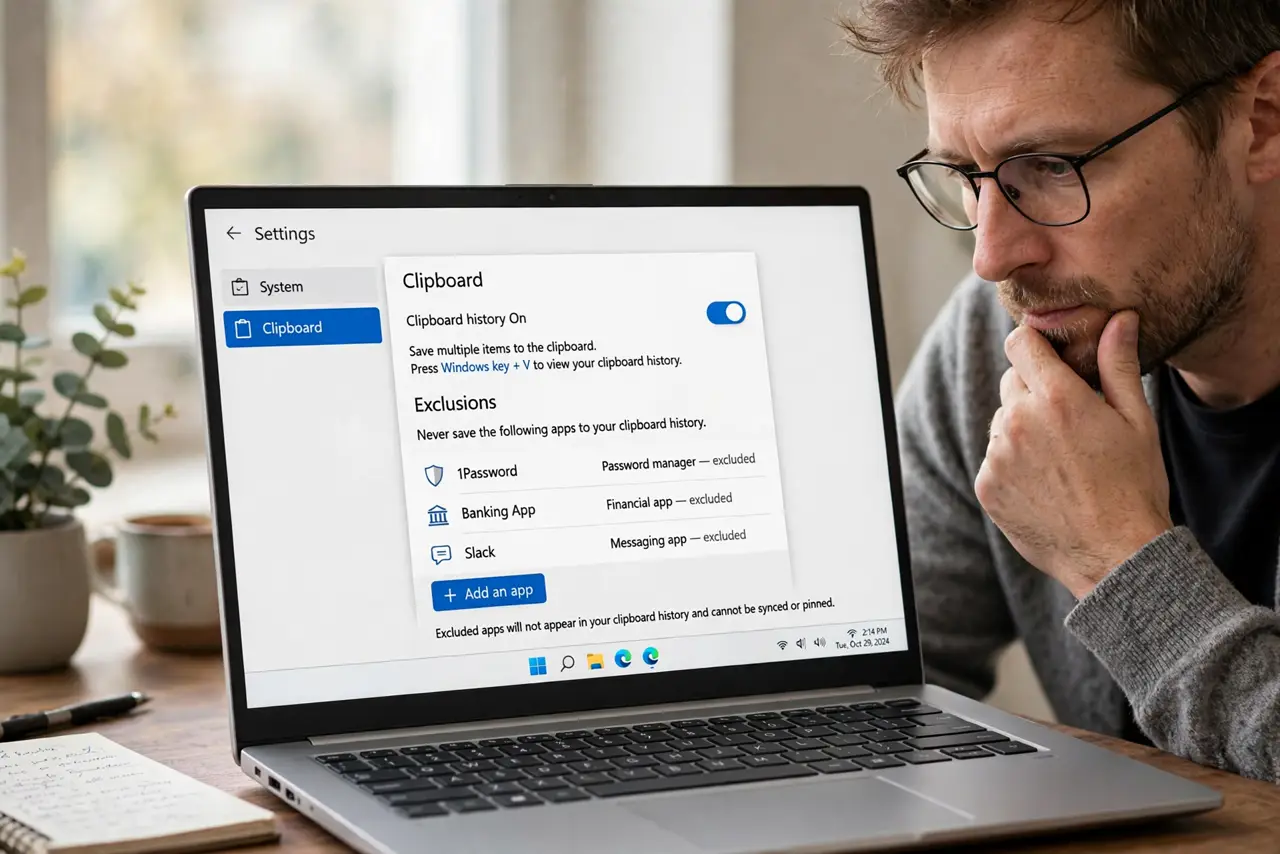
- Exclude sensitive apps. Open the manager's settings and exclude your password manager and banking apps from history. Most good managers support per-app exclusions.
- Prefer local, encrypted storage. Choose a manager that keeps history on your device with encryption, not one that uploads everything to a cloud by default.
- Disable cloud sync for sensitive use. If the manager syncs across devices, turn sync off or exclude sensitive entries. A synced clipboard multiplies every risk by every device.
- Clear history regularly. Wipe the history weekly, or set automatic expiry. Old clipboard entries are liabilities with no remaining value.
- Paste passwords directly. Use your password manager's autofill instead of copying passwords. A password never copied never lands in clipboard history.
What NOT to do
- Do not copy a password and forget it. It now sits in history until you clear it.
- Do not sync clipboard history to a work computer casually. Personal copies will follow you there.
- Do not use a clipboard manager that uploads without encryption. Your copies deserve the same protection as your files.
- Do not keep years of history. Long histories are long liability lists.
Frequently asked questions
Are clipboard managers safe?
Yes for everyday use, with configuration: exclude password apps, prefer local encrypted storage, and clear history regularly.
Can a clipboard manager steal my passwords?
A malicious one could, which is why you should use a reputable manager and exclude your password manager from its history.
Should I sync my clipboard across devices?
Only if you accept the tradeoff. Syncing is convenient but spreads every copied item — including mistakes — to all your devices.