Scheduled Email Sends at the Wrong Time Zone
You schedule an email for 9 in the morning, and it lands at 3 in the morning for the recipient. The scheduled send used a different time zone than the one you were thinking of.
TL;DR / Quick Fix
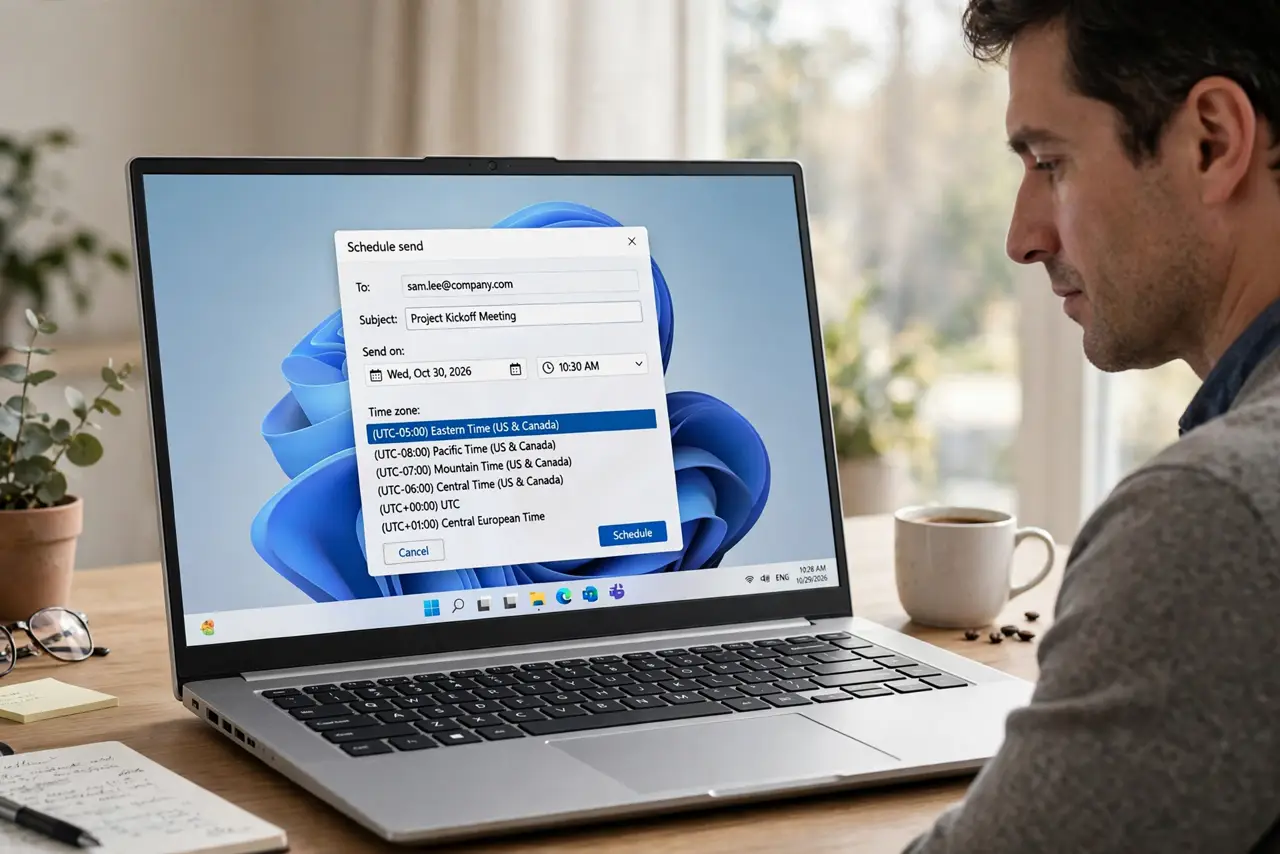
Quick fix: open the scheduled email, cancel the schedule, and reschedule it with the correct time zone shown in the dialog. Then confirm the recipient's local time with a quick check, so the new send lands when you actually intend.
Follow these steps
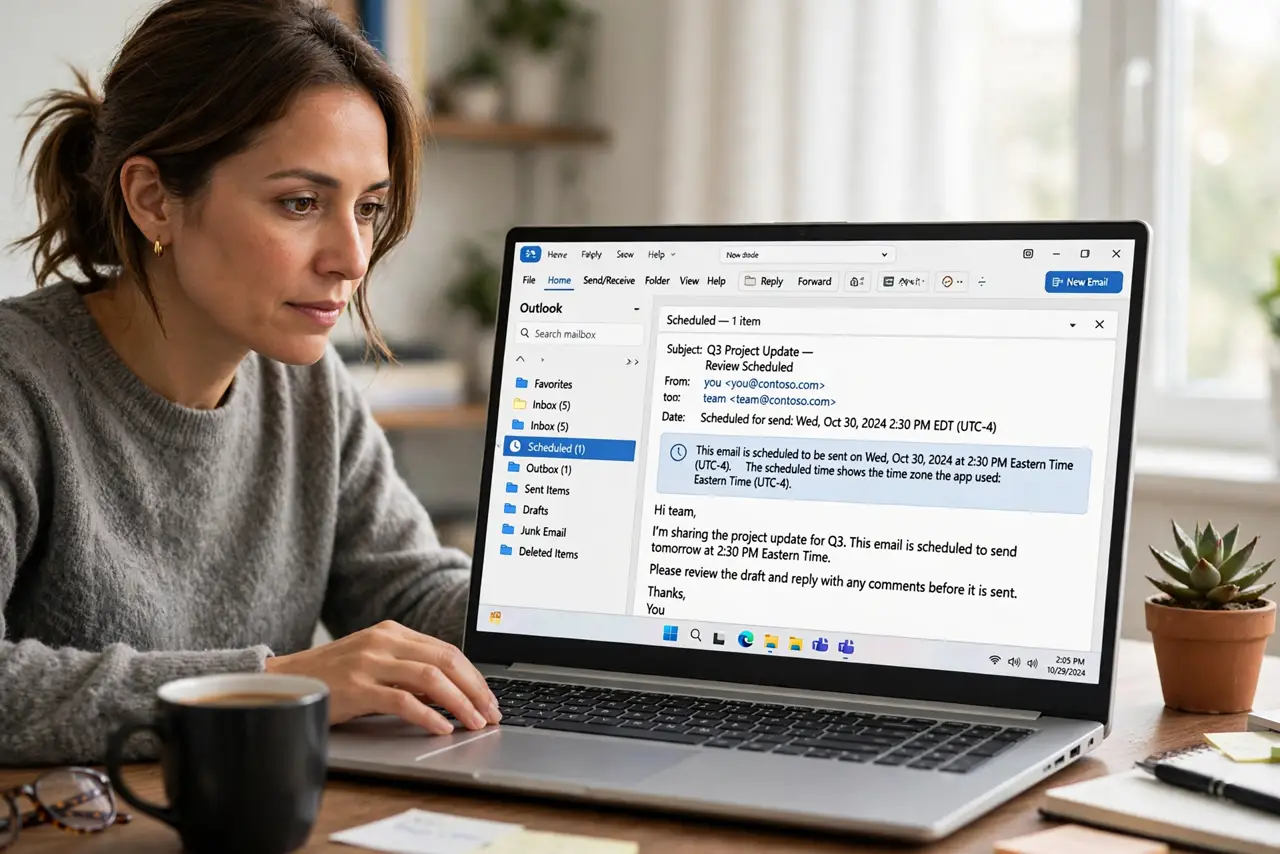
- Open the scheduled email. Find the email in your scheduled or outbox folder and open it. The scheduled time shown there reveals which time zone the app actually used.
- Cancel the wrong schedule. Cancel or unschedule the email before fixing it. Editing around an active schedule can leave the old time in place, so start the schedule fresh.
- Set the time zone explicitly. In the schedule dialog, look for a time zone dropdown and choose the right one. Never assume the app guessed your zone correctly, since travel and VPNs can confuse it.
- Confirm the recipient's local time. Think about where the recipient lives and what the time will be there. A quick time check avoids sending a 9 AM email at 3 AM their time.
- Reschedule and double-check. Set the new time, save the schedule, and reopen it to confirm the shown time matches your intent. One reopen catches most mistakes.
- Check your device time zone too. Confirm your phone or computer shows the correct time zone. If the device zone is wrong, every scheduled send inherits the error.
What NOT to do
- Do not assume scheduled means your time zone. Many apps schedule in a different zone by default, so always check the dropdown.
- Do not send a test at the last minute. A quick reschedule the night before still beats a 3 AM surprise for the recipient.
- Do not ignore daylight saving changes. A schedule set before a clock change can shift by an hour when the change arrives.
- Do not schedule important emails from a VPN without checking. A VPN can make your email app believe you are in another country.
Frequently asked questions
Why did my scheduled email arrive at the wrong hour?
Because the schedule used a different time zone than you expected, often after travel or when a VPN changed your apparent location.
How do I see which zone a schedule uses?
Open the scheduled email and look at the schedule dialog, which usually shows the time zone next to the time.
Can I fix it after scheduling?
Yes. Cancel the schedule and create it again with the correct zone, then reopen it to confirm.