Email Search Operators That Find Old Mail
An old email hides somewhere in years of mail, and scrolling will not find it. Search operators — short commands like from: or before: — turn a hopeless hunt into a ten-second search.

TL;DR / Quick Fix
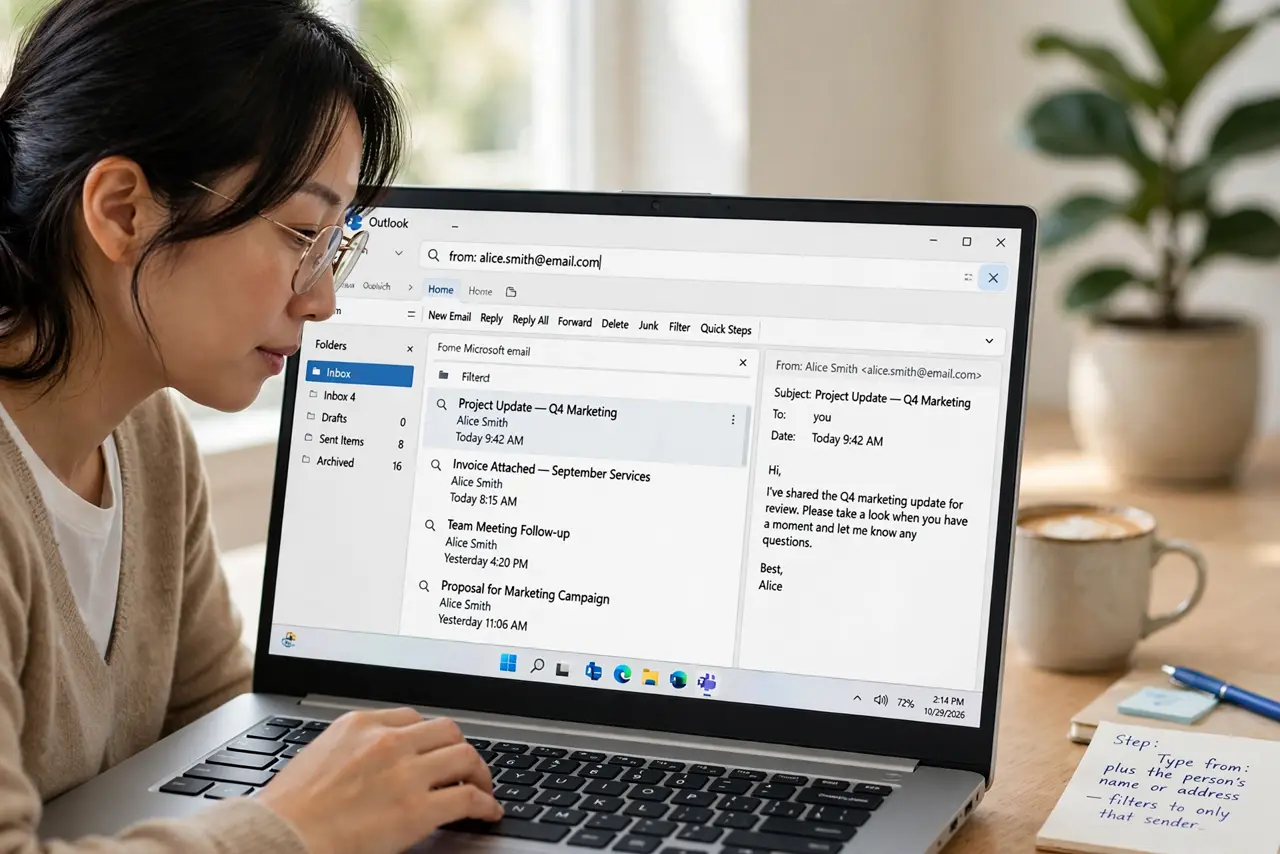
Quick fix: type from: followed by the sender's name in your email search box, and add before: with a year to narrow it down. Then save the searches you use often, so old mail is always one query away without endless scrolling.
Follow these steps
- Start with from: and the sender. Type from: plus the person's name or address. That one operator cuts years of mail down to one sender's messages in a second.
- Narrow with before: and after:. Add before:2024/01/01 or after:2023/06/01 to fence the search to a time range. Two dates around the event usually isolate the email you remember.
- Search attachments with has:attachment. Add has:attachment to find only emails carrying files. That operator skips every text-only message in one move.
- Combine operators in one query. Stack them, like from:bank has:attachment after:2024/01/01. Combined operators intersect, so each added word shrinks the results further.
- Check all folders, not just the inbox. Run the same search in All Mail or the archive. The old email may sit archived or in a folder you forgot, and a narrow search finds it anywhere.
- Save the searches you reuse. If you hunt the same kind of mail often, save the query or bookmark it. A saved search turns a recurring hunt into one click.
What NOT to do
- Do not scroll through years of mail. Operators find in seconds what scrolling takes an hour to reach.
- Do not search one vague word alone. Add a sender or a date, since one common word can match thousands of emails.
- Do not forget the archive. Many lost emails sit archived, so search All Mail before declaring one gone.
- Do not give up after one failed query. Change one operator at a time, since a single wrong guess can hide an email that is actually there.
Frequently asked questions
What are email search operators?
Short commands like from:, before:, and has:attachment that you type into the search box to narrow results precisely.
Why does my search find nothing?
Usually a wrong sender spelling or a wrong date range. Loosen one condition at a time until results appear.
Do operators work on a phone?
Yes. The same operators work in most mobile email apps, so your best queries travel with you.