Excel Filter Hid Rows You Need? Fix It
You filter a column and rows vanish — then you forget the filter is on and think data is missing. Or the filter hides rows you expected to see because of blanks and mismatched values. This guide shows how to see what the filter is doing and get your rows back.
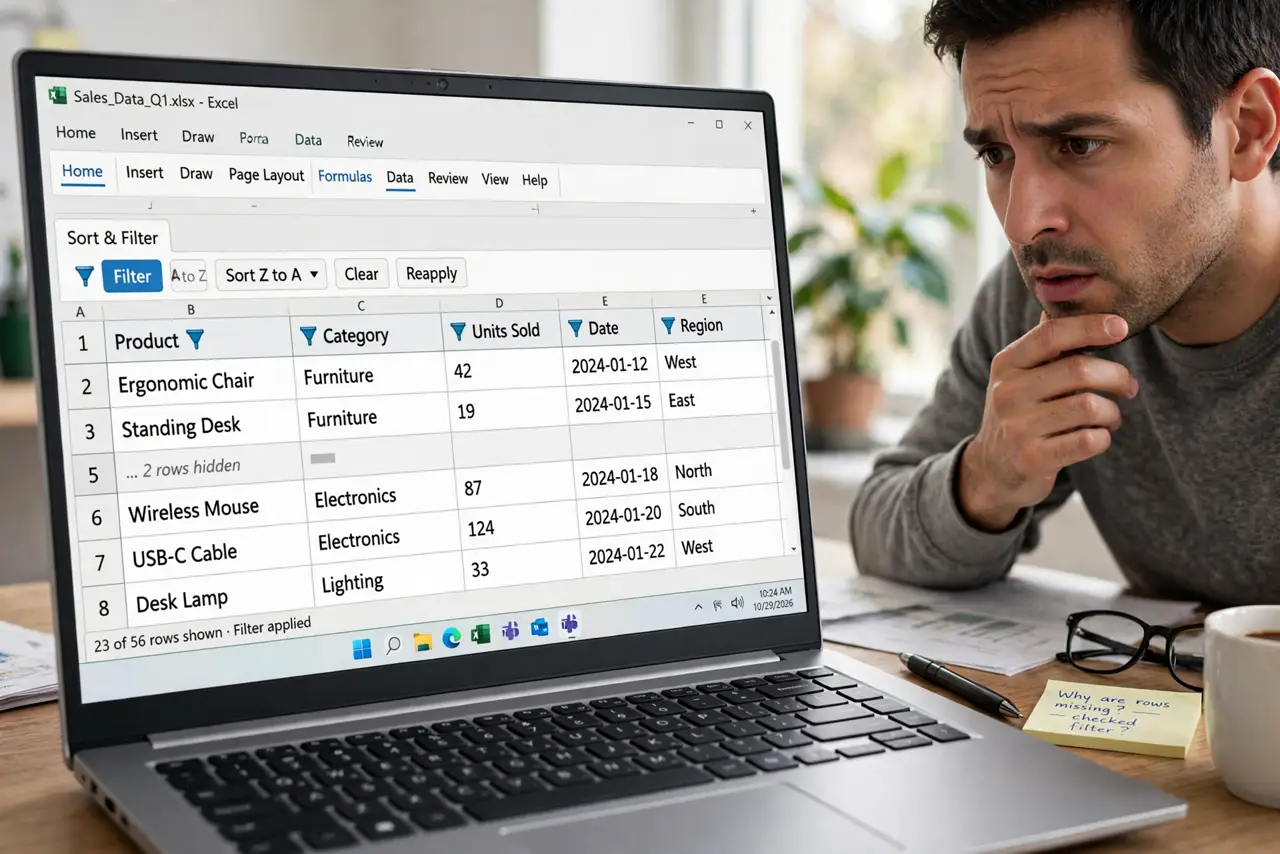
TL;DR / Quick Fix
Check for the funnel icon on filtered columns and clear the filter to restore all rows. If expected rows stay hidden, look for blanks, extra spaces, or mismatched formats in the filter values. Always clear filters before sharing the sheet.
Follow these steps
- Spot the active filter. Look for the funnel icon on column headers. A funnel means a filter is hiding rows right now — the data is not deleted, just hidden.
- Clear the filter to see everything. Open Data and choose Clear to remove all filters at once. If your rows reappear, the filter was the whole story.
- Inspect the filter criteria. Click the funnel on the filtered column and review which values are checked. Unchecked values, blanks, or a text filter are hiding exactly what they say.
- Hunt for invisible mismatches. Rows you expect may hold trailing spaces or different formats that the filter treats as different values. Clean the data with TRIM and consistent formatting.
- Check for a second filter elsewhere. Filters can stack across columns. Clear each column's funnel one by one until the missing rows return.
- Clear before sharing. Remove all filters before sending the file. A recipient who opens a pre-filtered sheet will think rows are missing — Sheets users avoid this exact trap with filter views instead of shared filters.

What NOT to do
- Do not delete rows you cannot see. They are filtered, not gone, and deleting visible rows around them corrupts the dataset.
- Do not filter on a column with merged cells. Merged cells and filters combine into unpredictable hiding.
- Do not assume the filter shows everything. The funnel icon is the only honest signal.
- Do not share a filtered sheet without warning. What you see is not what they will look for.
Frequently asked questions
Where did my rows go after filtering in Excel?
They are hidden, not deleted. Clear the filter from the Data tab to bring every row back.
Why doesn't the filter show a value I know exists?
The value likely has a trailing space, different capitalization handling, or a different format. Clean the column and retry.
Can two filters hide rows at once?
Yes. Each column's filter narrows the results further, so check every funnel icon.