Filter Views vs Filter in Sheets? Choose
Google Sheets has two filtering tools with confusingly similar names: Filter, which changes the view for everyone, and Filter Views, which filter only for you. Using Filter on a shared sheet is how you accidentally hide rows from the whole team. This guide shows which to use.
TL;DR / Quick Fix
Use Filter Views on shared sheets so your filtering never affects collaborators. Use plain Filter only on sheets you own alone. Name your filter views clearly, and close them when done so the next person always sees the full data.
Follow these steps
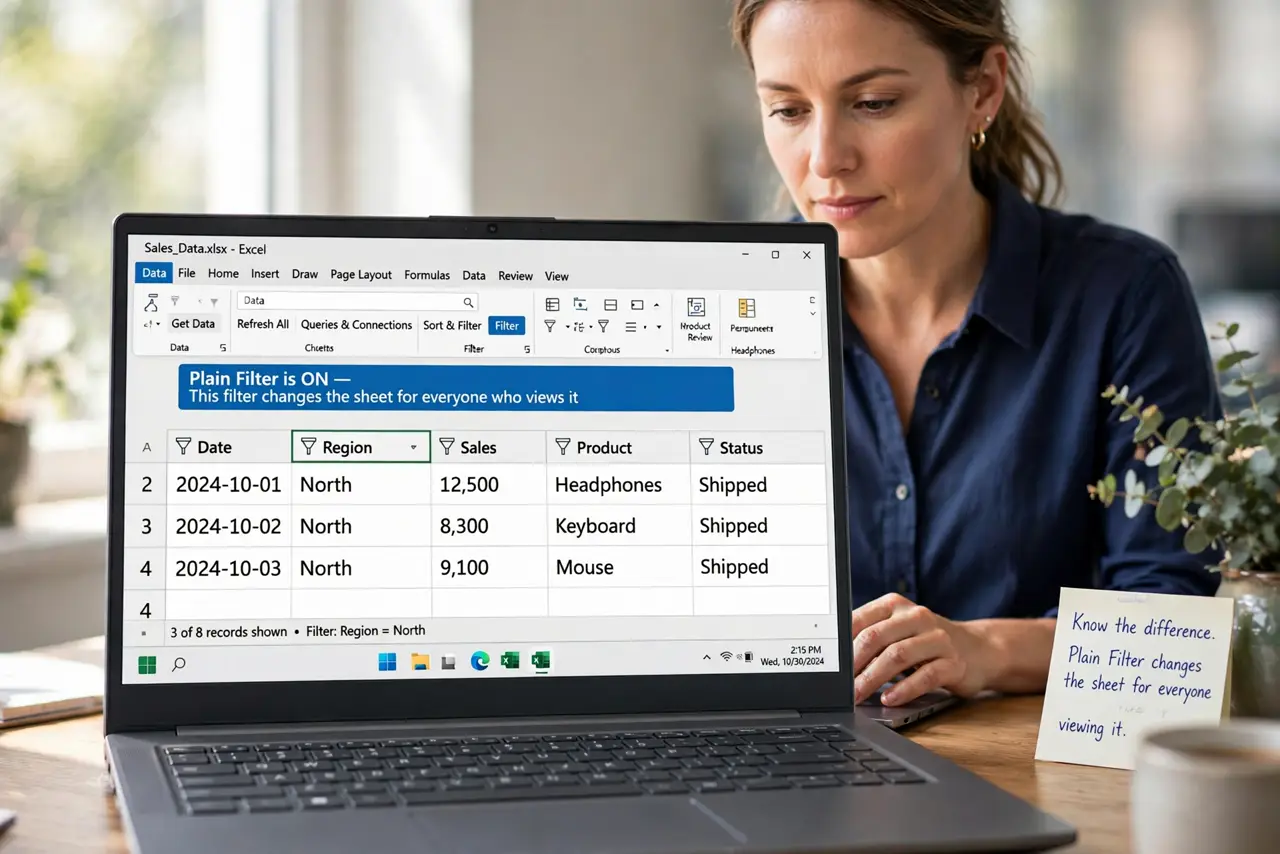
- Know the difference. Plain Filter changes the sheet for everyone viewing it. Filter Views apply only to you, leaving collaborators' views untouched — which is why shared sheets demand views.
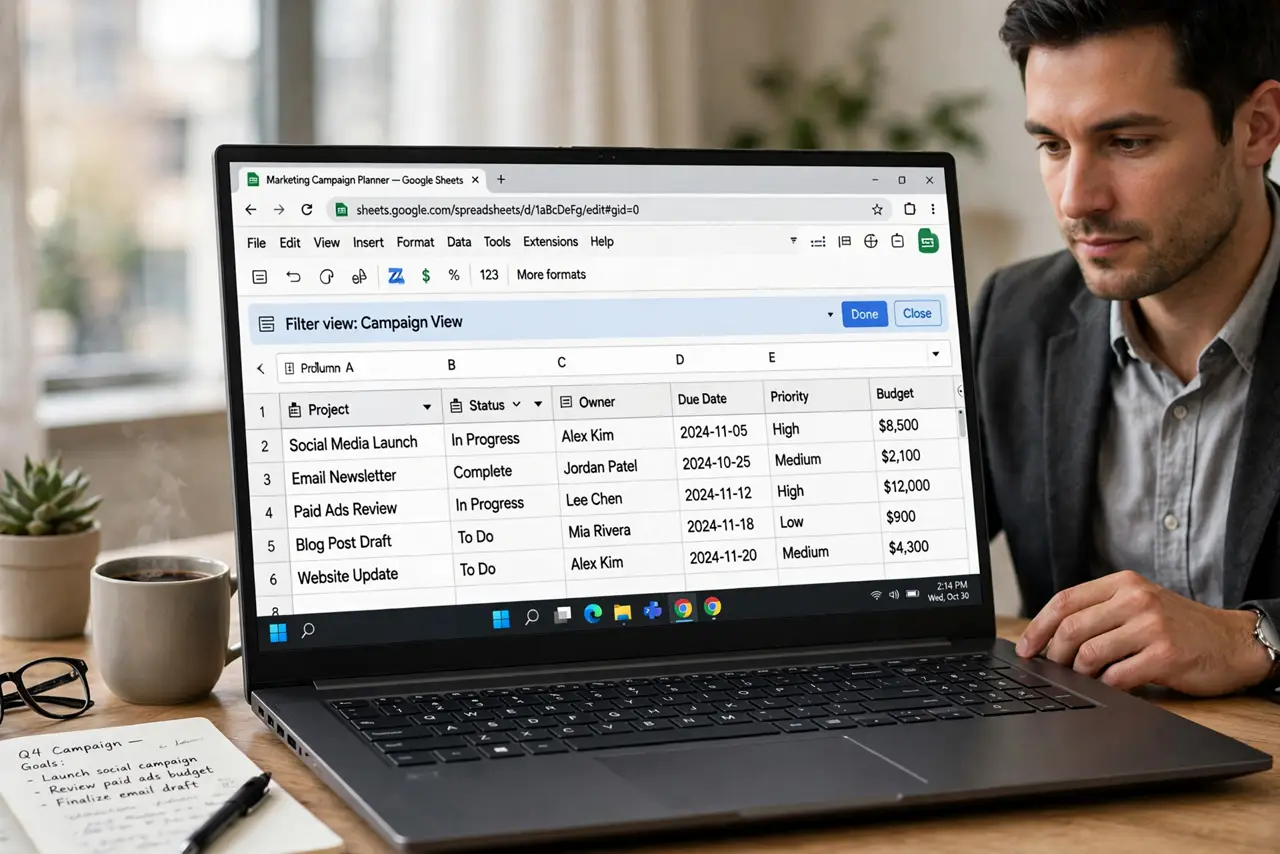
- Create a filter view. Open Data, then Filter views, then Create new filter view. The header row gets funnel icons, and a dark bar shows you are inside your private view.
- Filter inside the view. Click the funnel icons and set your criteria. Collaborators keep seeing the full sheet while you see your slice — no more hidden-rows panic inflicted on the team.
- Name the view. Give the filter view a clear name like Q3 overdue only. Named views can be reused and shared as links.
- Exit when done. Close the filter view with the X on the dark bar. Lingering in a view means you keep seeing a slice while thinking it is the whole sheet.
- Use plain Filter only when solo. On a sheet nobody else opens, plain Filter is simpler. The moment you share the sheet, switch your habits to filter views.
What NOT to do
- Do not use plain Filter on a shared sheet. Your filtering hides rows for every collaborator simultaneously.
- Do not forget you are inside a filter view. Decisions made on a slice of data can miss the full picture.
- Do not create ten overlapping views. A few well-named views beat a graveyard of forgotten ones.
- Do not sort inside a shared plain filter. Sorting reshuffles rows for everyone, not just you.
Frequently asked questions
What is the difference between Filter and Filter Views?
Filter changes the view for everyone; Filter Views filter only for the person using them.
Can I share a filter view with someone?
Yes. Named filter views have shareable links, so you can send someone exactly your filtered slice.
Why can't my coworker see the rows I see?
You are probably inside a filter view, or they are. Check the dark bar and exit the view to compare.