Keyboard Switch Types?
Mechanical keyboards come with switches in red, blue, brown, and a dozen other colors — and the color decides how the keys feel and sound. Linear, tactile, or clicky: each suits different people, and the wrong one is why a beloved keyboard drives its owner's family mad. You can feel the difference in ten seconds at a store. Here is what each type actually does.
TL;DR / Quick Fix
Quick fix: linear switches (usually red) press smoothly — best for gaming. Tactile switches (usually brown) bump gently — the all-round office pick. Clicky switches (usually blue) click loudly — satisfying alone, maddening to coworkers. Try before you buy if possible. Hot-swap boards let you change switches later without soldering.
Follow these steps
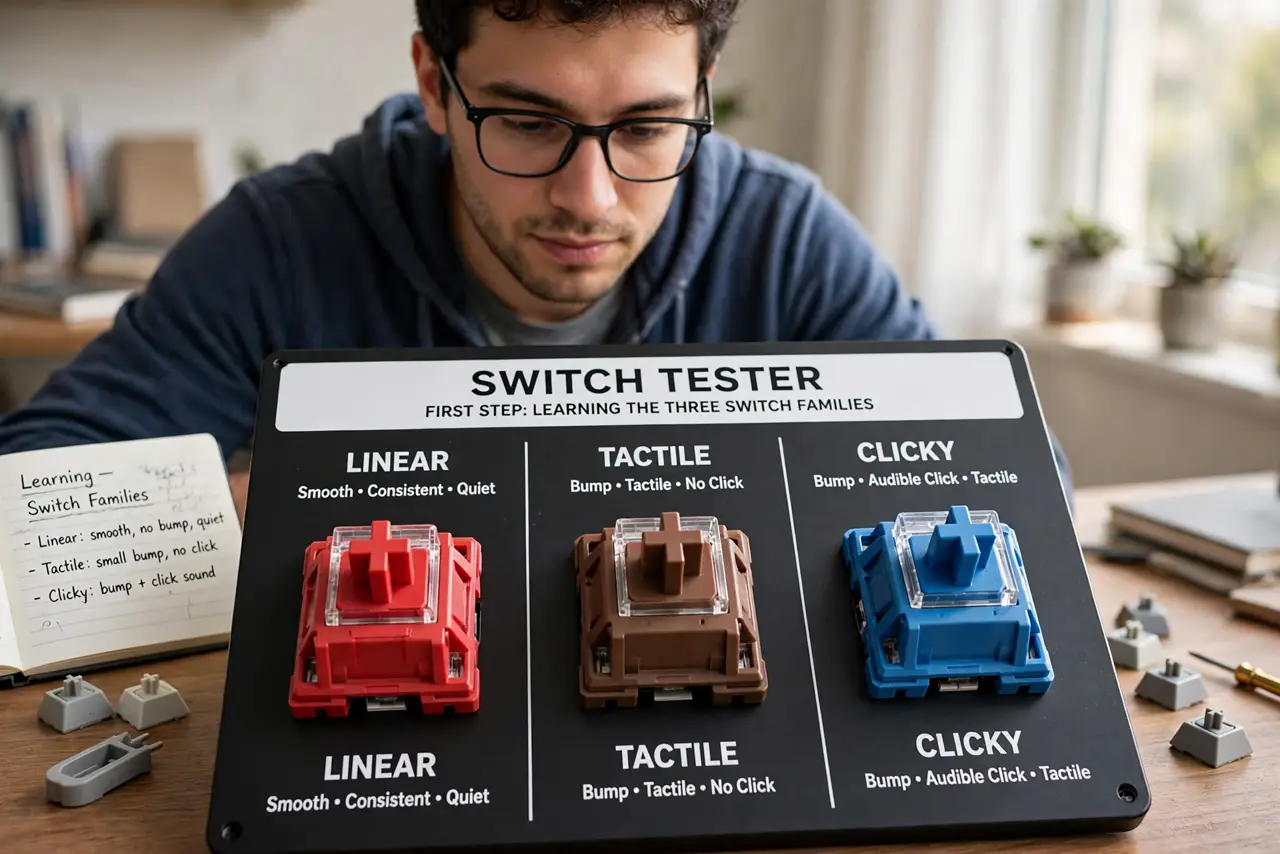
- Learn the three families. Linear: smooth press, no bump — red is the classic. Tactile: a gentle bump you feel — brown is the classic. Clicky: bump plus an audible click — blue is the classic. Everything else is a variation on these three.
- Match the switch to the job. Gaming favors linear for rapid presses. Typing favors tactile for feedback without noise. Clicky suits solo typists who love the sound — and nobody else in the room. Read a switch overview for the full color chart.
- Consider your noise environment. Clicky switches in an open office are a social hazard. Tactile is the safe shared-space pick; silent variants exist for the truly considerate. Your coworkers' patience is a spec too.
- Try before you buy. Switch testers — small boards with one of each switch — cost little and prevent expensive mistakes. Ten seconds of actual pressing beats ten reviews.
- Check hot-swap support. A hot-swap board lets you pull switches out and try others with no soldering. For a first mechanical keyboard, hot-swap is cheap insurance against picking wrong.
- Do not forget the keycaps. Cheap thin keycaps make any switch sound rattly; thick PBT caps deepen the sound. The keycap profile also changes the feel under your fingers.
What NOT to do
- Do not buy clicky switches for a shared office. Your typing becomes everyone's problem — tactile or silent instead.
- Do not choose by color alone. Colors are conventions, not standards — different brands use colors differently, so check the actual type.
- Do not ignore the noise of the case. Hollow cheap cases amplify ping and rattle regardless of switch quality.
- Do not assume expensive means right for you. A beloved switch is personal — the popular pick may not be your pick.
Frequently asked questions
What is the difference between red, blue, and brown switches?
Red is linear and smooth, brown is tactile with a bump, blue is clicky with bump and sound. Those three cover the main families.
Are mechanical keyboards better for typing?
Most typists say yes — the feedback and key travel beat flat laptop keys. But the best switch is personal, so try several.
Do I need to solder to change switches?
Only on soldered boards. Hot-swap boards let you pull and replace switches by hand — look for hot-swap if you want to experiment.