Announce Messages
Your AirPods start reading every group-chat message out loud — mid-meeting, mid-run, mid-everything. Announce Messages is Siri's feature for speaking incoming texts through your earbuds, and it is genuinely useful until it is not. Here is how to tame it: which apps announce, when it stays silent, and how to reply by voice.
TL;DR / Quick Fix
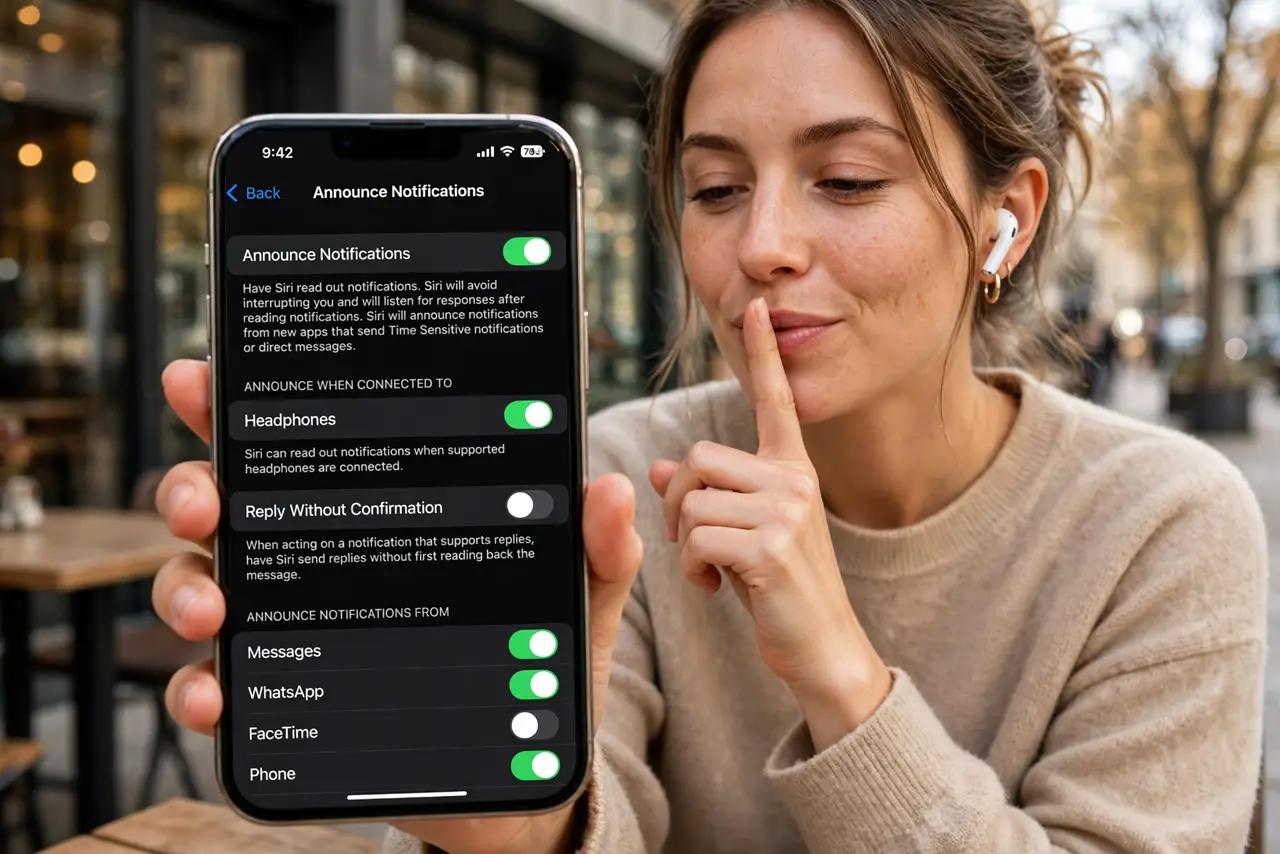
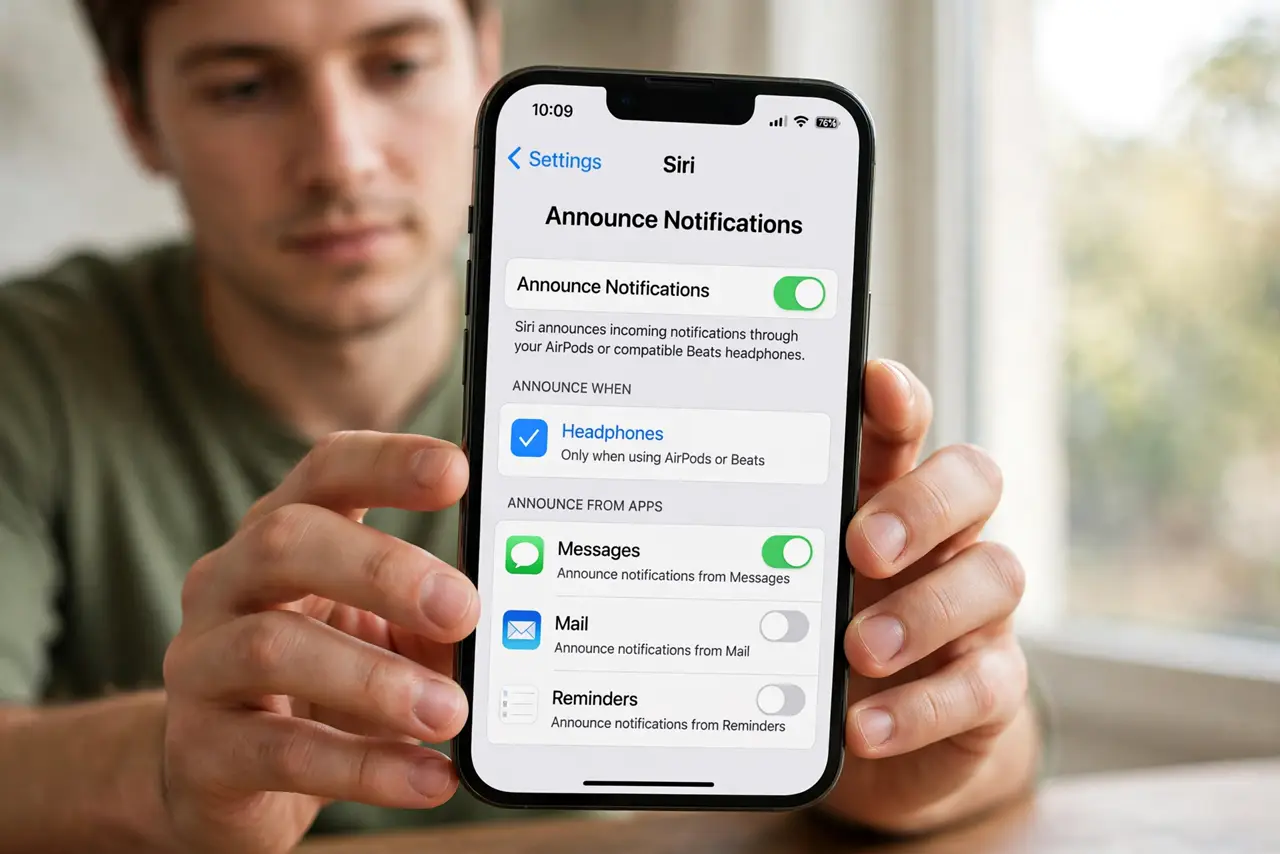
Quick fix: go to Settings, Siri, Announce Notifications, and pick which apps may announce messages. Enable CarPlay announcing separately if wanted. To silence it fast, say Hey Siri, turn off Announce Messages. To reply hands-free, say Reply right after Siri reads the message.
Follow these steps
- Open the Announce Notifications settings. Go to Settings, Siri, Announce Notifications. This one screen controls which apps speak through your AirPods or Beats — Messages is usually first on the list.
- Choose which apps may announce. Tap each app and pick Announce Notifications on or off. Keep Messages for people who matter; mute the group chats that never stop.
- Control when announcing happens. Choose announcing for headphones only, CarPlay only, or both. If Siri hears the wrong contact in the car, check the car list too.
- Reply by voice. After Siri reads a message, say Reply and dictate your answer. Siri confirms before sending — listen for the confirmation so you do not fire off a half-heard reply.
- Silence it temporarily. Say Hey Siri, turn off Announce Messages for a quiet stretch. It stays off until you re-enable it — no settings spelunking needed.
- Review privacy choices. Siri processes requests with privacy protections, but check the Siri privacy settings to see what is stored and how to manage it.
What NOT to do
- Do not let every app announce. Ten chatty apps turn your earbuds into a news ticker you cannot escape.
- Do not reply by voice in noisy places. Siri mishears, and the confirmation step is your only safety net.
- Do not assume announcing works with all headphones. It needs AirPods, Beats, or CarPlay — plain Bluetooth buds stay silent.
- Do not forget CarPlay has its own toggle. Turning it off for headphones does not silence the car.
Frequently asked questions
Why is Siri reading messages from apps I never allowed?
Check Announce Notifications per app — some apps inherit the Messages permission. Toggle each app individually to stop the chatter.
Can I make Siri announce only from specific people?
Not directly. The workaround is muting noisy threads in Messages itself, so only unmuted conversations reach your ears.
Does Announce Messages drain the battery?
Slightly, since the phone processes audio more often. Most people notice no meaningful difference across a day.