Set Multiple Timers
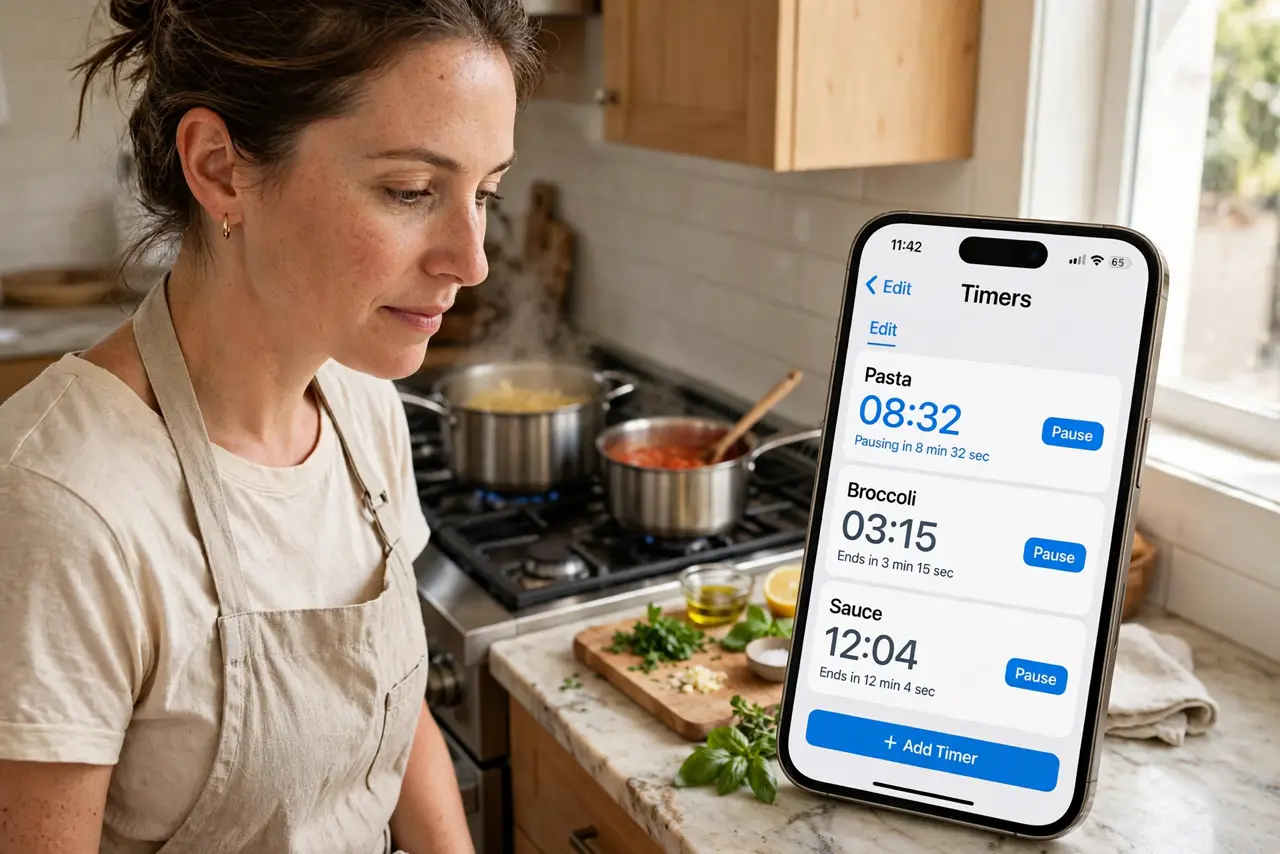
Pasta needs eight minutes, the roast needs forty, and the laundry needs twenty — one timer can't run a kitchen. Modern phones run several timers at once, each labeled, each with its own countdown. Here's how to juggle them without the chaos.
TL;DR / Quick Fix
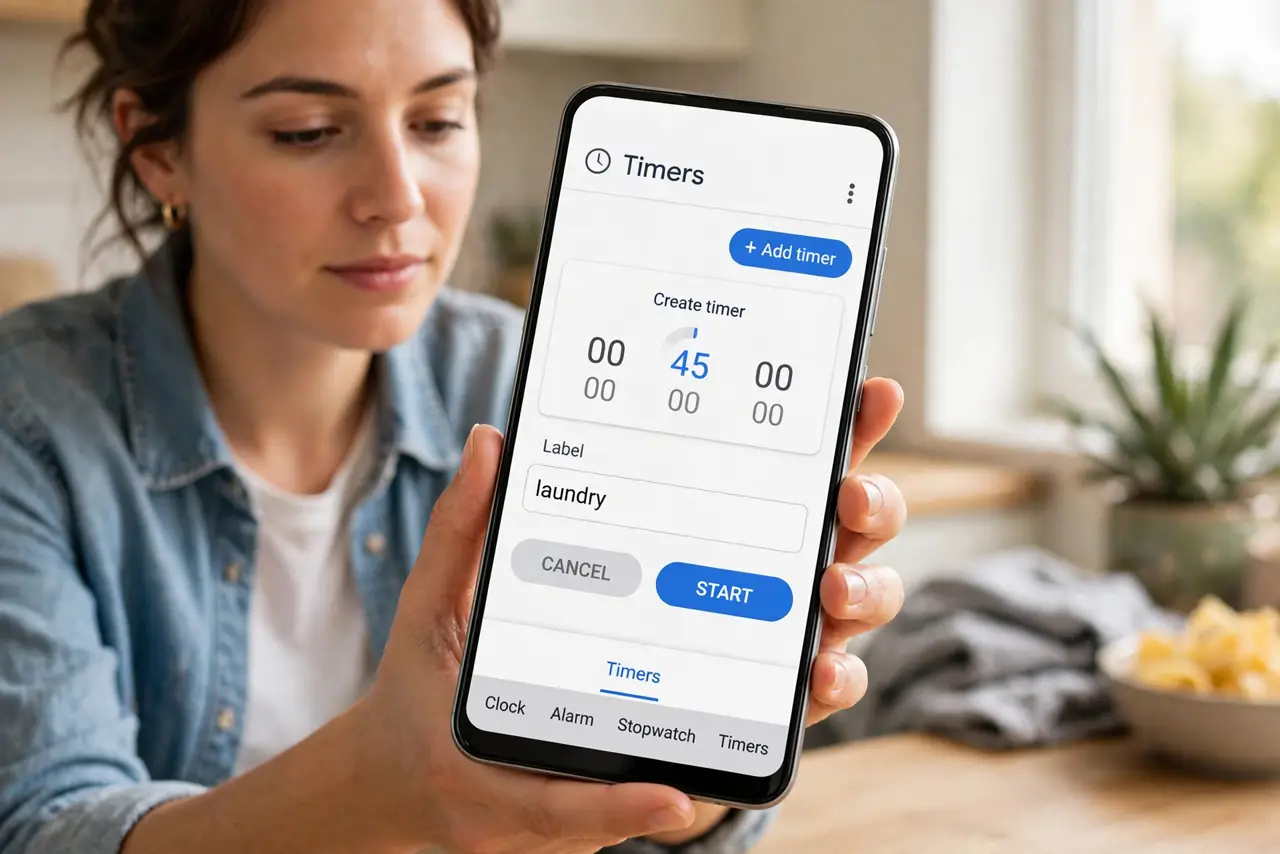
Quick fix: on iPhone, open the Clock app > Timers, or ask Siri to 'set a 10-minute timer' — recent iOS versions support several timers at once, each with its own label. On Android, the Clock app's Timer tab lets you add multiple timers the same way.
Follow these steps
- Create timers in the Clock app. iPhone: Clock > Timers > +. Android: Clock > Timer > +. Set duration, add a label ('pasta', 'laundry'), and start — repeat for each task.
- Label every timer. Unlabeled timers all look identical when three ring at once. Labels are the difference between organized and chaos — name them as you create them.
- Use Siri or Assistant hands-free. 'Set a 12-minute pasta timer' while your hands are covered in flour. Voice-created timers appear in the same list, labeled by what you said.
- Manage running timers. The Timers tab shows all live countdowns with pause, cancel, and +1 minute controls. Check it when something beeps unexpectedly — see silent timer issues if a timer never sounds.
- Set distinct sounds. Give critical timers (the roast) a louder, longer sound than casual ones. Different sounds tell you which timer rang without looking.
- Know the alarm fallback. For must-not-miss events, set an alarm instead — alarms persist and repeat. See iPhone alarm problems if alarms misbehave.
What NOT to do
- Do not rely on a single timer for parallel tasks. That's the original chaos — the whole point is one timer per task, labeled.
- Do not forget Do Not Disturb settings. DND can silence timer alerts depending on configuration — verify timers ring through before the critical cook.
- Do not let the phone die mid-timing. Timers need the phone alive; plug in for long cooks — a dead phone times nothing.
- Do not ignore the label step. Skipping labels feels faster and costs you the moment two timers ring together.
Frequently asked questions
How many timers can I run at once?
Plenty — both platforms support many simultaneous timers. Practical limit is your ability to tell them apart, hence labels.
Do timers work with the screen off?
Yes — they run in the background and alert normally. Screen-off doesn't pause them.
Can I save timer presets?
Not natively as presets, but recent timers are quick to recreate — and labeled voice commands ('pasta timer') become muscle memory fast.