Type to Siri
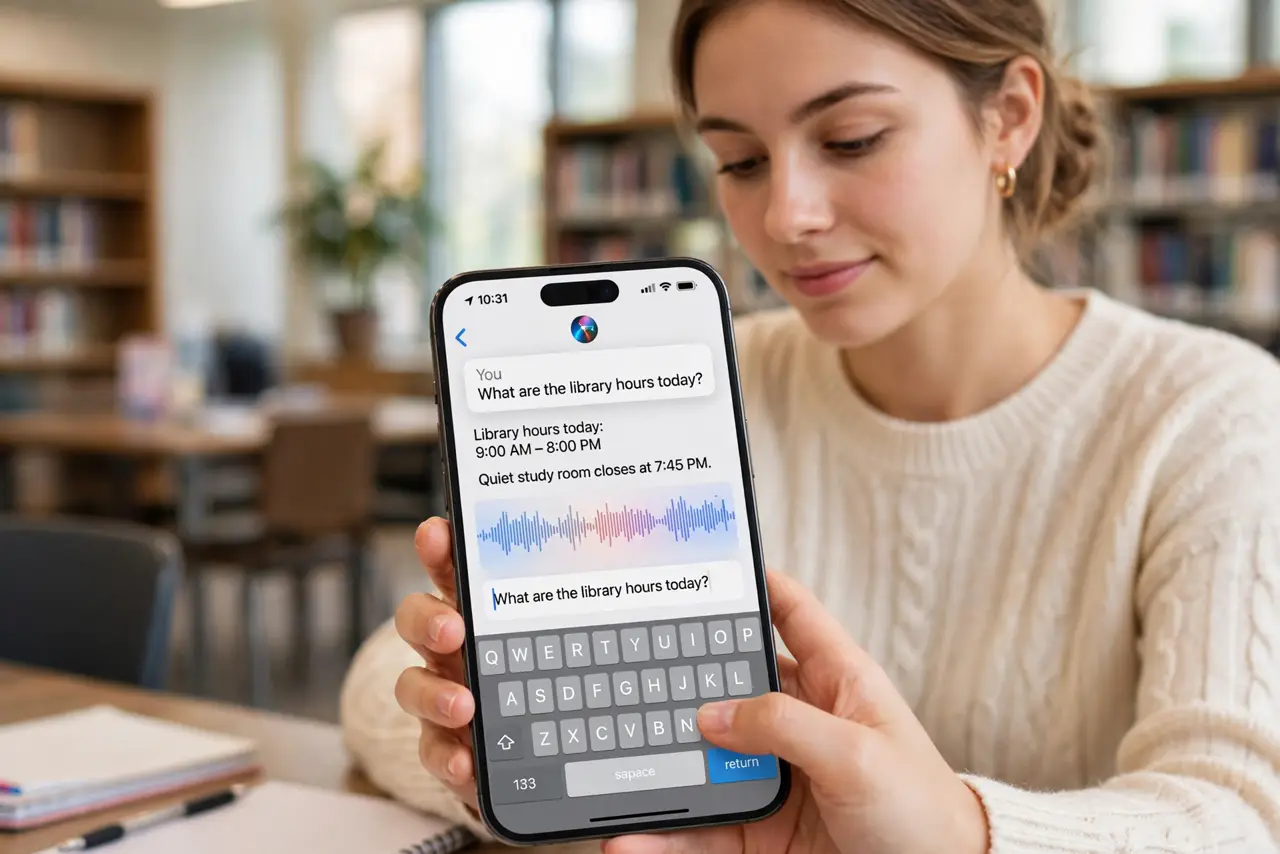
You need Siri but cannot talk — a quiet train, a sleeping baby, a meeting where speaking to your phone would be bizarre. Type to Siri lets you type requests instead of saying them, with the same Siri on the other end. This guide enables it and shows where it shines.
TL;DR / Quick Fix
Quick fix: when you cannot talk out loud, turn on Type to Siri in Accessibility — double-press the side button and type your request instead of speaking. It uses the same Siri brain with zero awkwardness in meetings or quiet trains. Your typed history stays private on the device.
Follow these steps
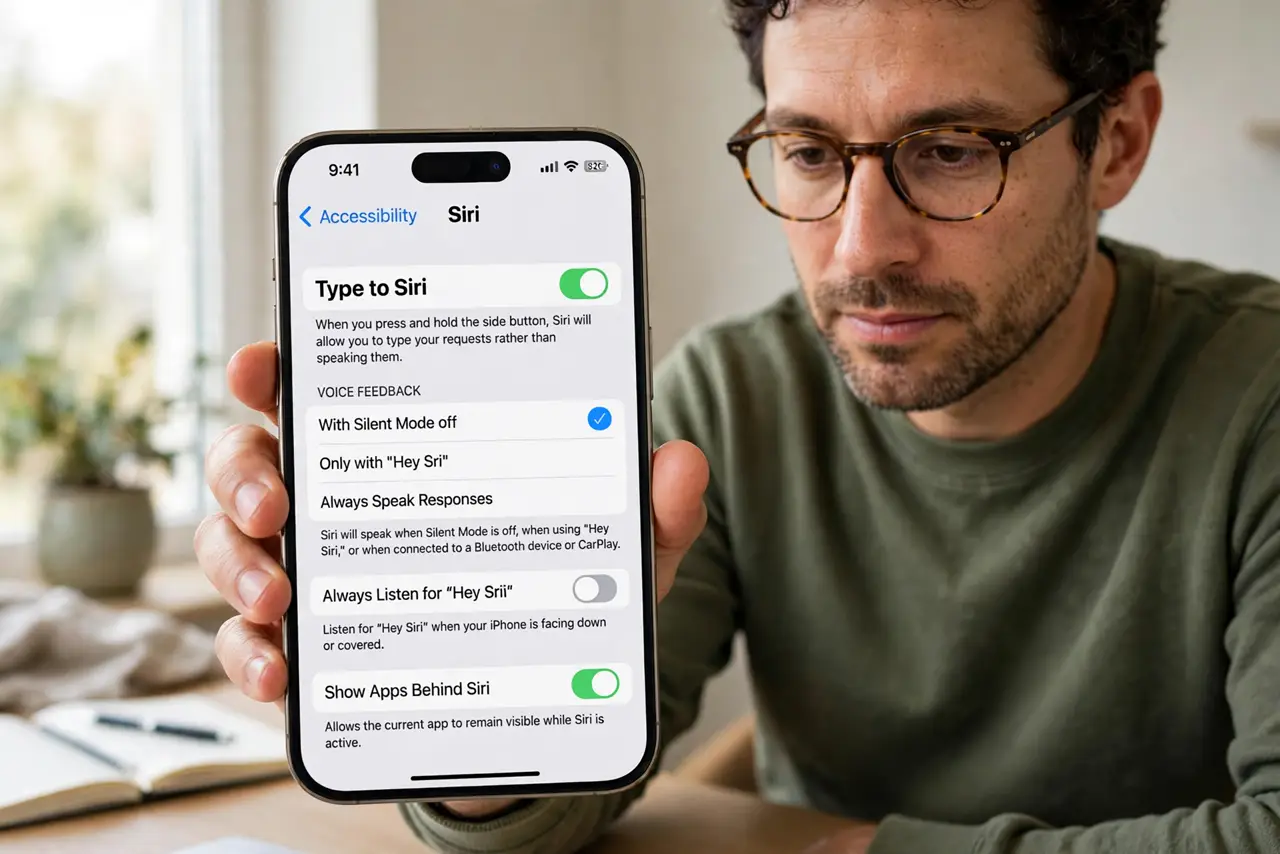
- Enable Type to Siri. Go to Settings, Accessibility, Siri, and turn on Type to Siri. Now summoning Siri opens a keyboard instead of the microphone.
- Summon it the usual way. Hold the side button (or say the wake phrase) — the text field appears. Your muscle memory for Siri still works; only the input changes.
- Type requests naturally. Write what you would have said: 'set a timer for 10 minutes', 'text Maya I'm running late'. Siri's understanding is identical.
- Use it in quiet places. Meetings, libraries, trains, sleeping households — anywhere speaking feels wrong. Typed Siri is invisible to everyone around you.
- Dictate when typing is slow. The keyboard has a mic button too — tap it to dictate the request. Best of both: silent when needed, spoken when convenient.
- Know it is the same Siri. Same capabilities, same limits — from timers to smart home. And on the desktop, asking Siri works the same conversational way.
What NOT to do
- Do not expect typed Siri to do more than spoken Siri. The input changes; the assistant's abilities do not.
- Do not leave it on if you prefer voice. Toggle it per situation — accessibility settings are not permanent commitments.
- Do not type passwords into Siri. Requests may be logged for quality — keep credentials out of the assistant entirely.
- Do not forget the side-button shortcut. Double-check which button summons Siri so you are not fumbling in the quiet moment.
Frequently asked questions
Does Type to Siri work with CarPlay?
CarPlay favors voice for safety. Type to Siri is primarily a phone-in-hand feature.
Can I use it without internet?
Basic on-device requests work offline; most Siri features need a connection, typed or spoken.
Why does the keyboard not appear?
Type to Siri may have toggled off after an update, or another accessibility setting conflicts — re-check the toggle.