What Is IPv6?
Every device on your home network has an address so your router knows where to send data. The old system, IPv4, ran short of addresses years ago; IPv6 is the replacement with room for far more devices. Most of the time it runs quietly in the background — this guide explains what it is, when it matters, and the safe checks to run before you change anything.
TL;DR / Quick Fix
Quick fix: IPv6 is the newer address system your internet uses alongside the old IPv4 — most routers have it on by default. Only touch it if a specific site fails to load or your provider asks. Leave working settings alone; wrong changes cause more problems than IPv6 ever will.
Follow these steps
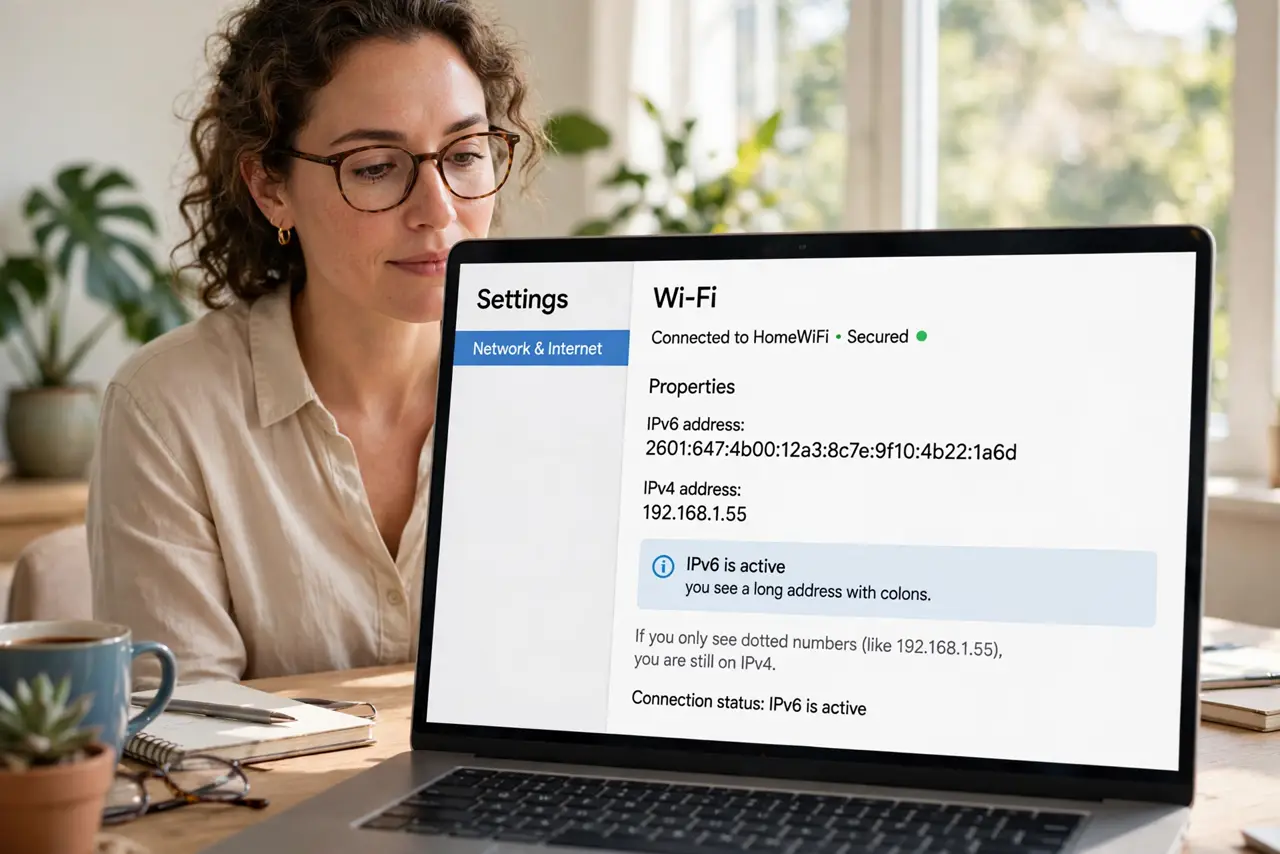
- Check whether your connection already uses IPv6. On most devices you can check your current address in the network settings — if you see a long address with colons, IPv6 is active. Seeing only dotted numbers means you are still on IPv4, which is fine for now.
- Look at your router's IPv6 setting. Log in to your router and find the IPv6 option, usually under Internet or WAN settings. If it is enabled and everything works, leave it on — disabling it can break things your provider expects.
- Ask your provider before changing anything. IPv6 is controlled mostly by your internet provider, not by you. If a specific service fails, ask their support whether IPv6 settings are involved before you toggle anything yourself.
- Test the one failing site or app. When only one website fails while the rest work, note whether it is IPv6-related before you blame your whole network. One broken site is almost never a reason to change router settings.
- Restart before you reconfigure. A simple router restart fixes most transient connection weirdness, IPv6 included. Power the router off for thirty seconds and back on before you open any settings menus.
- Leave working settings alone. If your connection is stable, there is no prize for optimizing IPv6. The safe rule: change it only to fix a diagnosed symptom, then test immediately.
What NOT to do
- Do not disable IPv6 because a forum post blamed it. Random toggles create new problems.
- Do not change both IPv4 and IPv6 settings at once — you will not know which change fixed or broke things.
- Do not assume a new router needs IPv6 configured by hand. Defaults are usually right.
- Do not ignore your provider's guidance in favor of a video tutorial — their network decides what works.
Frequently asked questions
Do I need IPv6 for normal browsing?
No. Most browsing works fine on IPv4 today. IPv6 matters more as providers transition, but nothing you do daily requires you to configure it yourself.
Is IPv6 faster than IPv4?
Not meaningfully for everyday use. Speed depends on your plan, your router, and your Wi-Fi — the address format is not the bottleneck. If pages load slowly, run a proper speed test first.
Can IPv6 cause privacy issues?
IPv6 addresses can be more stable than IPv4 ones, which concerns some people. Modern devices randomize parts of the address to limit tracking — check your device's privacy settings if this worries you.