YouTube Restricted Mode Limits for a Kid Account
Restricted Mode filters out videos flagged for mature audiences, but it is not a full parental lock. Comments, live chats, and mislabeled videos can still slip through, so knowing its limits helps you add the right extra layers.
TL;DR / Quick Fix
Quick fix: turn on Restricted Mode in the YouTube settings on the kid's account and lock it with the account password. Then add a dedicated kids app for younger children, check watch history weekly, and keep the device in shared family spaces.
Follow these steps
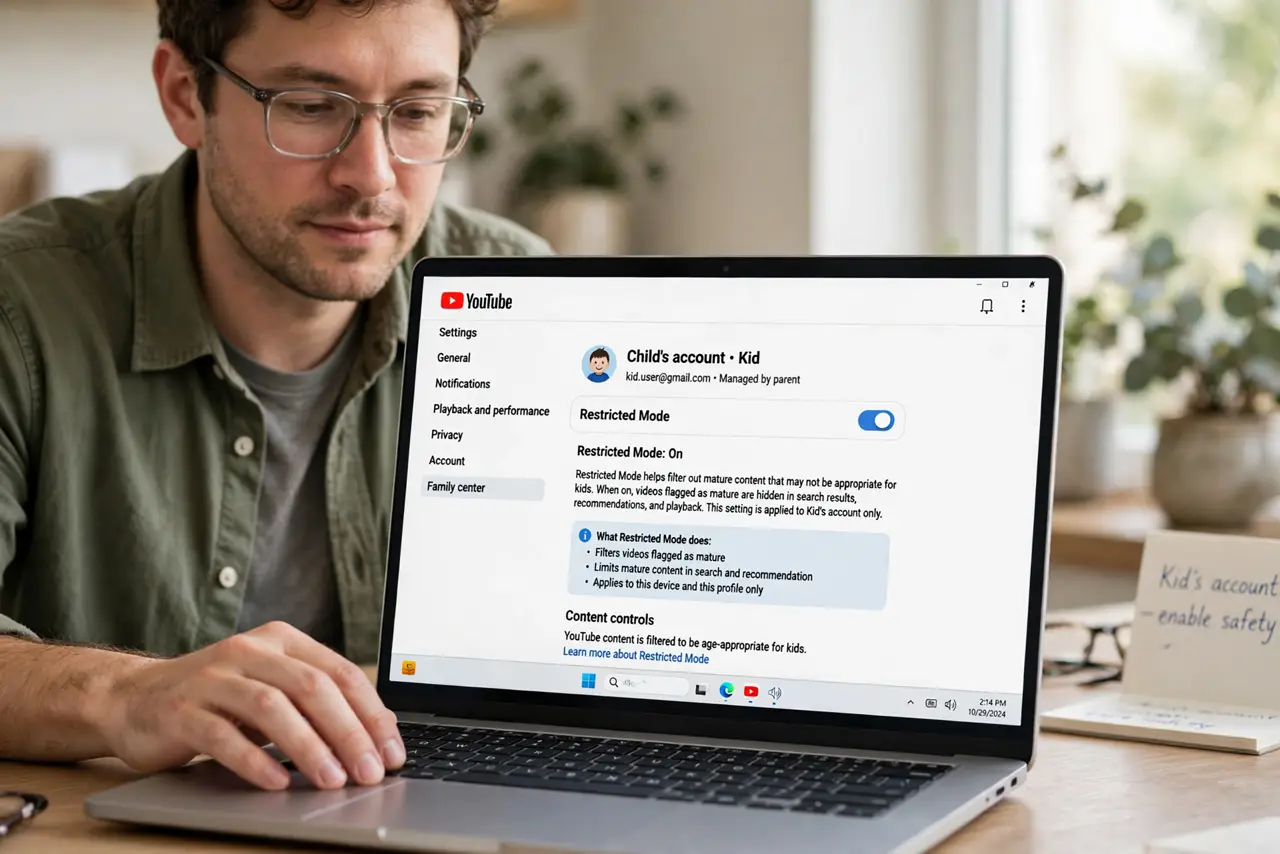
- Turn on Restricted Mode on the kid's account. Open YouTube settings on the child's profile and switch on Restricted Mode. It filters videos flagged as mature, which removes the worst of the open platform.
- Lock the setting if the app allows it. Some versions let you lock Restricted Mode so it cannot be toggled off without the account password. A lock stops a curious kid from switching it off in two taps.
- Add a kids-focused app for younger children. For young kids, use a dedicated kids video app instead of the main platform. Its catalog is curated for children, which beats any filter on the open site.
- Check watch history weekly. Review what the account actually watched each week. History shows what the filters missed and what the child searched for, which guides your next settings change.
- Layer parental controls on the network too. Add parental controls at the router or device level as a second net. One layer always has holes, and two layers catch far more.
- Keep screens in shared spaces. Keep the device where you can glance at it. No filter replaces an adult nearby, and shared spaces make casual supervision natural.
What NOT to do
- Do not treat Restricted Mode as a babysitter. It misses mislabeled videos and comments, so it is one layer, not a complete solution.
- Do not set it on your account and call it done. The setting must be on the child's own profile or device, or the kid simply watches unfiltered.
- Do not ignore the comments section. Comments under kid-friendly videos can be far worse than the videos, so check them or turn them off.
- Do not assume a lock is unbeatable. A determined older kid may find a way, so combine the lock with history checks and conversation.
Frequently asked questions
Does Restricted Mode block everything bad?
No. It filters flagged mature content but misses mislabeled videos, comments, and live chats, so treat it as one layer.
What is better for young kids?
A dedicated kids video app with a curated catalog, plus Restricted Mode thinking as backup, not the main defense.
Can kids turn Restricted Mode off?
On some setups, yes, unless it is locked with the account password. Lock it where the option exists.