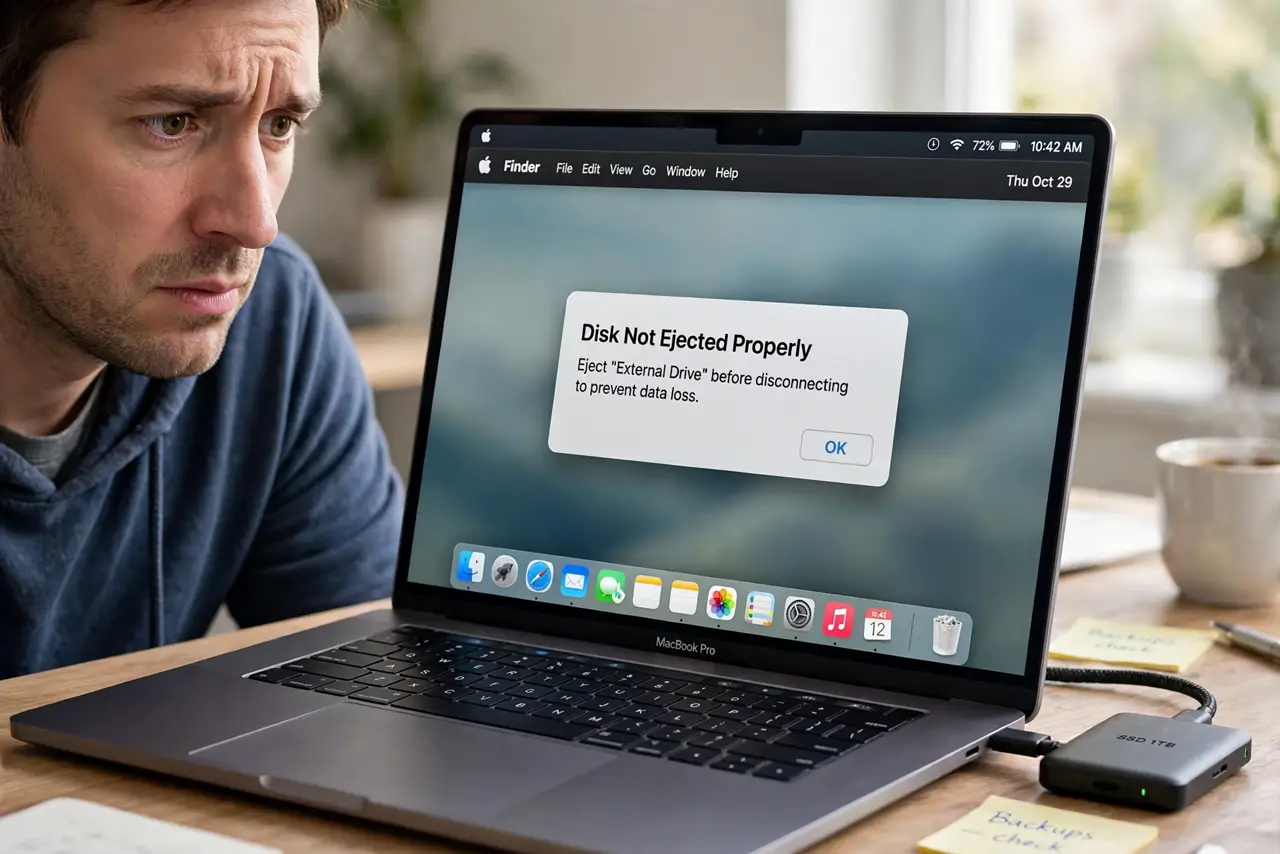
'Disk Not Ejected Properly' After Sleep
Every time your Mac wakes, it scolds you that a disk was not ejected properly — even though you never touched it. The Mac is cutting power to the drive during sleep and startling it awake badly. This guide stops the nagging warning and protects the drive.
TL;DR / Quick Fix
Quick fix: in System Settings > Energy, stop the Mac from putting hard disks to sleep, and connect the drive through a powered hub. Eject the drive before long sleeps. If the warning persists, the drive or cable is likely failing.
Follow these steps
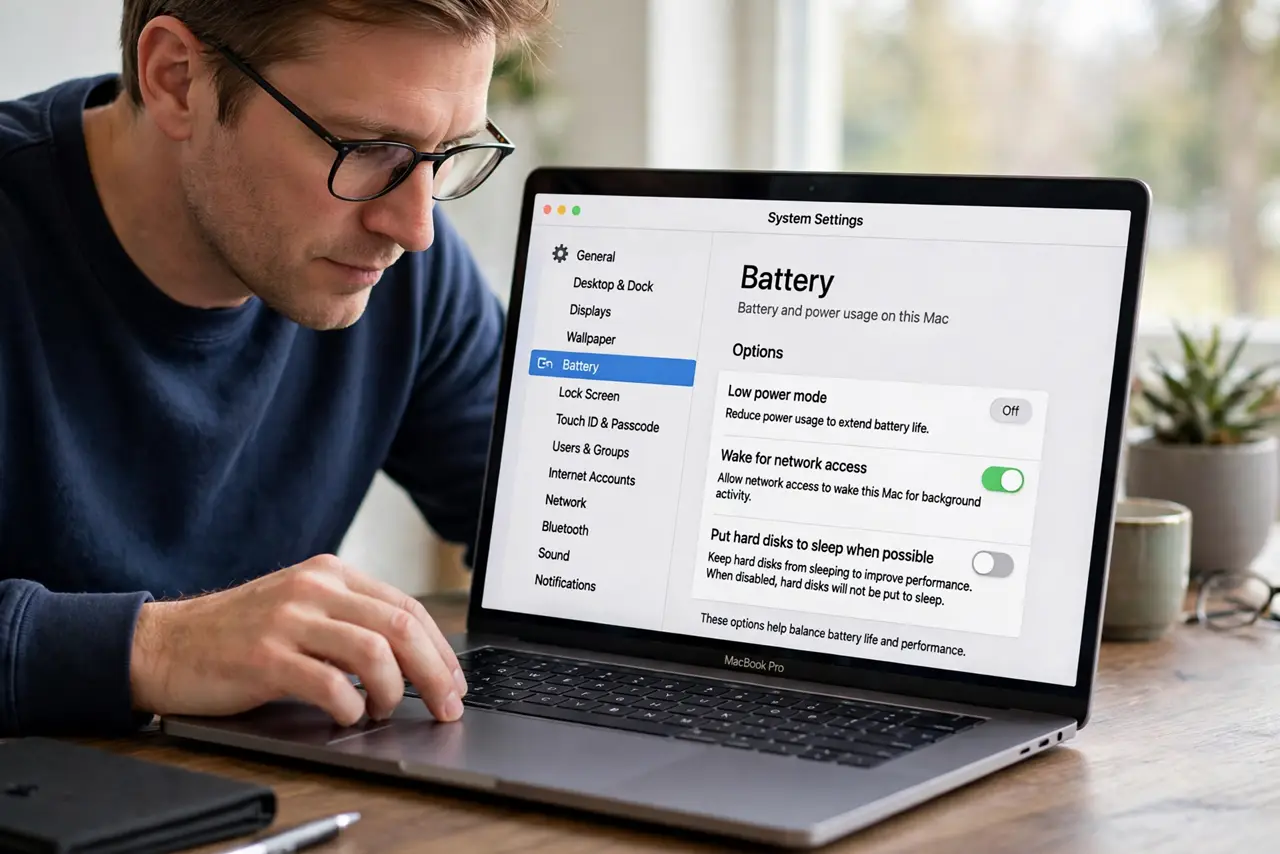
- Turn off 'put hard disks to sleep'. Go to System Settings > Battery or Energy Saver > Options and disable 'Put hard disks to sleep when possible.' The Mac then keeps the drive powered instead of dropping it mid-sleep.
- Use a powered hub or direct port. Connect the drive to a powered USB hub or directly to the Mac. Unpowered hubs and loose connections make the drive vanish during sleep, so test a different USB port too.
- Eject before long sleeps. Before closing the lid for the night, eject the external drive properly. A drive that is already ejected cannot trigger the warning when the Mac wakes.
- Check the cable. Swap the drive's cable for a known-good one. Intermittent cables cause exactly this symptom: fine when awake, dropped during sleep.
- Disable Power Nap if needed. In Energy settings, turn off Power Nap. Power Nap wakes the Mac for background tasks and can disturb sleeping drives in the process.
- Test the drive's health. If the warning continues with good settings and cables, the drive itself may be failing. Back up its contents immediately and check its health before trusting it.
What NOT to do
- Do not ignore the warning for months. Repeated improper disconnects corrupt the drive's file system a little more each time.
- Do not yank the drive while the Mac sleeps. Wake the Mac first, then eject — pulling a sleeping drive is what the warning complains about.
- Do not use a bargain-bin hub for an important drive. Cheap hubs drop power during sleep; a powered hub from a known brand is worth it.
- Do not reformat the drive to fix the warning. The warning is about sleep power behavior, and formatting erases data without changing that behavior.
Frequently asked questions
Why does my Mac say the disk wasn't ejected when I didn't touch it?
The Mac cut power to the drive during sleep and the drive reconnected roughly on wake. Disable hard disk sleep to stop it.
Can this warning damage my drive?
Yes, over time. Each improper disconnect risks file system corruption, so fix the cause rather than dismissing the warning.
Does this happen with SSDs too?
Less often, but yes — any external drive can drop during sleep if the port or hub loses power.