Mechanical Switch Types
Linear, tactile, clicky — switch types are the heart of every mechanical keyboard, and the jargon confuses every first-time buyer. The wrong choice means months of typing on something that annoys you. The differences are simple once you feel them, and there is a cheap way to feel them all first.
TL;DR / Quick Fix
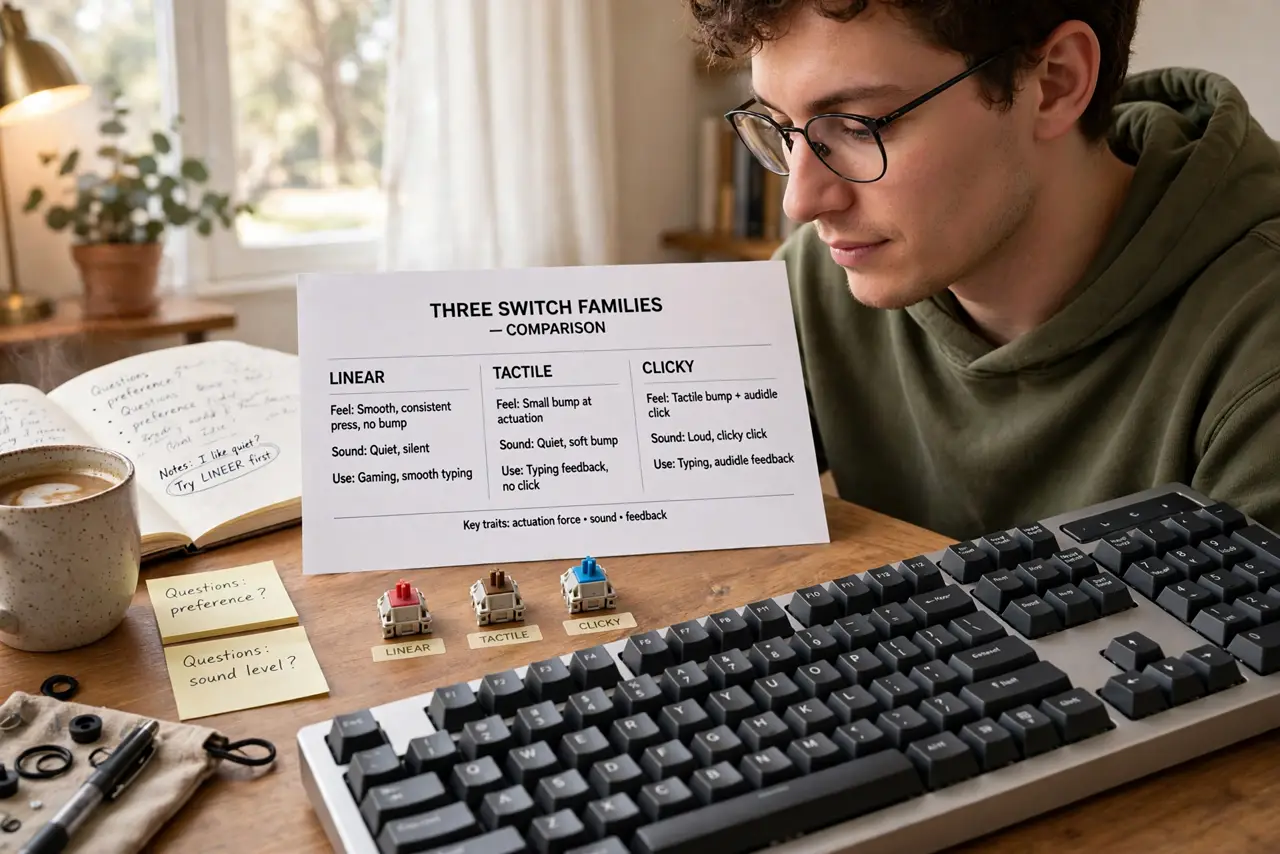
Quick fix: mechanical switches come in three flavors — linear (smooth, quiet), tactile (a bump you feel), and clicky (bump plus loud click). Linear suits gaming, tactile suits typing, clicky suits empty houses. Try a switch tester before buying; feel beats every description.
Follow these steps
- Learn the three families. Linear: smooth press, no bump, quieter — the gaming favorite. Tactile: a bump you feel mid-press, no click — the typing favorite. Clicky: bump plus an audible click — satisfying, and audible through walls.
- Match the switch to the job. Fast gaming where keys fly: linear. All-day typing where feedback helps: tactile. Solo office where nobody hears you: clicky if you must. Most people land on tactile for mixed use.
- Consider your neighbors. Clicky switches are genuinely loud — coworkers, partners, and microphones all notice. Linear and tactile with silent variants exist for shared spaces. Your switch choice is also a roommate choice.
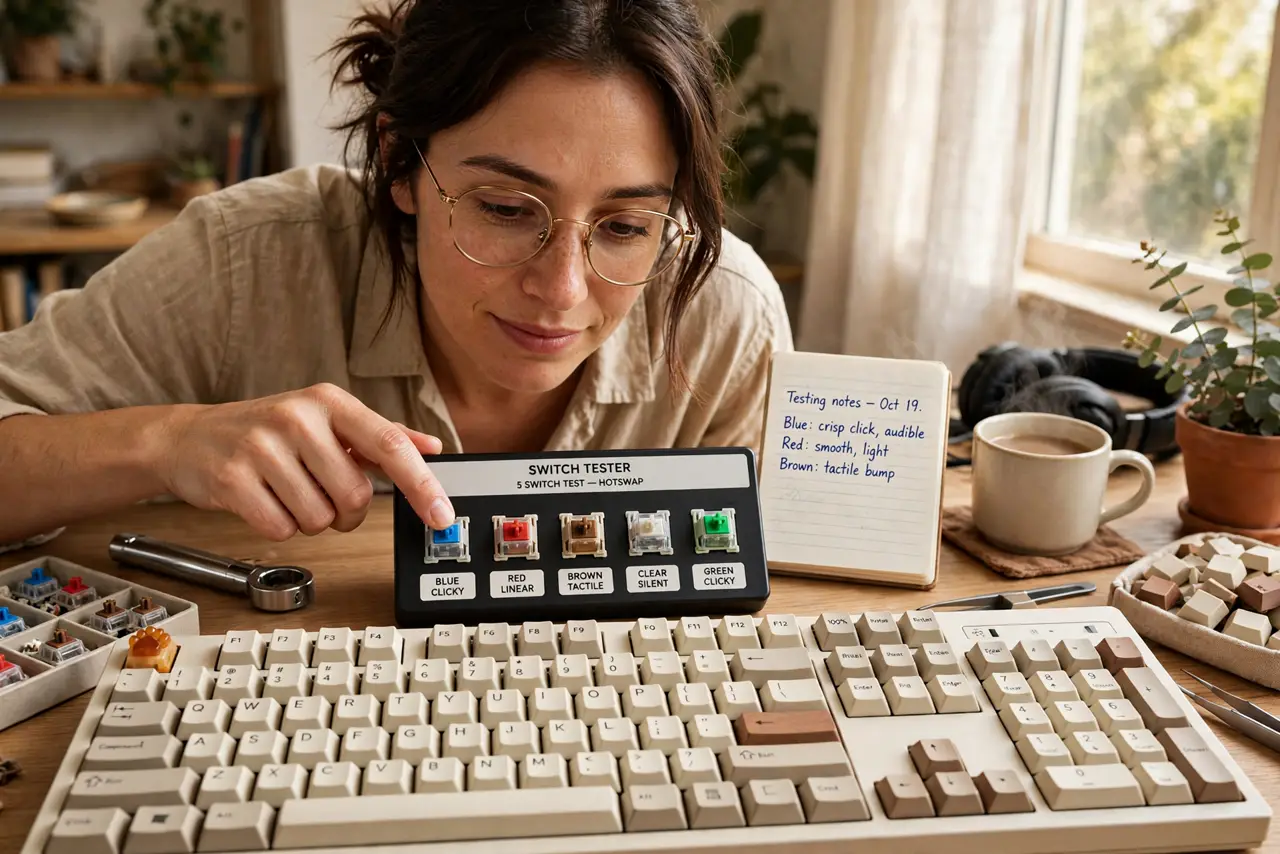
- Try a switch tester first. A tester board with 8–12 switch types beats a thousand words of description. Press each one for a minute, type a sentence on each — your fingers will pick a winner your brain cannot argue with.
- Know the famous names. Cherry MX is the original standard (Red=linear, Brown=tactile, Blue=clicky). Gateron and Kailh make beloved alternatives, often smoother. Brand matters less than family — pick the feel first.
- Remember switches can be swapped. Many modern boards are hot-swappable — switches pull out without soldering. A wrong first choice is not permanent; see how membrane compares if you are coming from a regular keyboard.
What NOT to do
- Do not buy clicky for a shared office. It is the fastest way to become everyone's least favorite coworker — tactile gives the feedback without the noise.
- Do not choose by color alone. 'Blue' means clicky in Cherry's world but other brands reuse colors freely — read the type, not the color.
- Do not assume expensive means better feel. Switch preference is personal; a tester saves you from a costly mistake.
- Do not forget keycaps matter too. Switches are half the feel — cheap thin keycaps can ruin great switches, and vice versa.
Frequently asked questions
Are mechanical keyboards better for typing?
For feel and durability, generally yes — but the switch type matters more than 'mechanical' as a label. The wrong switch on a great board still annoys.
How long do mechanical switches last?
Tens of millions of keystrokes per the spec — years of heavy use. They outlive the keycap legends printed on top, usually.
What is the quietest mechanical switch?
Silent linear variants with dampened keycaps. Properly built, they are quieter than most membrane keyboards.