Passkey vs Password When a Site Offers Both
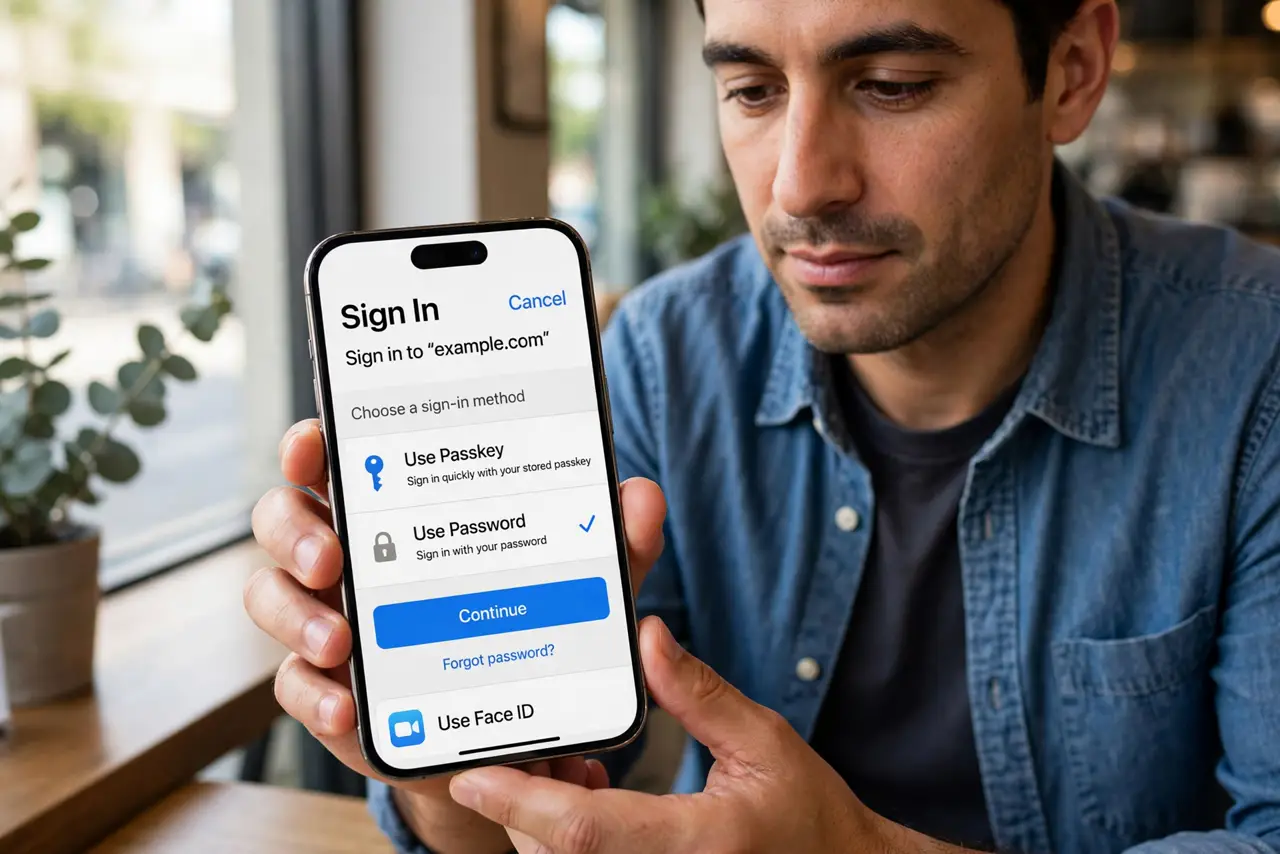
A site offers to sign you in with a passkey or a password, and both look equally fine. They are not: the passkey resists phishing and guessing in ways no password can, while the password remains useful as a backup.
TL;DR / Quick Fix
Quick fix: choose the passkey when it is offered — it cannot be phished or guessed like a password, and signing in is one tap. Keep a strong unique password as the backup method, and save the account's recovery codes before you need them.
Follow these steps
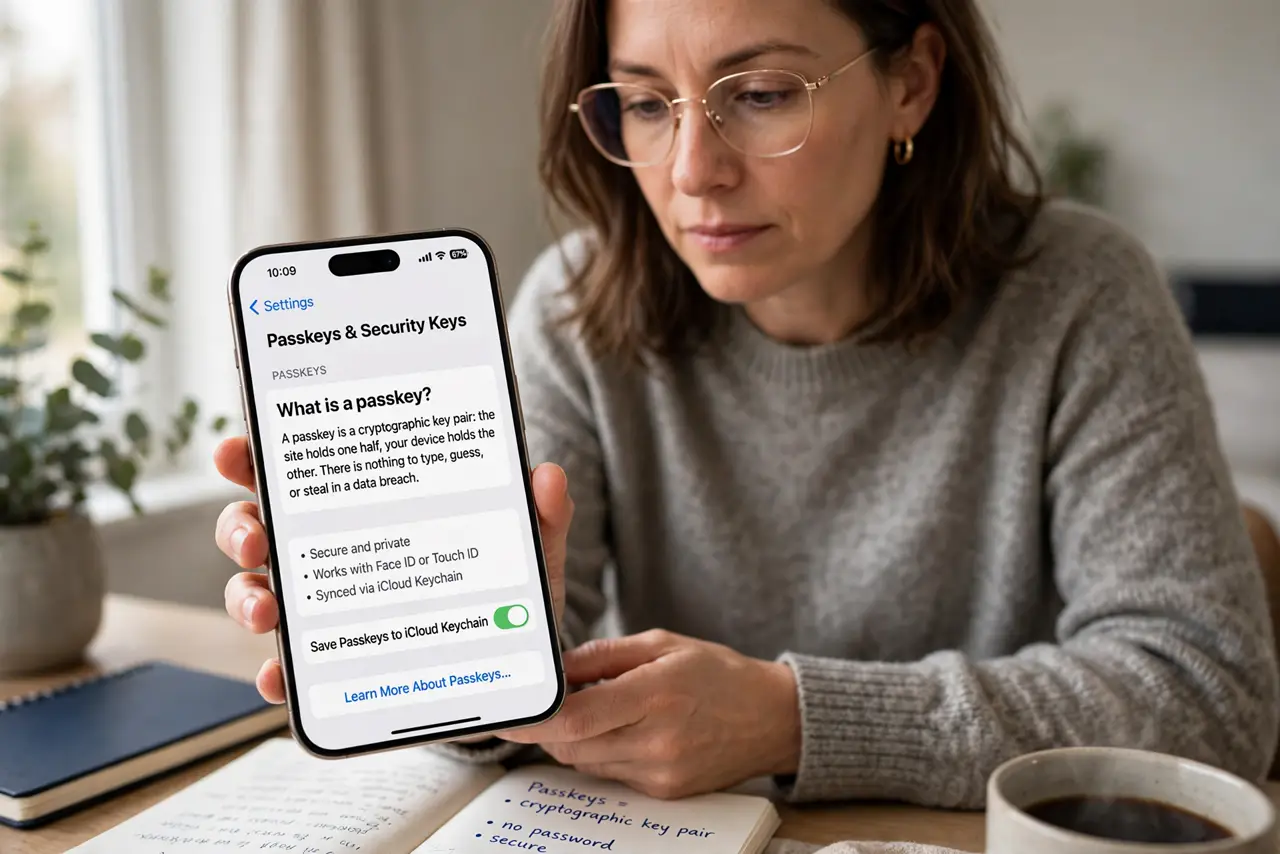
- Understand what a passkey is. A passkey is a cryptographic key pair: the site holds one half, your device holds the other. There is nothing to type, guess, or steal in a data breach.
- Choose the passkey at sign-in. When the site offers both, pick the passkey option. One tap or face scan signs you in, with no password to remember or mistype.
- Keep a strong password as backup. Do not delete the password yet. A unique, manager-stored password remains the spare key if the passkey device is unavailable.
- Save the recovery codes now. Store the account's backup codes somewhere safe before you need them. Recovery codes are the master spare key for both methods.
- Enroll a second device when possible. Add the passkey to a second phone, tablet, or computer. Two devices with the key mean one lost phone is an inconvenience, not a lockout.
- Know when password still wins. On a borrowed or public computer, a password plus two-factor may be simpler than a passkey tied to your phone. Match the method to the situation.
What NOT to do
- Do not keep using the password out of habit when a passkey is offered. The passkey is the stronger option, and habit is not a security strategy.
- Do not delete the backup password immediately. Keep it as the spare until the passkey works reliably on all your devices.
- Do not skip saving recovery codes. Both methods can fail you on the same bad day, and the codes are the way back in.
- Do not approve passkey prompts you did not start. A surprise prompt can be a phishing attempt, so only approve sign-ins you initiated.
Frequently asked questions
Is a passkey really safer than a password?
Yes. It cannot be phished, guessed, or reused across sites, which removes the three ways passwords most often fail.
What if I lose the phone with my passkeys?
Recover through backup codes or a second device, revoke the old keys, and enroll the new phone. Keep spares ready.
Can I use passkeys on all my devices?
Most platforms sync passkeys across your signed-in devices, so one enrollment often covers your phone, tablet, and computer.