Mute Your Smart Speaker? How To
Your smart speaker is always listening for its wake word — which means its microphone is always on. Most of the time that is fine, but during sensitive conversations, confidential calls, or when you simply want guaranteed privacy, the software mute button is not the strongest guarantee. The physical mute button is.
TL;DR / Quick Fix
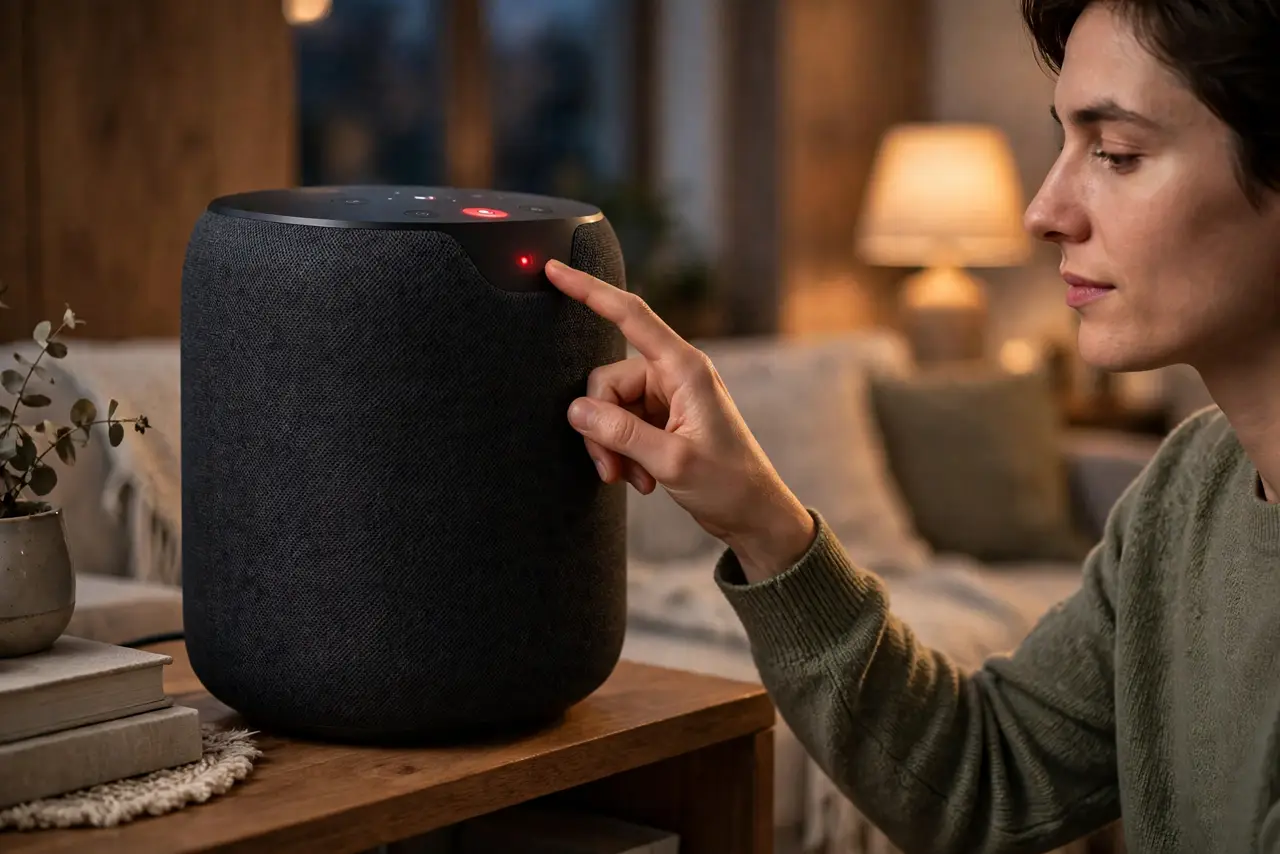
Quick fix: every smart speaker has a physical mute button — usually on top — that electrically disconnects the microphone, shown by a red light. Use it during private conversations, work calls, or overnight. Software mute in the app is convenient, but the physical button is the guarantee.
Follow these steps
- Find the physical mute button. It is on top of most speakers — a microphone icon with a slash. Pressing it cuts the mic at the hardware level, and the red indicator light confirms it. Learn its location by touch.
- Understand hardware vs software mute. The physical button disconnects the microphone circuit; muting in the app just tells the software to ignore input. For sensitive moments, hardware wins — software can have bugs, circuits do not.
- Mute during sensitive conversations. Work calls about layoffs, medical discussions, arguments — any conversation you would not want transcribed deserves the red light on. Make it a habit, not an exception.
- Check the mute before confidential calls. Glance at the speaker when a serious call starts. The red light is your confirmation; no light means it is listening, whatever the app claims.
- Review and delete voice recordings. Speaker apps keep your voice history — review it periodically and delete what you do not need kept. Auto-delete options exist; turn them on.
- Unmute deliberately afterward. A permanently muted speaker is a paperweight. Build the unmute back into your routine — mute for the private hour, unmute when it ends.
What NOT to do
- Do not rely on 'it only listens for the wake word.' False wake-ups happen constantly — the speaker records snippets it was never meant to hear.
- Do not place the speaker in bedrooms or home offices by default. The most private rooms deserve the most thought about always-on microphones.
- Do not assume deleting recordings deletes everything. It clears your history; anonymized or aggregated data policies vary — read your maker's policy once.
- Do not forget guests. Visitors may not know the speaker is listening — mute it when guests are over, as basic hospitality.
Frequently asked questions
Does the mute button really work?
On major brands, yes — it is a hardware disconnect, and teardowns confirm the mic circuit opens. The red light is wired to the same circuit, so it cannot lie about the state.
Will it still play music while muted?
Yes. Muting kills the microphone, not the speaker. Music, timers already set, and playback continue — only voice commands stop working.
What about the camera on smart displays?
Same principle, separate control: most displays have a physical camera shutter or switch. Mute the mic and shutter the camera as a pair.