Use VPN Split Tunneling
Your VPN protects everything — including the video call to the office printer and the game that now lags. Split tunneling lets you choose which apps or sites go through the VPN and which use your normal connection. Used wisely, it keeps protection where it matters and speed everywhere else.
TL;DR / Quick Fix
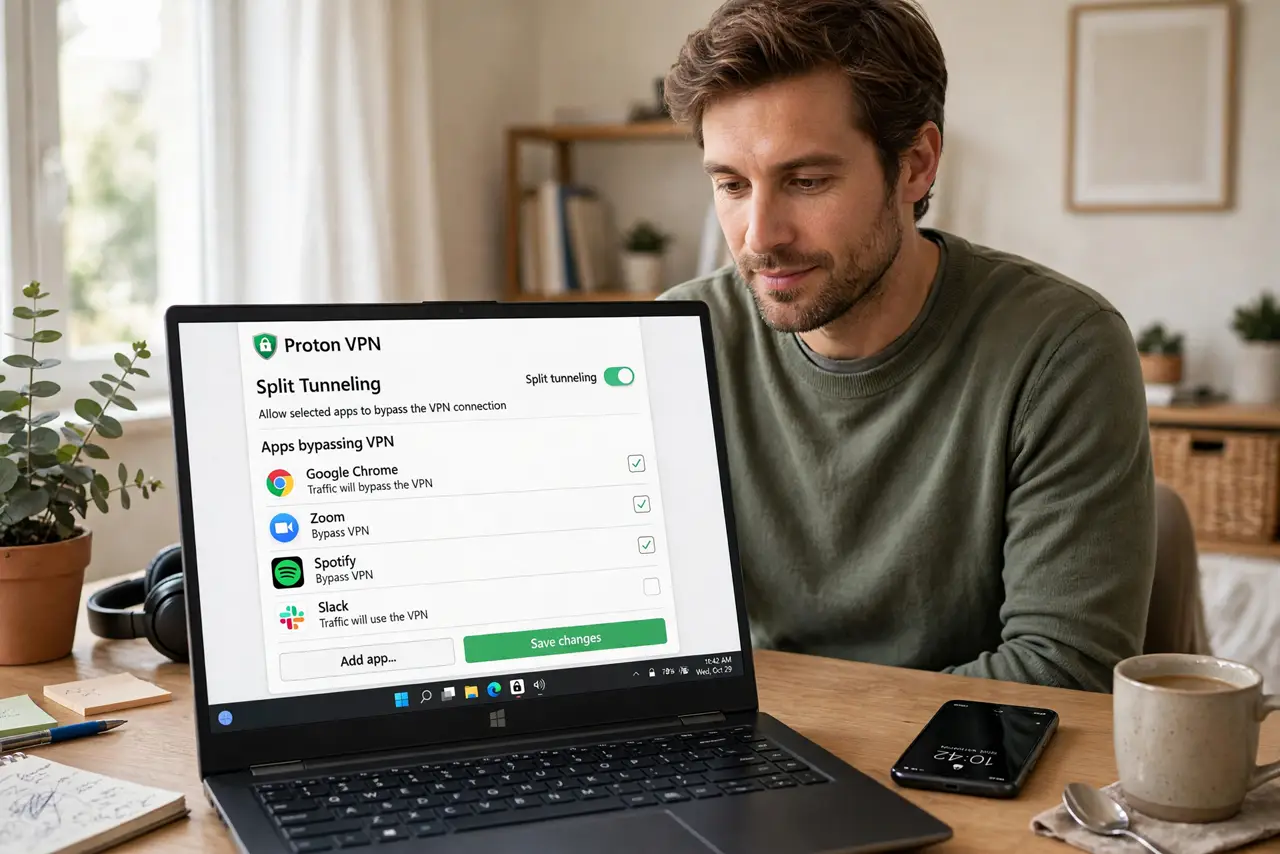
Split tunneling routes only selected apps through your VPN while the rest uses your direct connection — fixing the everything-is-slow VPN problem. Enable it in your VPN app's settings, protect the browser and banking, and leave games, printers, and video calls direct. The VPN slowdown guide explains the cause.
Follow these steps
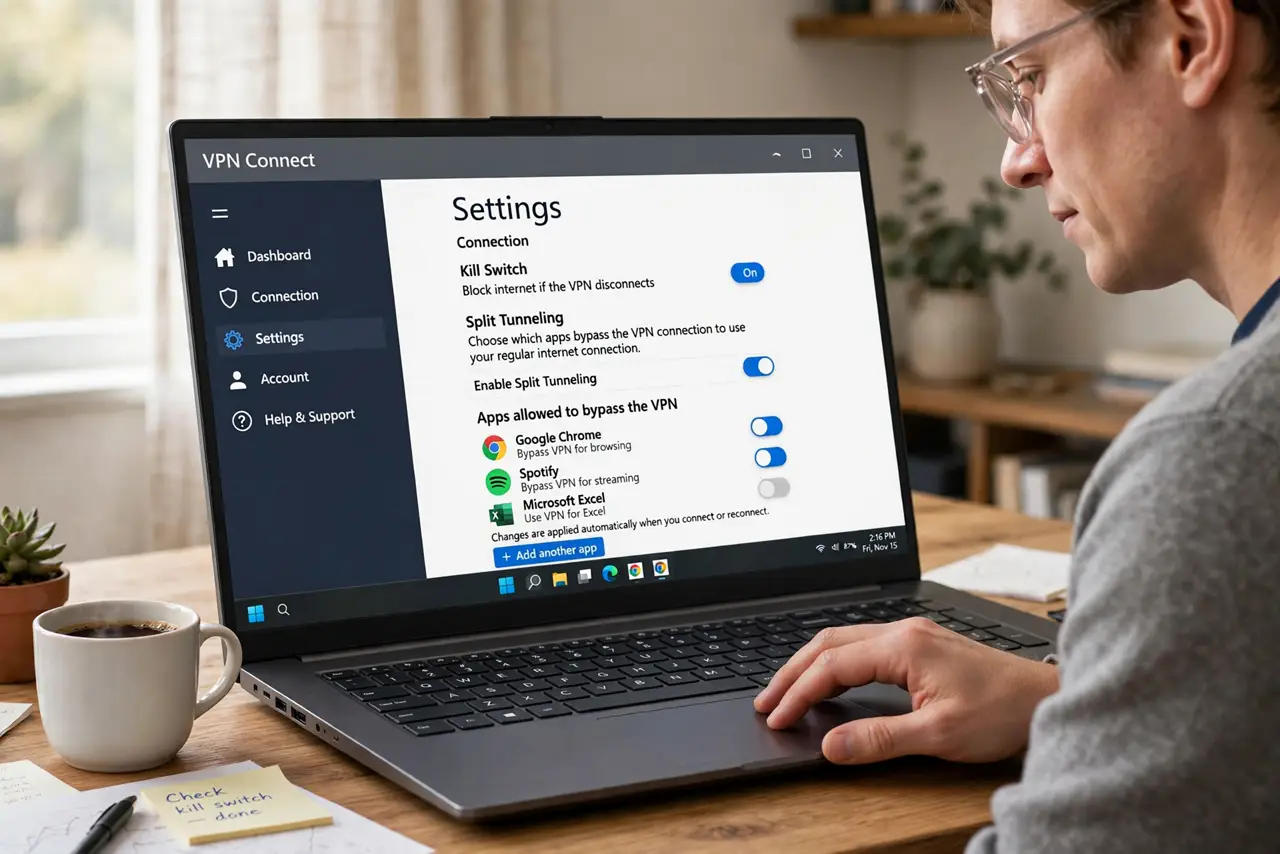
- Open your VPN app's settings. Look for Split Tunneling, Per-app settings, or Allowlist/Exception list. Not every VPN offers it — check your provider's feature list if the option is missing.
- Choose your mode: include or exclude. Include mode: only listed apps use the VPN. Exclude mode: everything uses the VPN except listed apps. Exclude mode is simpler — list the few things that should stay direct.
- Route sensitive traffic through the VPN. Browsers, banking apps, and work tools go through the tunnel. These are the traffic that benefits from encryption and location masking.
- Keep local and high-bandwidth traffic direct. Printers, local file shares, games, and video calls usually work better — or only work — outside the VPN. The printer-through-VPN fix shows the classic conflict.
- Test each important app after changes. Open the apps you split and confirm they connect properly. A banking app routed direct by mistake, or a game forced through the tunnel, defeats the purpose.
- Revisit the list when habits change. New apps default to whichever mode you chose. Check the list every few months so nothing sensitive silently travels unprotected.
What NOT to do
- Do not exclude your browser from the VPN on public Wi-Fi. The whole point of VPN on cafe networks is protecting browsing — excluding it there removes the protection.
- Do not assume split tunneling is available everywhere. Some strict work VPNs disable it deliberately; circumventing that can violate workplace policy.
- Do not route everything direct 'for speed' and call it VPN use. A VPN protecting nothing is just a subscription fee.
- Do not forget which mode you picked. Adding an app to the wrong list silently sends sensitive traffic direct — label your choices.
Frequently asked questions
Does split tunneling reduce security?
Slightly, for the traffic you exclude — that traffic gets no VPN encryption. The tradeoff is intentional: protect what matters, keep speed elsewhere.
Why does my printer stop working on VPN?
Full-tunnel VPNs route local network traffic away from your LAN. Split tunneling that excludes local devices, or the printer fix guide, solves it.
Is split tunneling legal?
Yes — it is a standard feature of consumer VPN apps. Only bypassing an employer's mandated VPN policy could be a policy violation, not a legal issue.