Should You Defragment an SSD?
Someone told you to defragment your drive for speed, and now you are staring at the Optimize Drives tool wondering if your SSD needs it. Here is the short answer: no — defragmenting an SSD does not speed it up and wears it out faster. SSDs need a different maintenance called TRIM, which Windows already handles automatically.
TL;DR / Quick Fix
Quick fix: do not defragment an SSD — it gains no speed and wears the drive out faster. Windows already runs TRIM automatically, which is the right maintenance for flash storage. Leave the Optimize Drives schedule on Automatic; it handles SSDs and hard drives correctly without you touching anything.
Follow these steps
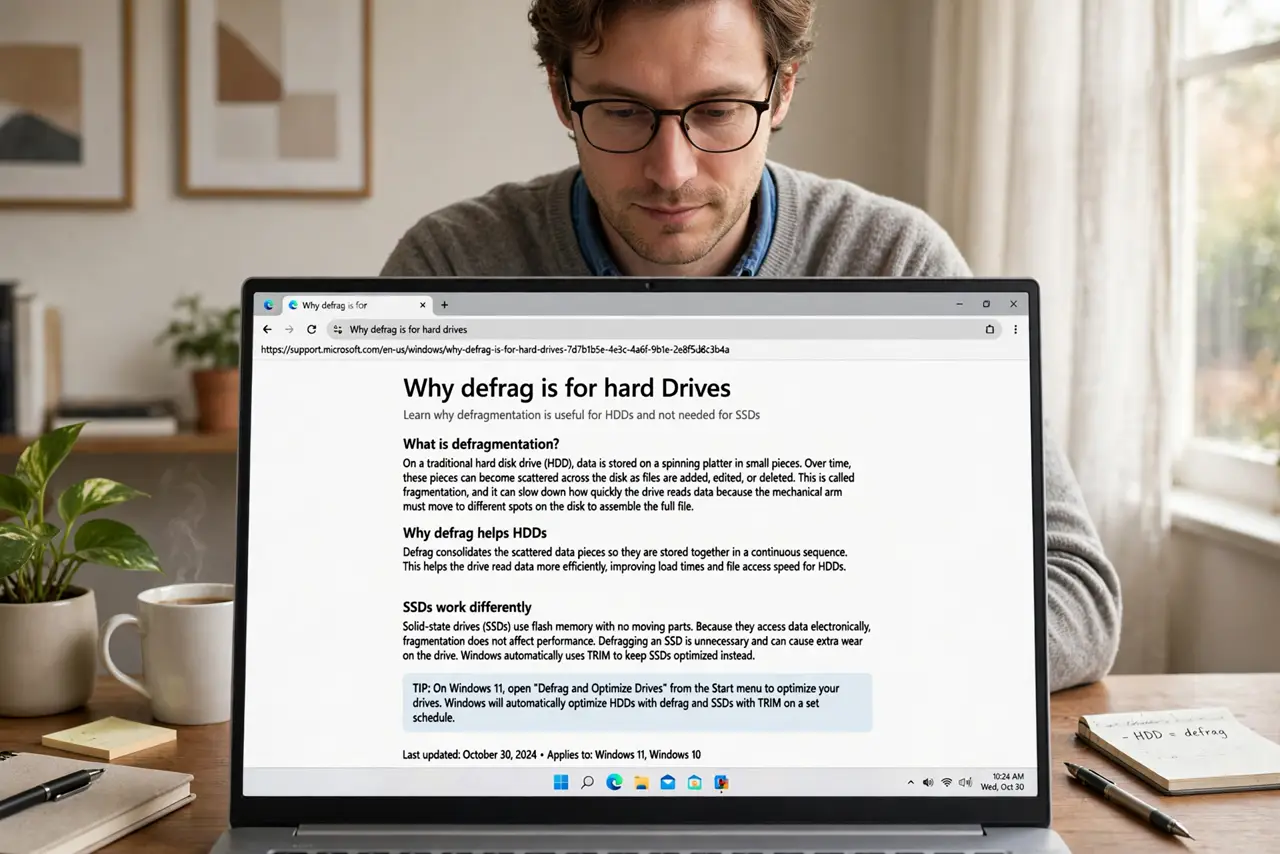
- Understand why defrag is for hard drives. Defragmenting rearranges files so a spinning disk's head travels less. SSDs have no moving parts — file location does not affect speed, so defrag solves a problem SSDs do not have.
- Learn what TRIM does instead. TRIM tells the SSD which data blocks are free, keeping writes fast over time. It is the actual maintenance flash storage needs — see TRIM explained for the details.
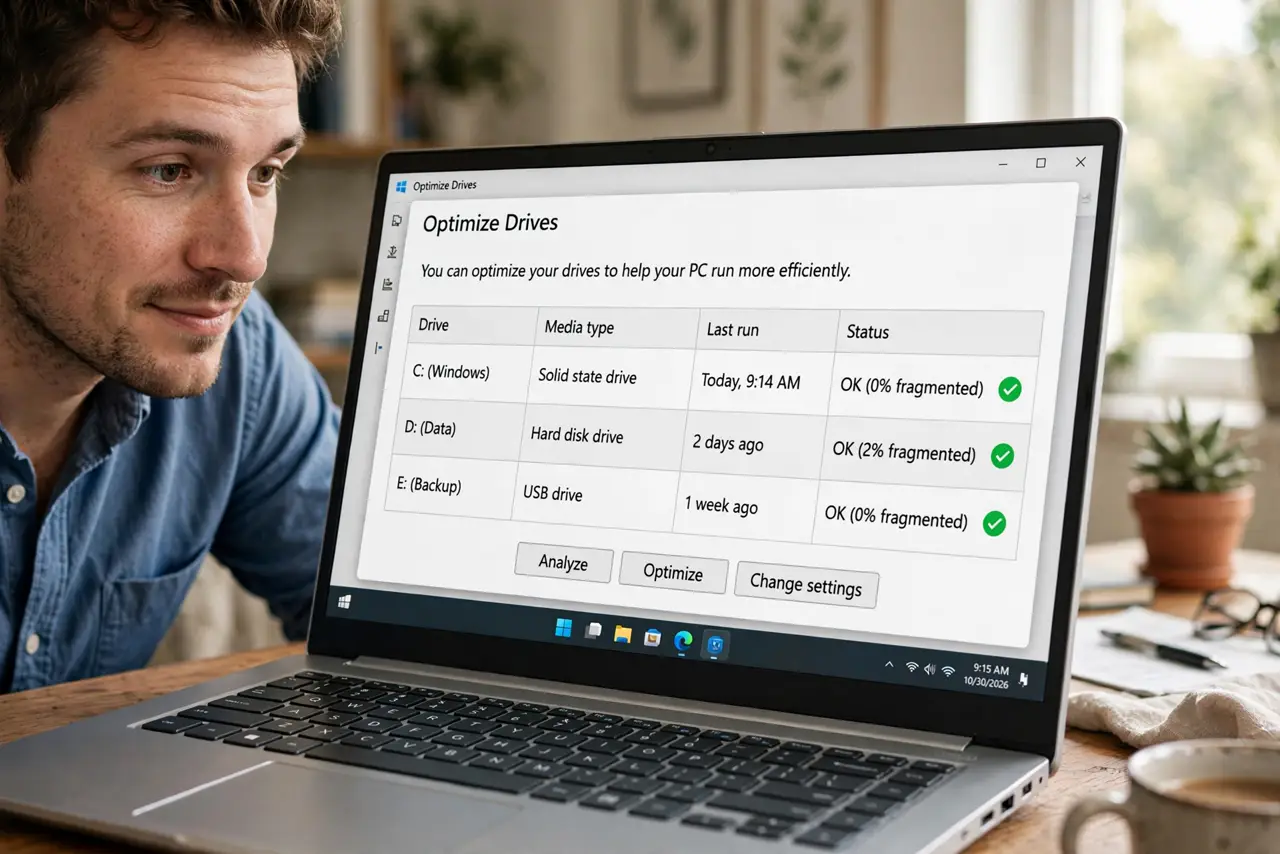
- Check that Windows handles it. Open Optimize Drives: SSDs should show a schedule of TRIM (Windows labels it optimization), hard drives show defragmentation. Windows picks the right operation per drive type automatically.
- Leave the schedule on. The default weekly Automatic schedule is correct. Turning it off to protect the SSD is backwards — the scheduled TRIM is what keeps it healthy.
- Never force-defrag an SSD manually. Running defragmentation on an SSD just burns through its limited write lifespan for zero benefit. If a tool offers it, decline.
- Defrag only real hard drives. If you still have a spinning HDD for storage, defragmenting that one occasionally genuinely helps. Check the media type column first — optimize each drive as its type.
What NOT to do
- Do not defragment an SSD for speed. It cannot help and it consumes the drive's finite write lifespan.
- Do not disable the Optimize Drives schedule. That schedule is what runs TRIM — disabling it hurts the SSD.
- Do not trust third-party defrag tools on SSDs. Many still offer SSD defrag as a feature; it is a feature you should never use.
- Do not confuse slow SSD with fragmentation. A full or aging SSD slows for other reasons — check free space and drive health instead.
Frequently asked questions
Will defragging once ruin my SSD?
No — one accidental defrag is harmless. The damage comes from repeated, habitual defragmentation over months.
How do I know if my drive is SSD or HDD?
In Optimize Drives, the Media type column says so directly. Task Manager's Performance tab shows it too.
My SSD feels slow — what should I check?
Free space first (keep 10-20% free), then drive health via the maker's tool. Fragmentation is not the cause on flash storage.