'Safe to Remove' Missing?
The 'Safely Remove Hardware' icon vanished from your taskbar, and now you are not sure when it is safe to yank the USB drive. Good news: Windows 10 and 11 default to Quick Removal, meaning most drives are safe to unplug when not actively writing. But the icon's absence still confuses, and some drives need the old careful way. Here is the full picture.
TL;DR / Quick Fix
Quick fix: on modern Windows, USB drives use Quick Removal by default — if no files are copying, unplugging is safe. To get the icon back, restart Windows Explorer or check Settings, Bluetooth and devices. For important data, eject via File Explorer first. Never unplug mid-copy.
Follow these steps
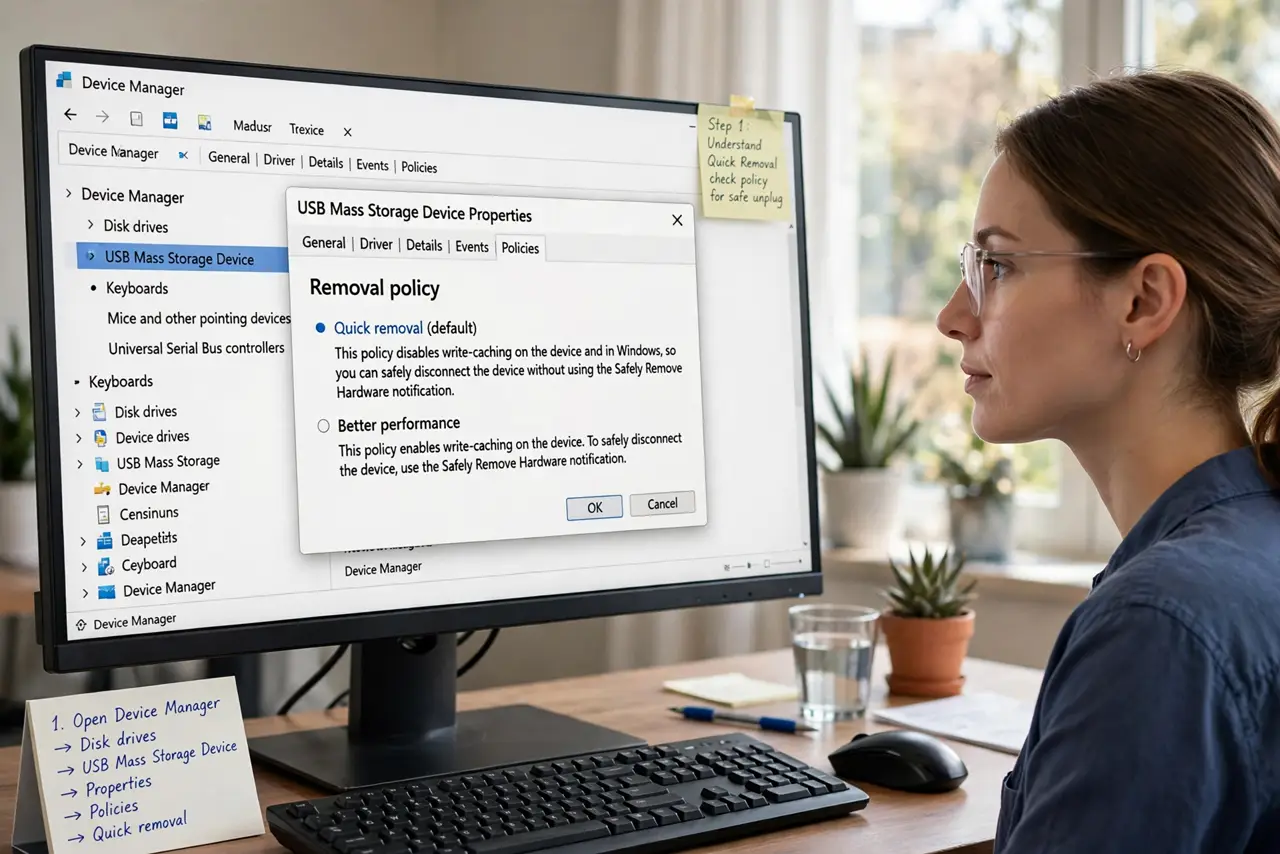
- Understand Quick Removal. Windows 10 (version 1809+) and 11 default USB drives to Quick Removal: writes complete immediately, so unplugging a idle drive is safe. The old 'Better performance' mode cached writes and demanded ejection — most drives no longer use it.
- Restore the missing icon. Open Settings, Bluetooth and devices, Devices, and look for Safely Remove Hardware options. Or restart Windows Explorer via Task Manager — the icon often returns. The icon hides when Windows sees no removable devices, which is normal.
- Eject from File Explorer. Right-click the drive in File Explorer and choose Eject — the manual method that always works, icon or not. Wait for the 'Safe to Remove Hardware' confirmation before pulling.
- Check the removal policy. In Device Manager, find the drive, Properties, Policies: Quick removal vs Better performance. If a drive is set to Better performance, you must eject it properly — consider switching it to Quick removal for peace of mind.
- Never unplug mid-write. Quick Removal protects idle drives, not active copies. If files are copying — or the drive light is flashing — wait. Interrupted writes corrupt files, a classic cause of vanishing files.
- Know when ejection truly matters. External hard drives with Better performance, encrypted volumes, and drives mid-backup deserve proper ejection. A tiny flash drive at idle does not — match caution to the situation, and check front vs back ports if a drive misbehaves.
What NOT to do
- Do not unplug during a file copy. Quick Removal covers idle drives only — active writes corrupt when interrupted.
- Do not panic about the missing icon. On modern Windows it hides when idle and most drives are safe to remove without it.
- Do not yank encrypted drives casually. Encrypted volumes should be ejected properly to avoid container corruption.
- Do not assume every drive is Quick Removal. Check the policy in Device Manager — Better performance drives still need ejection.
Frequently asked questions
Is it safe to just pull out a USB drive?
On Windows 10/11 with Quick Removal default, yes — if no copy is in progress. When in doubt, eject via File Explorer first.
Why did the safely-remove icon disappear?
Windows hides it when no removable devices are connected, or Explorer glitched — a restart of Explorer usually brings it back.
What does 'device is in use' mean?
A program still holds files open on the drive. Close apps and try again — never force-pull a drive Windows says is busy.