Control TV with HDMI-CEC
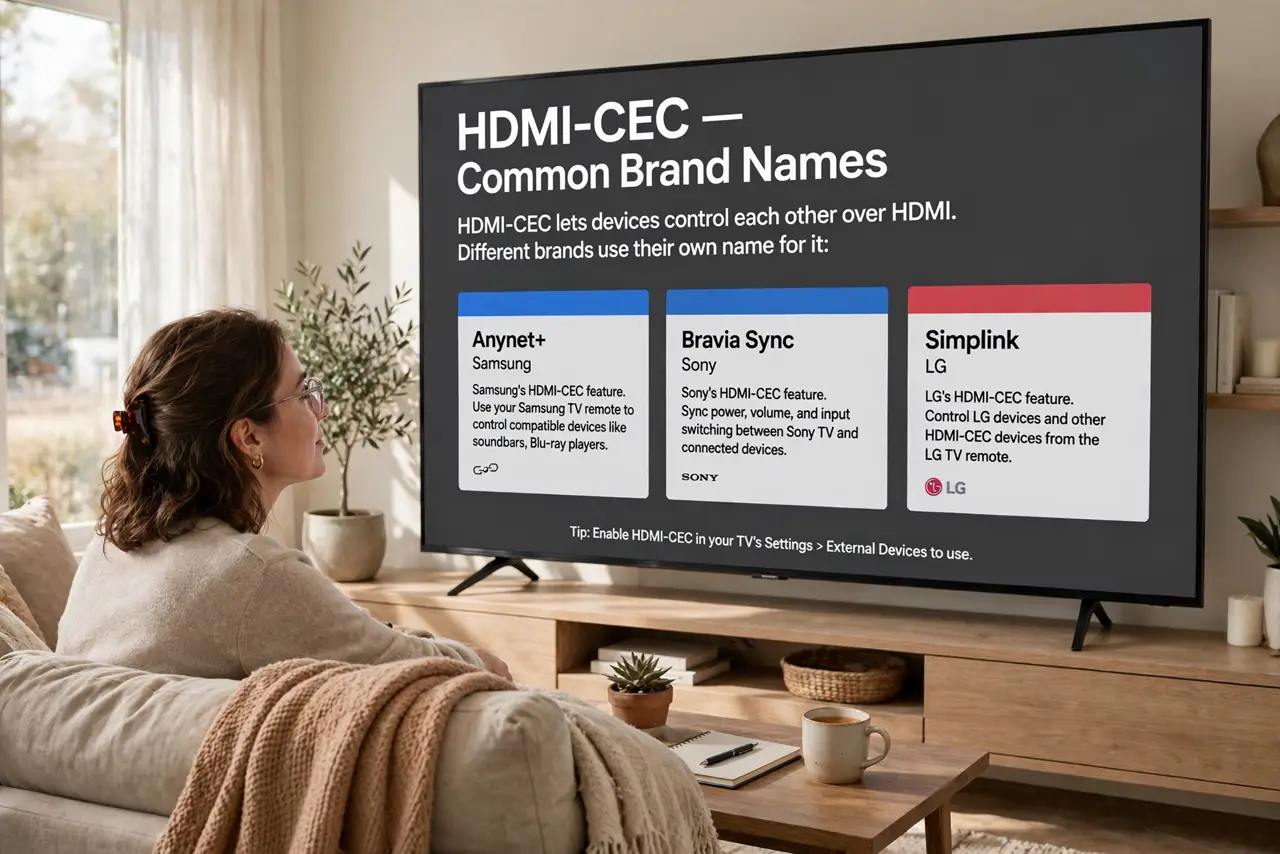
Three remotes for one movie night — TV, soundbar, streaming box — and the dream is one remote that runs everything. HDMI-CEC is that dream, built into nearly every modern device: it lets HDMI-connected gear control each other over the same cable. It hides under silly brand names, which is why nobody knows they have it.
TL;DR / Quick Fix
Quick fix: enable HDMI-CEC in your TV's settings — it hides under brand names like Anynet+, Bravia Sync, or Simplink. Then one remote controls the TV, soundbar, and player together. Use a proper High Speed HDMI cable; cheap cables are the most common reason CEC commands vanish.
Follow these steps
- Learn the brand names. CEC hides as Anynet+ (Samsung), Bravia Sync (Sony), Simplink (LG), and similar. It is the same standard underneath — the CEC explainer decodes every alias.
- Enable it on the TV first. Find the CEC setting in the TV's system or external-device menu and turn it on. This is the master switch — nothing downstream works until the TV allows it.
- Enable it on each device. Soundbars, players, and consoles have their own CEC toggles. Turn each on — one holdout breaks the chain for everything connected through it.
- Use a decent HDMI cable. CEC rides a dedicated pin in the HDMI cable. Frayed or bargain-bin cables drop exactly these commands while video works fine — swap the cable before blaming settings.
- Power everything on in order. Turn on the TV first, then the other devices. CEC discovery happens at power-up; a device that boots before the TV is ready may never announce itself.
- Test the basics. Try volume control of the soundbar from the TV remote and one-touch play from the player. If basics work but exotic features do not, that is normal — CEC implementations vary wildly.
What NOT to do
- Do not expect every feature on every brand. CEC is a loose standard — basics like power and volume usually work; fancy tricks often do not.
- Do not enable CEC on devices you do not want linked. A console that turns on the TV at 2 AM is CEC doing its job — disable it per device if annoyed.
- Do not troubleshoot with a suspect cable. Rule out the cable first; it is the cheapest variable and the most common failure.
- Do not confuse CEC with ARC. CEC is control commands; ARC is audio return — related, carried together, but separate settings. See the ARC guide for the audio side.
Frequently asked questions
Why do my devices turn on by themselves?
CEC power commands: one device waking wakes the chain. Disable CEC power control on the culprit device if it bothers you.
Does CEC work between different brands?
Usually for basics — it is a standard, after all. Exotic features are where cross-brand setups get flaky.
My remote controls volume but not power — why?
Partial CEC implementation. Some devices implement only the commands they feel like; check for firmware updates, then accept the limits.