Organize OneNote Sections
Your OneNote is one giant notebook — hundreds of pages in a single endless scroll, and finding anything means searching and hoping. Sections and section groups are the filing system: divide the monster into labeled drawers, and every note gets a home. An hour of organizing pays off every day after.

TL;DR / Quick Fix
Quick fix: split the giant notebook into sections by area — Work, Home, Projects — then use pages and subpages inside each. Move existing notes with drag and drop; nothing gets deleted in the process. The basics refresher covers the building blocks if sections feel new.
Follow these steps
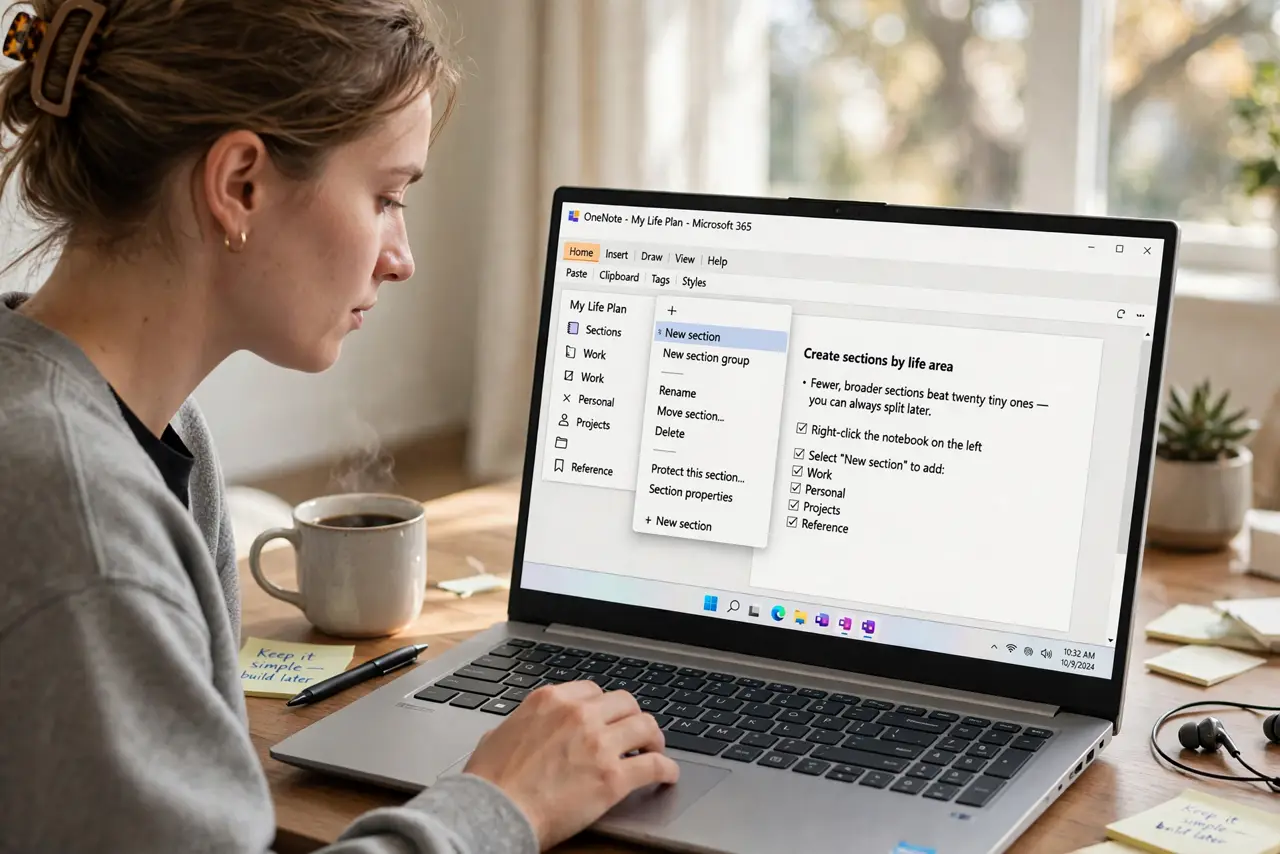
- Create sections by life area. Right-click the notebook, add sections: Work, Personal, Projects, Reference. Fewer, broader sections beat twenty tiny ones — you can always split later.
- Use section groups for big areas. Work projects each deserve a section group containing their own sections. Groups are folders for sections — the hierarchy stays shallow and sane.
- Drag existing pages into place. Select pages and drag them to their new section homes. Moving is safe — OneNote never deletes in a move, it relocates.
- Name pages like headlines. Meeting notes 2026-10-29 beats Untitled 47. Searchable, scannable titles are half the organization — rename as you file.
- Pin the daily drivers. Pin the two or three sections you open daily. The notebooks overview explains the full hierarchy if pinning reveals deeper confusion.
- Compare with the rivals. The Keep versus OneNote versus Notion comparison is worth a skim — sometimes the giant notebook signals a wrong-tool problem, not an organizing problem.
What NOT to do
- Do not create forty sections on day one. Start with five broad ones; split only when a section genuinely overflows.
- Do not organize instead of working. An hour of setup is productive; a week of perfecting tabs is procrastination.
- Do not nest ten levels deep. Shallow hierarchies get used; deep ones get lost — three levels max.
- Do not leave everything in Quick Notes. The inbox section is a waystation, not a home — file weekly.
Frequently asked questions
How many sections is too many?
When you cannot remember what goes where, you have too many. Five to ten per notebook is the sweet spot.
Can I merge notebooks?
Yes — drag sections between notebooks freely. Consolidation is safe and instant.
Does organizing sync everywhere?
Yes — sections, moves, and renames sync across all your devices automatically.