Replace a Laptop Battery
Your laptop dies an hour after unplugging, or the trackpad is bulging upward — a swollen battery. Laptop batteries wear out; most lose serious capacity after a few hundred charge cycles. Replacing one is often straightforward, but swollen batteries need special care. Here is the safe approach.
TL;DR / Quick Fix
Quick fix: check battery health in your OS settings first — under 80% capacity means replacement time. Buy the exact model battery from a reputable seller. Never puncture or bend a swollen battery; take it to a service point instead.
Follow these steps
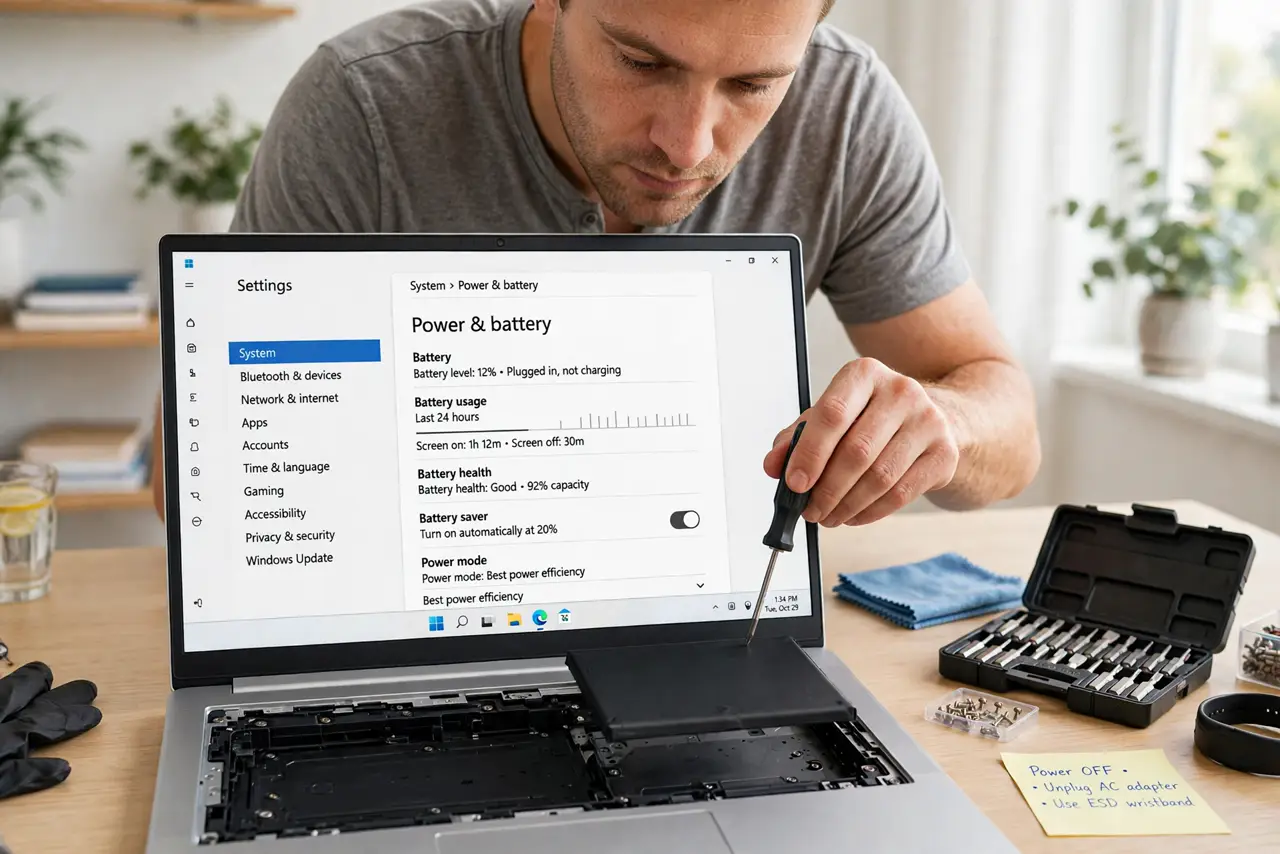
- Check the health report first. Windows and macOS both show battery capacity versus design capacity. Under 80% means the battery is genuinely worn — see battery health.
- Identify a swollen battery. Trackpad bulging, case not closing, screen separating — stop using it. Swollen batteries are a fire risk and need professional handling, not DIY.
- Find your exact battery model. Check the model number on the old battery or in the laptop's manual. 'Compatible' listings that are not the exact model are the top cause of replacement failures.
- Buy from a reputable source. Cheap no-name batteries can be worse than the worn one — poor capacity, no safety circuitry. Pay for a known brand or the manufacturer's part.
- Replace it carefully. Power off, unplug, and follow a guide for your exact model. Many modern laptops need the back panel removed — keep track of every screw.
- Recycle the old battery. Never bin lithium batteries — they cause fires in garbage trucks. Electronics stores and municipal sites take them free.
What NOT to do
- Do not puncture, bend, or squeeze a swollen battery. Punctured lithium cells catch fire — this is the serious one.
- Do not buy the cheapest no-name battery. Counterfeits skip safety circuitry and die in months.
- Do not replace the battery with the laptop plugged in. Power off and unplug — always.
- Do not throw the old battery in the trash. Lithium in landfill is a fire hazard and illegal in many places.
Frequently asked questions
How long should a laptop battery last?
Typically 2–4 years or a few hundred full cycles before capacity drops noticeably.
Can I use the laptop without a battery?
Many work fine on AC power alone — a decent stopgap while waiting for the replacement.
Is it worth replacing on an old laptop?
If the machine is otherwise fine, yes — a new battery is far cheaper than a new laptop.