Slow Even on Ethernet?
You plugged in the Ethernet cable expecting glory, and the speed test still crawls. That is actually useful information: when wired is slow too, your Wi-Fi is innocent — the problem lives upstream with the line, the plan, or the modem. This guide helps you interrogate each suspect in order instead of blaming the router. Start by ruling out an ISP outage.

TL;DR / Quick Fix
Quick fix: if ethernet is slow too, the problem is not your Wi-Fi — test the modem directly, check for ISP outages, and try a different cable and port. When wired and wireless are equally slow, suspect the line, the plan, or the modem.
Follow these steps
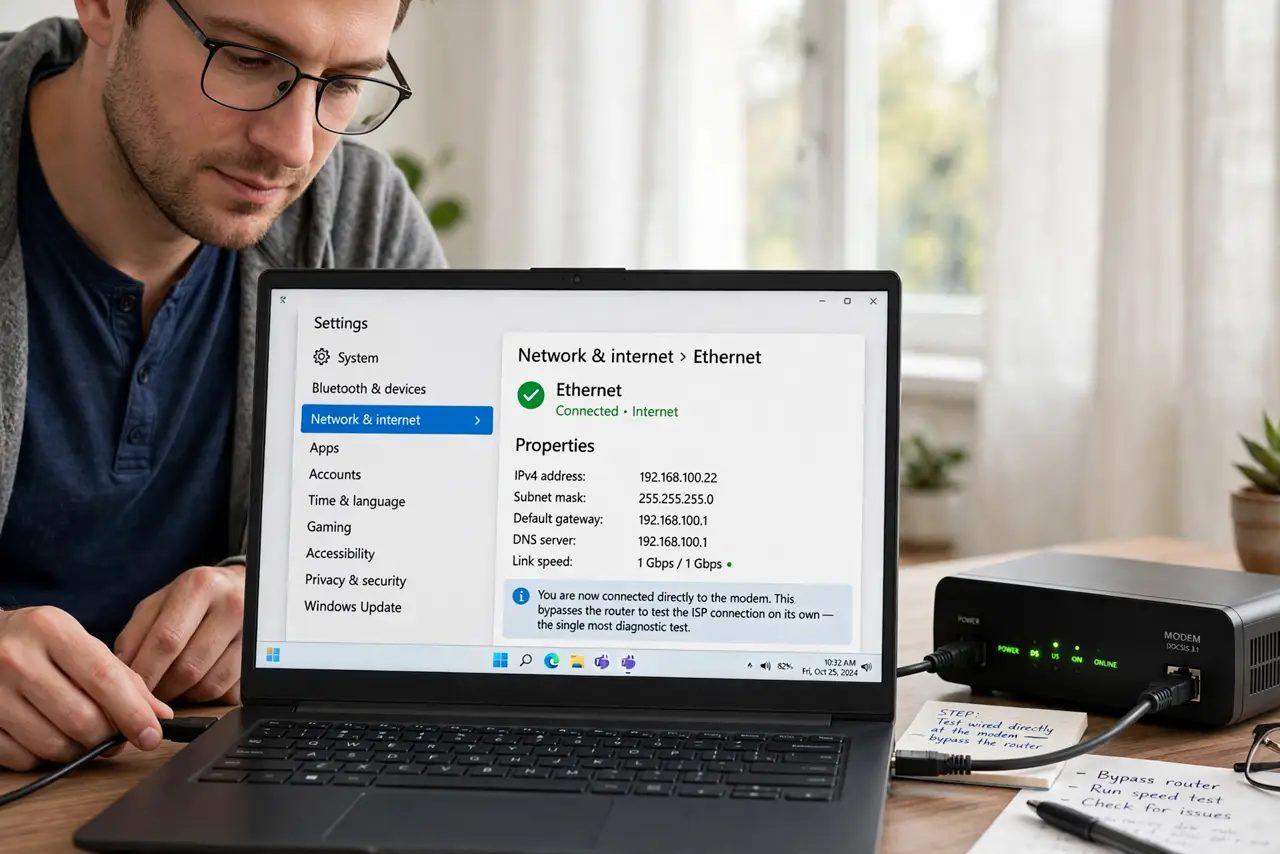
- Test wired directly at the modem. Plug a laptop straight into the modem, bypassing the router. This isolates the ISP connection from everything you own — the single most diagnostic test.
- Compare against your plan speed. Run the speed test right and compare to what you pay for. Far below plan speed on a direct modem connection is the ISP's problem to fix.
- Try a different cable and port. Damaged cables silently negotiate slower speeds — a cable that 'works' can still cap you at 100 Mbps. Swap the cable and try another modem port.
- Check for an outage or maintenance. ISPs do unannounced maintenance that tanks speeds. The status page or app check takes a minute and explains many mysteries.
- Restart the modem properly. Power it down for 30 seconds and let it fully reconnect — the restart order matters if a router is involved too.
- Call the ISP with evidence. Direct-modem test results, timestamps, screenshots. 'My 500 plan gives 40 wired at the modem' gets action; 'internet slow' gets hold music.
What NOT to do
- Do not upgrade your plan to fix this. If the line cannot deliver your current plan, a bigger plan delivers the same disappointment.
- Do not blame the router yet. A slow direct-modem test exonerates every router, mesh node, and Wi-Fi setting you own.
- Do not test over Wi-Fi and conclude. Wireless adds its own variables — the wired-at-modem test is the ground truth.
- Do not ignore old cabling. Ancient Cat5 or damaged runs cap speeds silently — the cable categories explain the limits.
Frequently asked questions
Why is my wired speed slower than my plan?
Line issues, ISP congestion, modem problems, or a bad cable. The direct-modem test narrows it to the ISP's side or yours.
Can a bad Ethernet cable slow things down?
Yes — damaged cables fall back to slower speeds without telling you. It is one of the most common silent culprits.
Should the ISP fix slow wired speeds?
If the direct-modem test shows far below plan speed, yes — that is the service you pay for. Document and escalate.